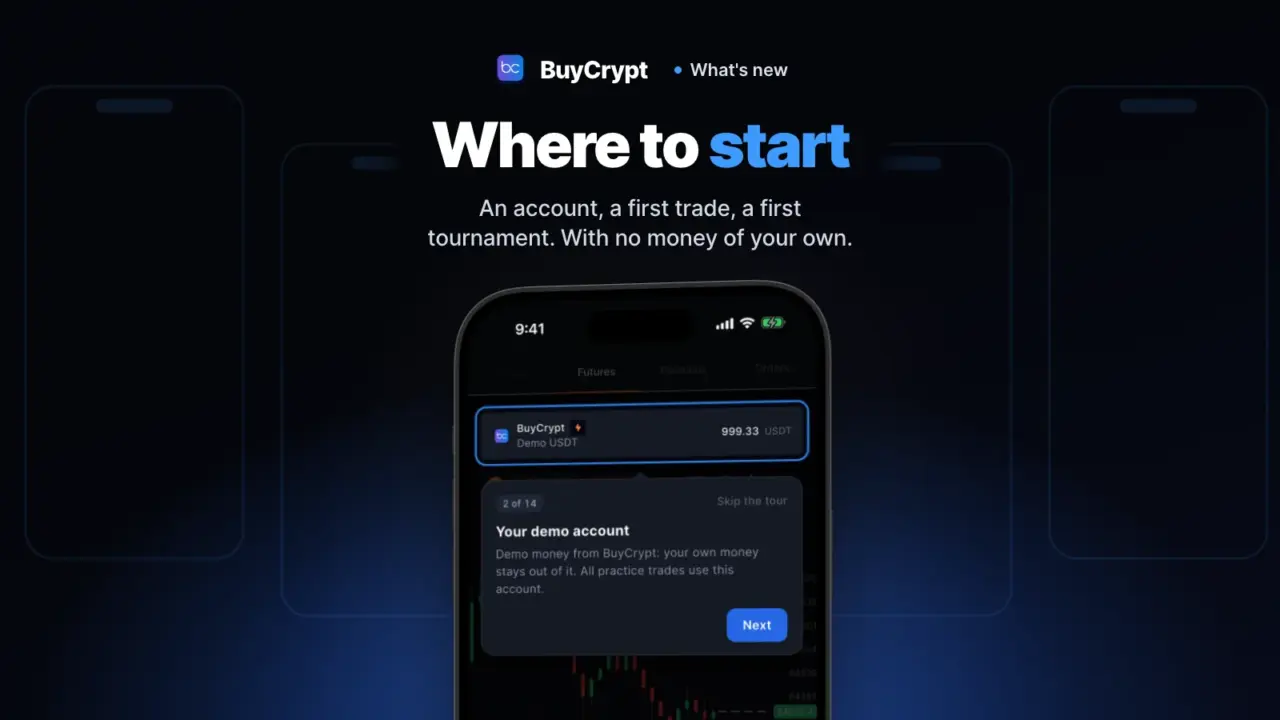
In a few minutes you get an account with virtual USDT. You make your first trade at real exchange prices. Then you join a free tournament. You need no money. Mistakes on demo cost nothing.
BuyCrypt is a learning platform with tournaments. It is not an exchange. Everything here works in the app from the stores and in the web terminal.
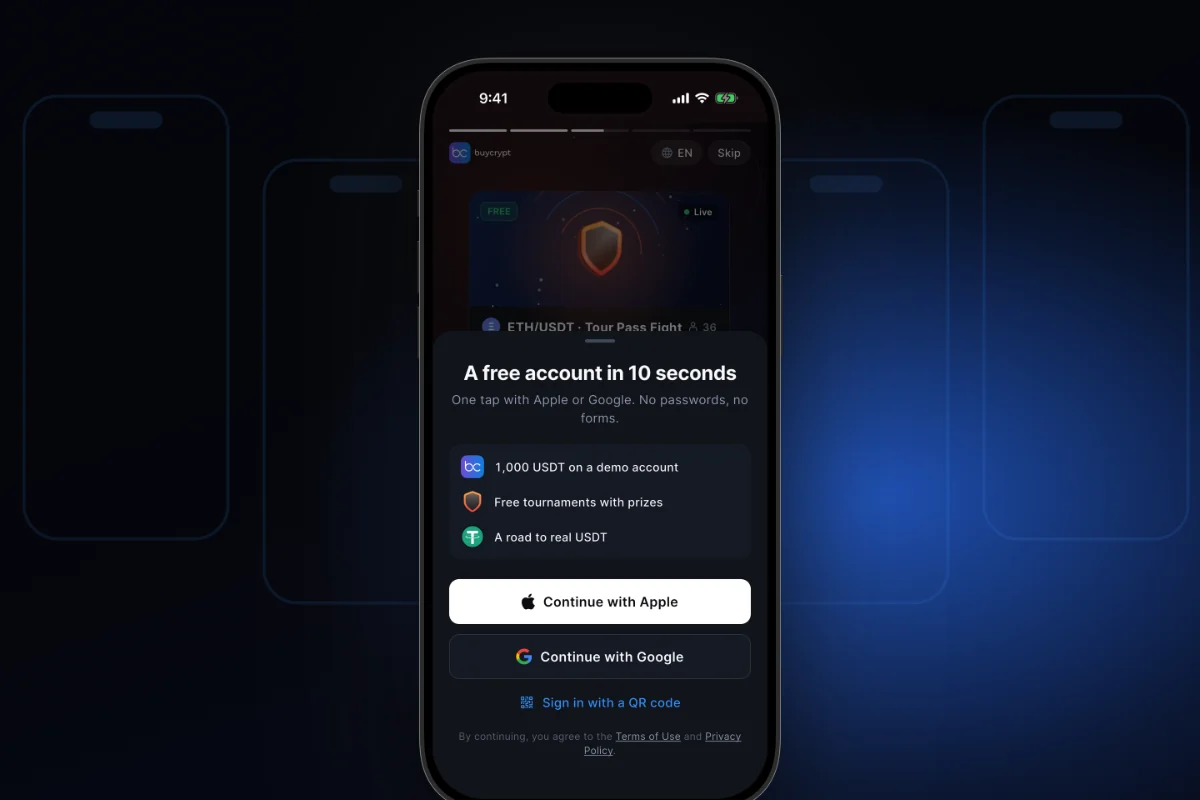
Your account is open 10 seconds after install
One tap, and the demo account is yours
What it is. Sign in with Apple or Google. No passwords, no forms. Right after that you have a demo account with virtual USDT.
Why. No password to invent. No email to confirm. No payment. You trade on demo seconds after install.
How to start
- Open the app and tap “Start for free”.
- On the panel “A free account in 10 seconds” tap “Continue with Apple” or “Continue with Google”.
- Confirm in the system window.
- Had an account before? Tap “I already have an account” and sign in the same way.
Where: the app and the web terminal. The Apple button is on iPhone and in the browser. Android has no Apple button.
The app opens what you came for
What it is. Three short screens after you sign up: “Your account is open”, a goal choice, and an offer to turn on notifications.
Why. You do not land on an empty screen. The app opens the right section and starts the right lesson.
How to start
- On “Your account is open” tap “Continue”.
- On “What do you want to start with?” pick one card: “Learn to trade”, “Win tournaments” or “Copy the pros”.
- On “Don’t miss the start” tap “Turn on notifications” or “Not now”.
Where: the app. In the web terminal, for new accounts since 15 November.
The demo account: real prices, virtual money
Make your mistakes here. They cost nothing
What it is. A demo account with virtual USDT. Your futures orders fill at live prices from real exchanges. Leverage, fees and liquidation work like in real trading. It is futures only. There is no spot.
Why. A first trade on an exchange often costs money. Wrong leverage. No stop. The position gets closed. Here the same mistakes are free. The same account plays in free tournaments.
How to start
- Open the app and tap “Start for free”.
- Tap “Continue with Apple” or “Continue with Google”. No password, no forms. The demo account is made for you.
- Open Trade → Futures. Pick a pair and an amount. Tap the buy or the sell button.
- Your trade shows in Positions.
Where: the app (demo is in the stores since 3.9.5, 10 November) and the web terminal. More on the site: crypto trading simulator.
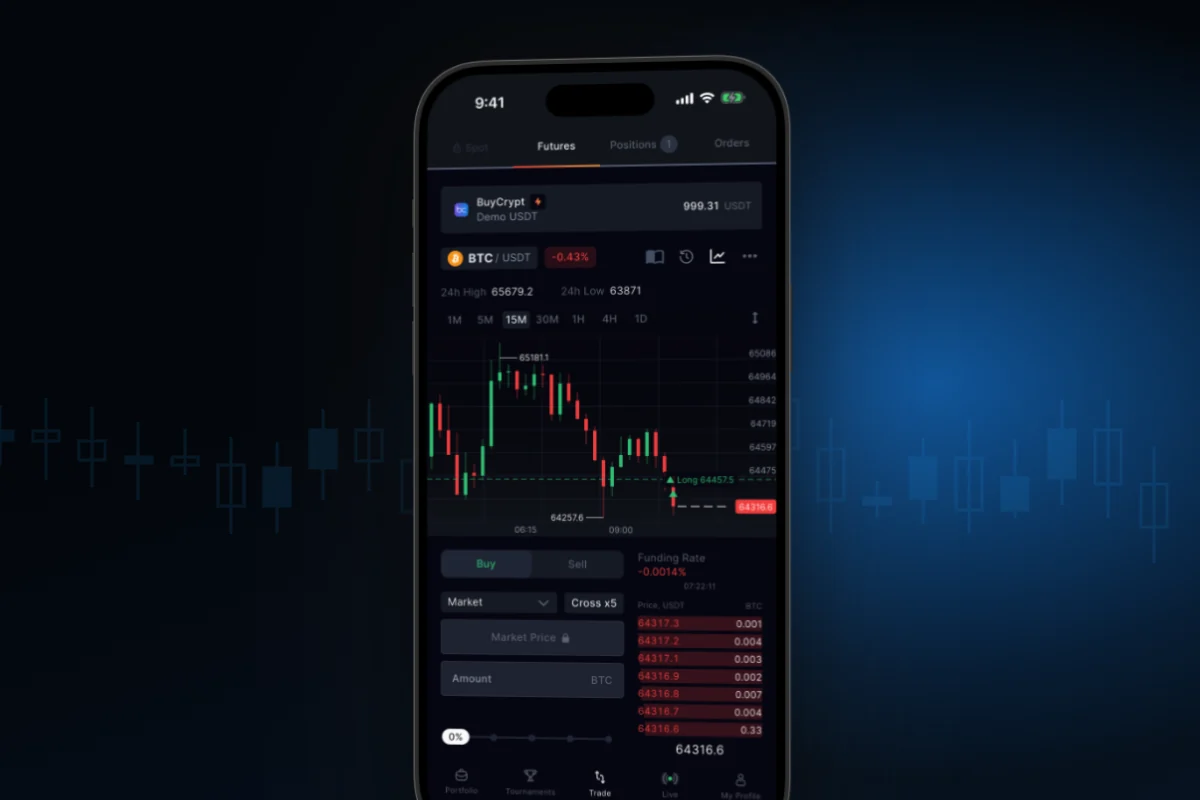
BuyCrypt is not an exchange. Demo is a simulation. Your trades never reach the market. Demo still counts a fee: 0.04% to open and 0.04% to close. So the result looks like a real one.
Your first trade in a minute
The app shows you where to tap
What it is. A step-by-step lesson on the trade screen. It lights up the real buttons and leads you through a first demo trade.
Why. You open and close a trade yourself. You learn what leverage, PNL and a stop loss are. No real money is involved.
How to start
- Open Trade → Futures. On a new account the lesson starts by itself. Later, tap the book icon in the pair line.
- Tap “Get Started” and move through the cards with “Next”: account, pair, chart, leverage x5.
- Move the amount slider, tap the lit buy button, then “Confirm”.
- Open Positions. The lesson shows PNL, “Stop loss and take profit” and the “Close” button.
- On the last card pick “Learn about tournaments” or “Stay in the terminal”.
Where: the app. In the web terminal the lesson runs only in a narrow, phone-size window. It does not start while your account plays in a running tournament. You can also replay it: My Profile → “Trader path” → “Start the lesson”.
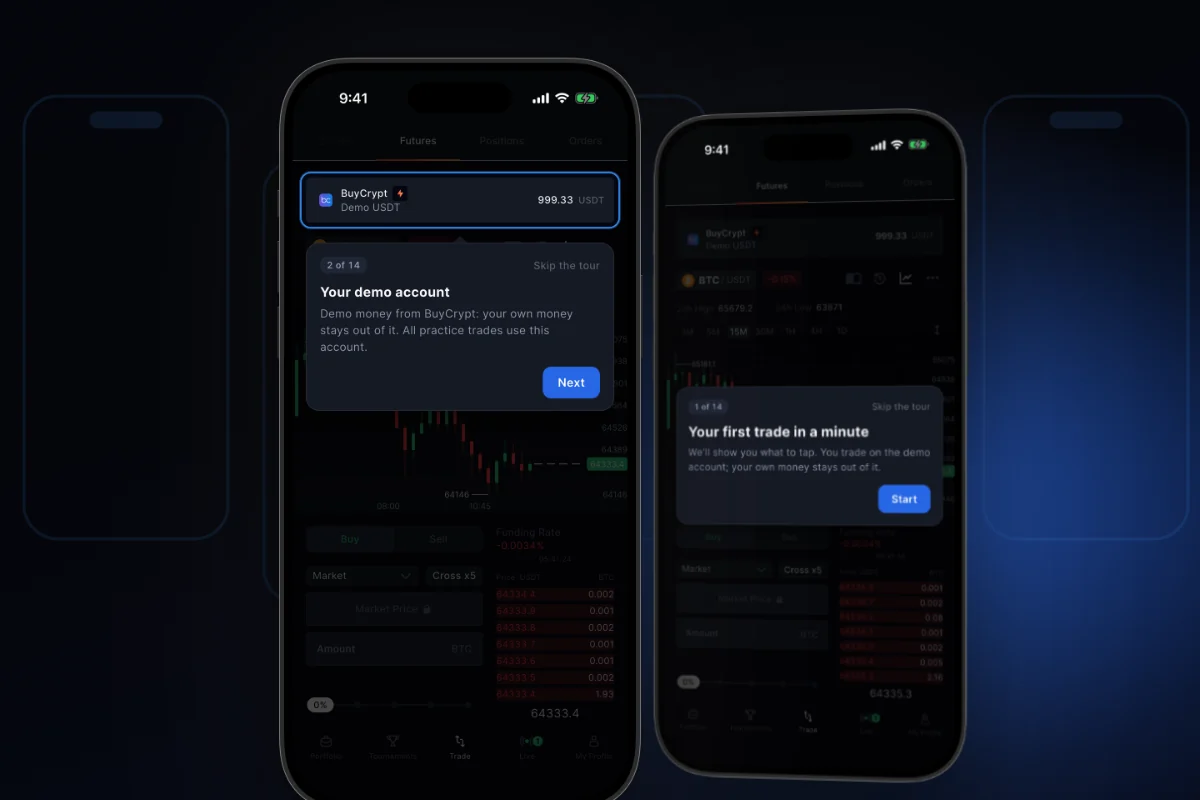
The lesson is called “Your first trade in a minute”. During the lesson it sets leverage x5 for the pair. A new account has x20 by default. You can close any card with “Skip the tour”. The lesson shows where to tap. It does not teach you to win. On a wide web screen (from 1024 px) there is no lesson.
Demo works like an exchange: leverage, fees, liquidation. If a position is liquidated, you lose only virtual USDT.
You always know the next step
One next step, not “explore the app”
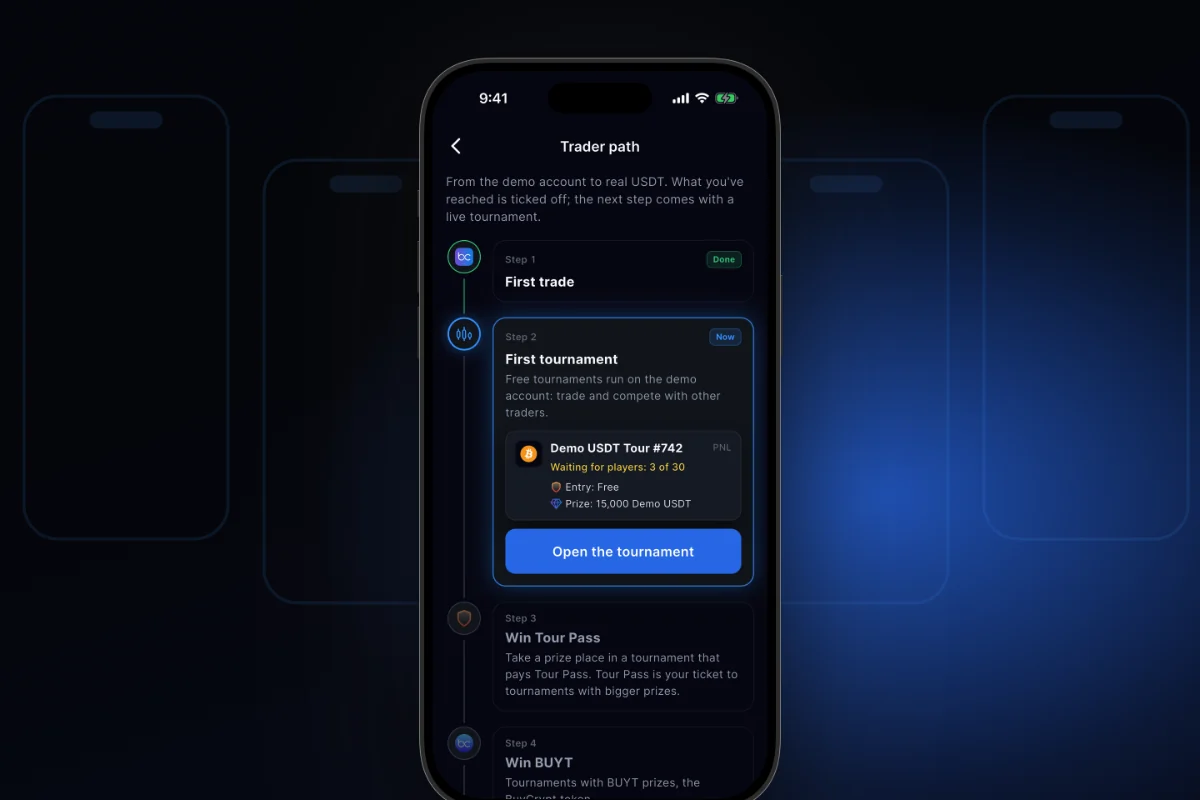
What it is. Trader path is a screen with five steps: “First trade”, “First tournament”, “Win Tour Pass”, “Win BUYT”, “Win USDT”.
Why. Finished steps are marked. The next step shows a tournament from the live schedule. It is a route, not a promise of a prize.
How to start
- Open My Profile → “Trader path”, or the “Your trader path” card in Portfolio.
- Look at the marks “Done” and “Now”.
- On “First trade” tap “Start the lesson”. On the next steps tap “Open tournament”.
Where: the app and the web terminal.
Your first tournament: free entry, and the prize is tickets
What it is. “22’Hours ETH | Tour Pass Fight” is a free daily tournament on the demo account. You trade ETH. By the site data of 17 November it starts at 09:00 UTC and runs 22 hours.
Why. You win Tour Pass here. Tour Pass is an in-app ticket. It pays the entry to tournaments with USDT prizes. You cannot withdraw Tour Pass.
How to start
- Open Tournaments → Live and find “22’Hours ETH | Tour Pass Fight”.
- Tap “Join” and choose the demo account.
- Trade ETH and close your trades before the end. Only closed trades count.
Where: the app and the web terminal. Join at any time while it runs. Scoring and prizes are in chapter 2.
Six guides for your first month
Five are inside the app. One is on the site. They show the way. They do not promise a prize.
- “How tournaments work”. Open Tournaments and tap the line above the list. It shows the nearest free start, PNL and PMC with examples, and common questions. In the app since 3.9.6 (14 November). In the browser: the guide in the web terminal. More in chapter 2.
- “Trader path”. My Profile → “Trader path”. Five steps from a first trade to a USDT prize: “First trade”, “First tournament”, “Win Tour Pass”, “Win BUYT”, “Win USDT”.
- “Position liquidated”. Tap the push about a liquidated demo position. You get an explanation and three tips for the next trade: lower leverage, a stop loss, a smaller part of the balance. It also reminds you: this is demo, no real money is lost.
- “Your tournament demo account”. In a PNL tournament everyone gets the same balance. Open positions are closed. Your old balance returns after the finish.
- Tournament notifications. A reminder before the start. Messages about the start, the results and a cancellation of tournaments you joined.
- Free course. 69 lessons in 12 levels in the blog. No sign-up. Your progress is kept without an account. Tasks take 10–20 minutes on a demo account.
More changes
- Look around without an account. Tap “Skip” on the welcome screen. A guest sees tournaments, the chart and Live. To trade, tap “Create profile”.
- Welcome stories. Five short screens on first launch.
- “Not enough Demo USDT”. Tap “Where to get” to see free ways: invite a friend or win Demo USDT in a tournament. There is no “top up demo” button.
- Trading guide and glossary. The guide dates from 11 October, so some names are older than the app.
Good to know
- Demo USDT is virtual. You cannot withdraw, sell or send it.
- A result on demo does not promise the same result on a real market.
- Tournament prizes are credited in USDT and paid out in the BUYT token at the market rate. See chapter 5.
- This is not investment advice. 18+.
Links: what’s new in BuyCrypt · guide · tournaments · App Store · Google Play · web terminal
Every major exchange tournament: what is live now, announced vs distributed prize pools, history since 2020. Updated nightly.
Discussion
Comments from BuyCrypt Live. Sign in with Google or Apple — we create your BuyCrypt account on the way, the same one as in the app.