BuyCrypt is a place to learn trading and to compete. You trade virtual USDT at real exchange prices. You play in tournaments with real prizes. It is not an exchange. You need no money to start.
This page lists every change in the app, the web terminal and the site. The address stays the same. After each release we add a block to the log below and update the chapters. One note about money. Demo USDT is virtual. Prizes are credited in USDT and paid out in the BUYT token at the market rate. Nothing here is investment advice. Nobody promises profit. 18+.
→ I am new here
→ I already play. What is new?
The big changes this autumn
Until 10 November the stores had the app version from May. So most of this is new to you. Start with these eight.
- Withdraw a prize from 1 USDT. Withdraw in BuyCrypt balance. Your prize is credited in USDT. It is paid out in BUYT at the market rate to your TON wallet. The form shows the network fee.
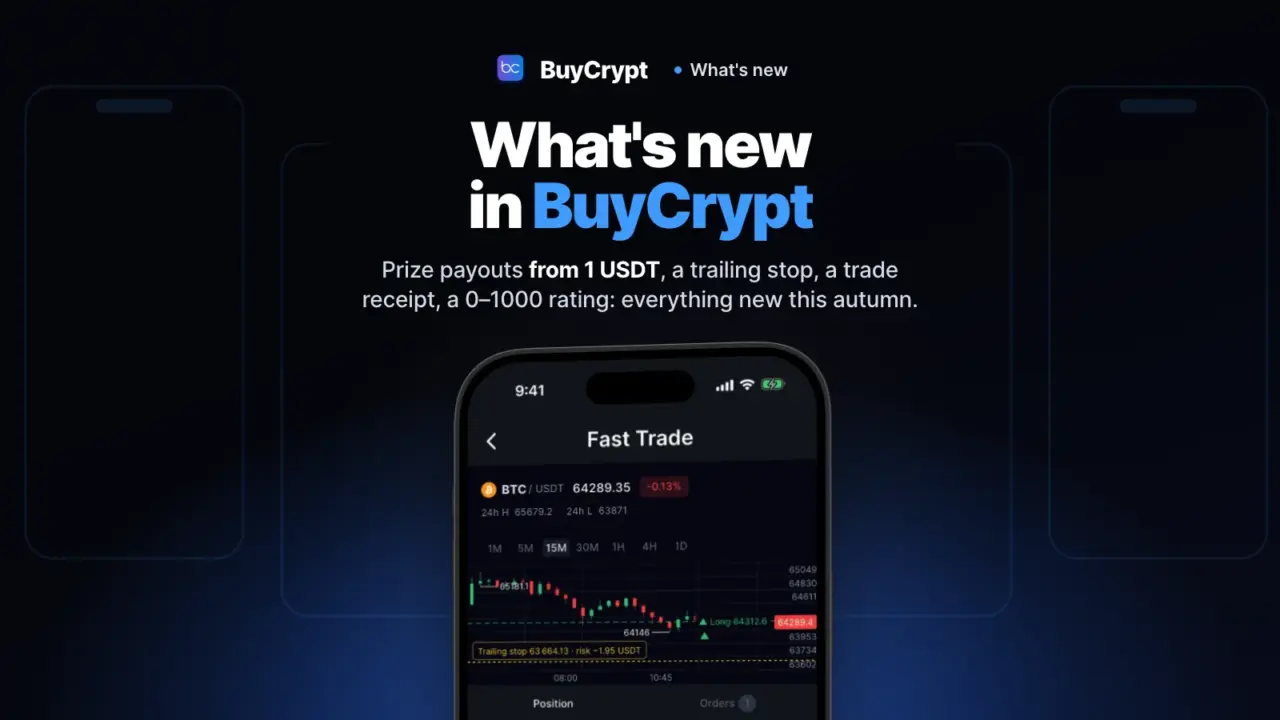
- Your stop follows the price by itself. Trailing Stop. It works on the demo account and in tournaments. On your own exchange accounts it works on Gate, SunX and Hyperliquid.
- See the liquidation price before you trade. The Liquidation price line in the order form. It is an estimate with the “≈” sign. The exchange may count it differently.
- Get a receipt when a trade is closed. The Trade closed screen shows entry, exit, price move and fee. You see it when you close the whole position from Fast Trade.
- Copy strong traders on a demo account, for free. Copy demo account. It uses practice money. You need no BUYT. A copy can still end in a loss.
- A 0–1000 rating shows how you trade, not only how much. Trader rating. It counts result, risk, self-control, experience and discipline.
- See whose forecasts came true. Forecasts in the Live tab. You get the blogger’s exact words and the outcome at Binance prices. It is not investment advice.
- The terminal in your browser: sign in on the site and you are in. Web terminal and the “Continue as…” screen. Nothing to install.
Chapters
The chapters follow a beginner’s path. If you already play, open the one you need.
- Where to start: account, first trade, first tournament. An account in 10 seconds, a lesson on the trade screen, and Trader path.
- Tournaments: the types, the scoring, and how the prize arrives. Free daily series, BTC Battle at weekends, PNL and PMC.
- The terminal: order, chart, order book, leverage. What the form shows before you send an order: value, margin, liquidation price.
- A trade under control: TP/SL, trailing stop, breakeven, trade receipt. How to protect an open position and see how it ended.
- Prizes and money: Tour Pass, BuyCrypt balance, withdrawal, what BUYT is for. Where your prize is, how to withdraw from 1 USDT, what Transactions shows.
- Trader rating and Trader Passport. What makes the 0–1000 score and what the levels open.
- Copy trading: free on demo, with a BUYT lock on your own exchange. Who you can copy, the two safety limits, and where the risk is.
- Live: blogger forecasts, the feed, ideas. Who said what about a coin, and what happened next. Plus the idea board.
- Web terminal, your own exchanges, and fair play. Sign in by QR. Connect your exchange with a key that cannot withdraw. One set of rules for all.
- Capital: real accounts for the best traders. BuyCrypt gives the best traders real accounts on Hyperliquid to manage. The trader puts in no money, and the loss is not on the trader. The fund is open. We are recruiting traders for the first investor tournaments. None has finished yet.
Change log
Newest first. Each line links to the chapter with the steps and the conditions.
3.9.7 · 17 November
- One withdrawal form in the app. Withdraw a prize from 1 USDT, paid in BUYT at the market rate, as in the web terminal. Chapter 5
- The “Withdrawal is closed” box. If the rules close your withdrawal, the app says why and which rule. Chapter 9
- A read-only key (for MCP). The button is in the app now too. Chapter 9
3.9.6 · 14 November
- Prize withdrawal from 1 USDT. The Withdraw screen in BuyCrypt balance. Open to everyone since 16 November. The payout is in BUYT. Chapter 5
- BuyCrypt balance. Prizes, withdrawal requests and the latest transactions on one screen. Chapter 5
- Transactions. Every credit and debit in one list, with a link to the blockchain transaction. Chapter 5
- Liquidation price before you trade now works on all exchanges. Chapter 3
- Order result at its price. Next to a stop or a take profit you see what it will add or take away. Chapter 4
- How tournaments work. The guide is rewritten for first-time visitors. Chapter 2
- Ideas. Suggest a feature and vote for others. Chapter 8
- Investor tournaments. The screen shows the conditions to apply and which ones you already meet. Chapter 10
3.9.5 · 10 November
- Sign in with Apple or Google and the lesson “Your first trade in a minute”. Chapter 1
- Trader path. Five steps from the first demo trade to tournaments with USDT prizes. Chapter 1
- The new Results screen. Prizes are credited automatically. Each prize shows its status. Chapter 2
- Trailing Stop, TP / SL for Part or Whole position, Breakeven. Chapter 4
- Trade closed. A receipt with entry, exit and fee. Chapter 4
- Trader Passport, the 0–1000 rating and levels. Chapter 6
- Copying tournament players: the copy demo account and Copy Center. Chapter 7
- Live: the feed, Forecasts, and “Bloggers on a coin”. Chapter 8
Site and web terminal · November
- “Continue as…”. Since 15 November your site sign-in also works in the terminal. Chapter 9
- Join from the tournament page. After you sign in, you land in that tournament, not in the full list. Chapter 2
- Prize payouts. On 17 November the page shows $43,168 in prizes and links to withdrawal transactions. Chapter 5
- The tournaments section has a page for every tournament. The site is in 18 languages.
- Terms of Use, edition of 16 November. They state how prizes are paid.
Start: web terminal · App Store · Google Play · tournaments
Updated: 18.11.2026 · app 3.9.7
Discussion
Comments from BuyCrypt Live. Sign in with Google or Apple — we create your BuyCrypt account on the way, the same one as in the app.