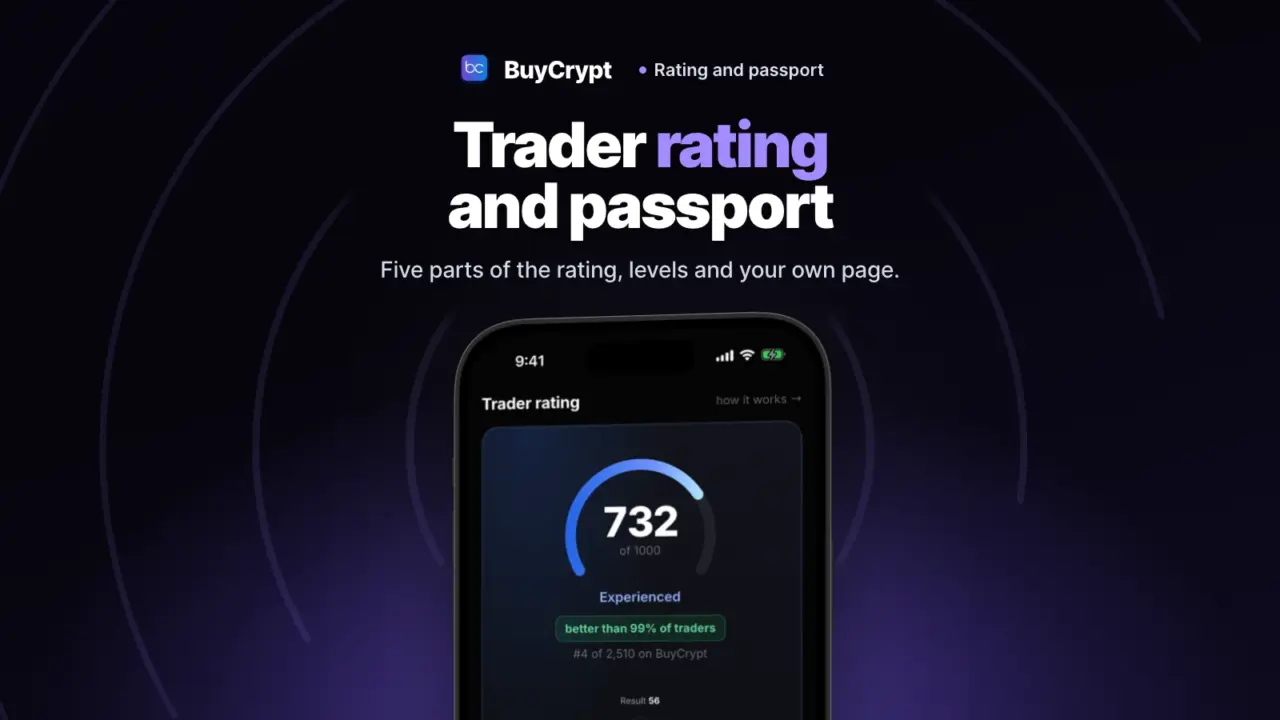
One number from 0 to 1000 shows how you trade, not only how much you made. You also see which part pulls it down and what the next level needs.
The rating counts your closed trades, also on the demo account with virtual USDT. It is free. Never traded here? Start with the terminal chapter.
All your trading on one screen
See your result, your risk and the way to the next level
What it is. Trader Passport is the screen about you as a trader. It has four tabs: Overview, Tournaments, Analytics and Progress.
Why. Your rating, tournament points, trade review and levels are in one place.
How to start
- Open My Profile and tap the Trader Passport banner.
- Overview shows the Trader rating card, Trading experience and Risk & discipline.
- Tournaments shows your points, league and Achievements.
- Analytics switches between Tournaments and Accounts.
- Progress shows your levels and what the next one needs.
- The Profile & privacy icon at the top: you choose what others see. Until you open your profile, only you see your passport.
Where: the app and the web terminal. The full method is on the Trader passport page.
The rating: five parts, not just profit
You know what to work on: result, risk or self-control
What it is. The Trader rating is a score from 0 to 1000 for a year of trading. It has five parts: result 35%, risk management 25%, self-control 15%, experience 15%, discipline 10%.
Why. A big profit with huge risk does not give a high rating. Each part is scored 0 to 100, so you see the weak one.
How to start
- Open Trader Passport, then Overview. The Trader rating card shows “N of 1000”.
- Read the five parts under “What it is made of”.
- Open “How the rating works” for the rules in plain words.
- “How your rating grows” is a chart by day.
- Violations shows the points you lost and how many clean trades bring them back.
Where: the app and the web terminal. Method 2.0 is in force since 14 October 2026. The rating updates once a day.
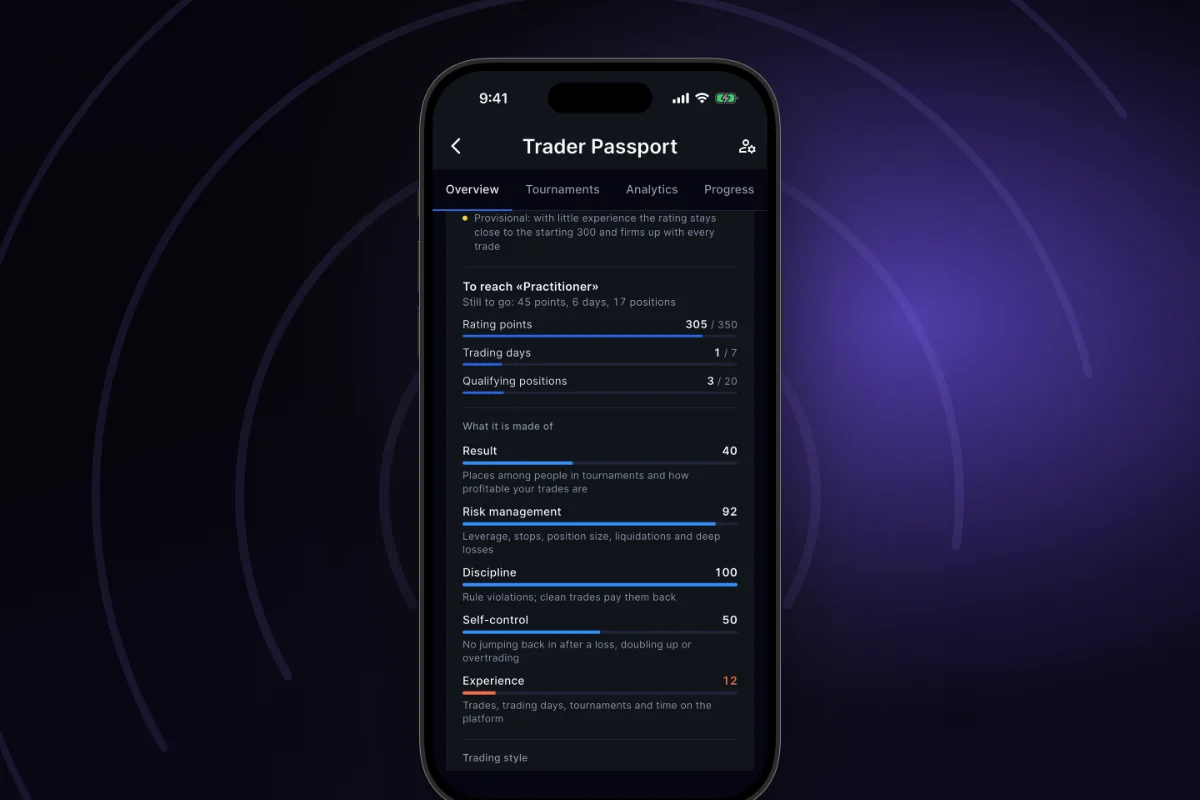
Everyone starts at 300. With little experience the rating is Provisional and stays near 300. Positions held 60 seconds or more count, up to 5 a day, for the last 365 days: on demo, in tournaments and on real accounts. Copying other traders does not count. The rating is not account return and not a guarantee.
Levels: what is open now and what comes next
See how many days, trades and tournaments are left to the next step
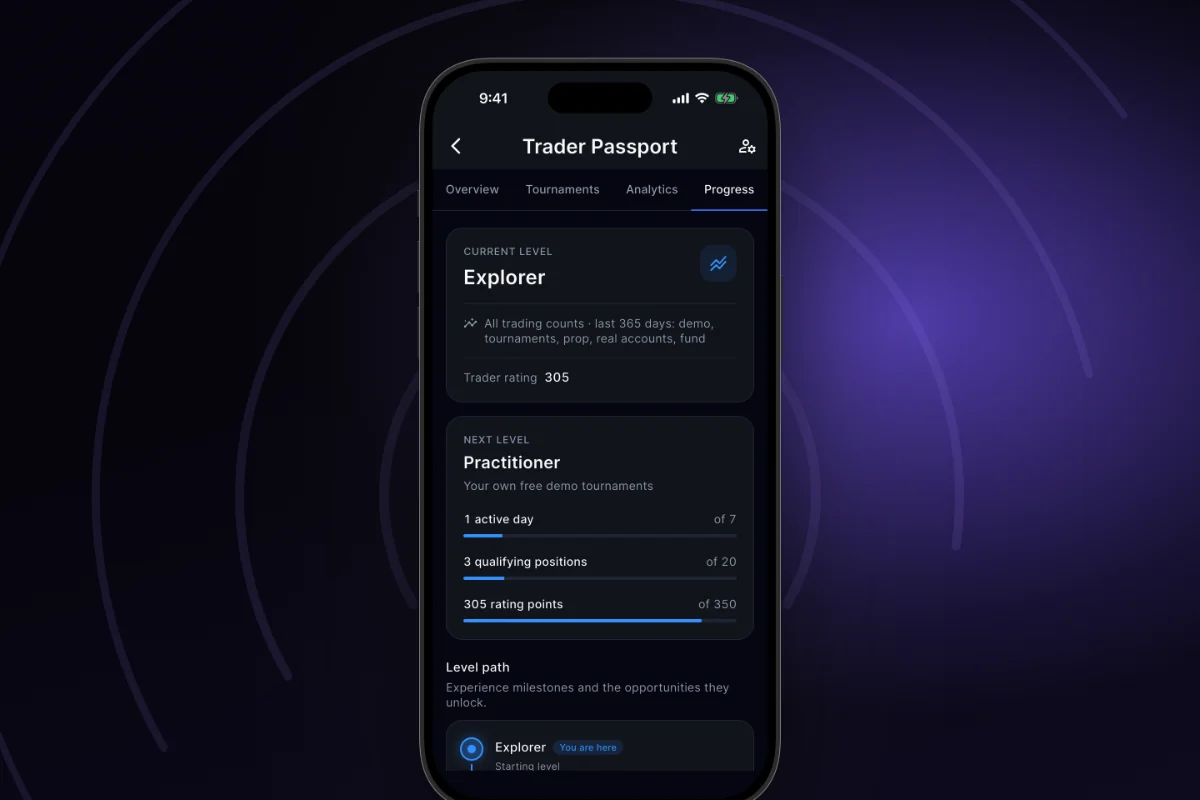
What it is. There are four levels: Explorer, Practitioner, Established and Experienced. Your level depends on your rating, trading days, positions and tournaments.
Why. From Practitioner, other people can copy your tournament trades.
How to start
- Open Trader Passport, then the Progress tab.
- CURRENT LEVEL shows where you are.
- NEXT LEVEL has bars for what is missing: days, positions, rating points, tournaments.
- Level path tells you what each level opens. Marks show the levels you passed, where you are and what is next.
Where: the app and the web terminal. The thresholds are on this screen and on the method page. On 17.11.2026 Practitioner needs 350 rating points, 7 trading days and 20 positions.
The Established level opens “Apply to investor tournaments”: you apply to manage BuyCrypt money. Terms and risks are in the capital chapter. Applying is not admission. The app says: “Level eligibility does not guarantee admission.” Today the fund is open and traders are being recruited for the first investor tournaments. None has finished yet. A trader who is copied gets no payment for copies. Levels are not leagues: these are different scales.
After a tournament, see where the risk was too high
Find what cost you places: no stop, a late stop or adding to a loss
What it is. Each of your tournaments in the last 365 days has a Trading review. It shows your drawdown, entries without a stop, adding to losing positions and how fast you set a stop.
Why. A final place does not say what went wrong. The review does.
How to start
- Open Trader Passport, then Analytics, then Tournaments.
- Pick a tournament from the list. The list already shows the max drawdown, the peak load and the closed trades.
- In Trading review, read Risk at entry, Stop losses, Adding to positions and How fast you set a stop.
- Below, open Capital & exposure, with a chart of your capital minute by minute, and Trading events.
- One card looks at the trade after a loss: its risk against your usual risk.
Where: the app and the web terminal. Only you see it. It is not a risk score and not advice.
Your own page, only if you open it
You choose what others see. Nobody sees your balances or keys
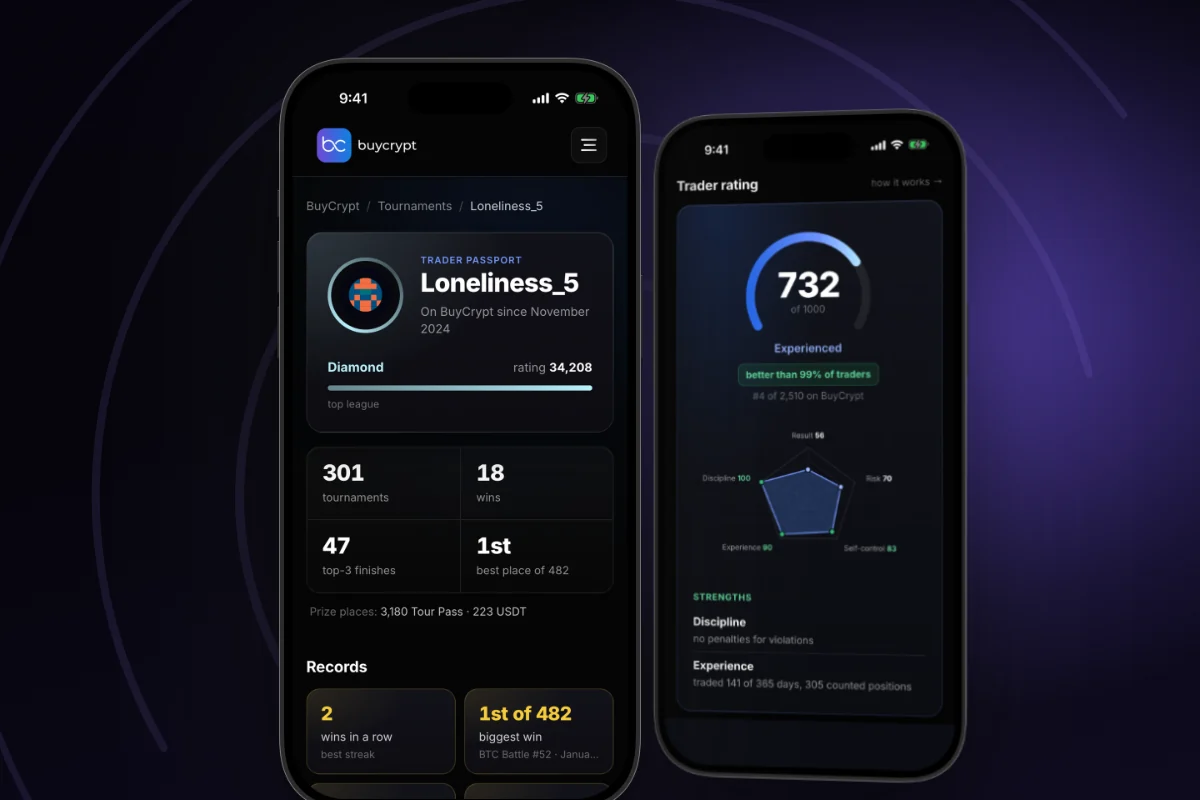
What it is. There are two switches. Public profile shows your text. Share trading insights shows your trading stats. After that you get a page on the site under your nickname: the rating with its five parts, league, achievements and an activity calendar.
Why. Nothing is public by default. An open page is easy to share by link.
How to start
- In Trader Passport, tap the Profile & privacy icon.
- Fill in “About me in one line” and “Biography & trading approach”. Pick an avatar.
- Under Profile visibility, turn on Public profile. Turn on Share trading insights if you want.
- Tap Save profile.
- Share public passport now shows in your passport.
Where: the app and the web terminal. Your site page: buycrypt.com/trader/your-nickname. Hide the profile and the page closes within 15 minutes. Sums on real exchanges are not shown on the page. The Copy button shows when the trader can be copied. A copied trader gets no payment.
Two tables: who is more exact and whose account grew
Find people worth watching
What it is. Top Traders is a table by Sum of moves (PMC) for a week, a month or three months. PMC is the sum of % from each closed trade. It is not account return.
Why. A small account can beat a big one here. Tap a row to open that trader’s passport.
How to start
- Open the Live tab, then Top Traders.
- Pick Week, Month or Three months. All Pairs picks the coin.
- Tap “…”, then About trader rankings, to see PMC in an example. Trades of +10.0%, +4.5% and −8.5% give a weekly score of +6%.
- Tap a trader’s row. The star adds them to Favorites.
Where: the app, the web terminal and the leaderboard on the site. The site has a second tab, Capital growth: results in demo tournaments scored by result (PNL). It is a demo tournament result, not income. The site says the table is built from demo account trades for now. The server counts your place from closed trades.
More changes
- Tournament points and leagues. Five leagues, from Bronze to Diamond, from finished tournaments. A bar shows the points left to the next league. This is a game status, a separate scale.
- Achievements. Trader Passport → Tournaments. Medals for tournaments: one for your first tournament, one for a first place, some for streaks. Tap a medal to see How to earn.
- Trading insights. Analytics → Accounts: result, costs, your trading approach, Risk management and Balance history for 7, 30, 90 or 365 days. Some trades may be missing: not every exchange reports fees and funding.
- Daily PNL · UTC. A month calendar. Analytics → Accounts. Each day has the colour of its result. Days use UTC.
- Your profile on the site. Your own passport in a browser: sign in on buycrypt.com and open your profile. Only you see it.
Good to know
- There are three different scales: the Trader rating (0–1000), tournament points with leagues, and PMC in Top Traders.
- A liquidation lowers the rating on demo too: −8 points by the method. A removed or moved stop: −3. Clean trades bring the points back.
- Leagues and medals give no access and no prizes.
- The leaderboard lists only people who chose to share their stats.
- The passport is not a certificate or a promise.
- Demo money is virtual. This is not investment advice. 18+.
Links: rating method · leaderboard · tournaments · web terminal · download: App Store, Google Play · next: Copy trading · all chapters.
Discussion
Comments from BuyCrypt Live. Sign in with Google or Apple — we create your BuyCrypt account on the way, the same one as in the app.