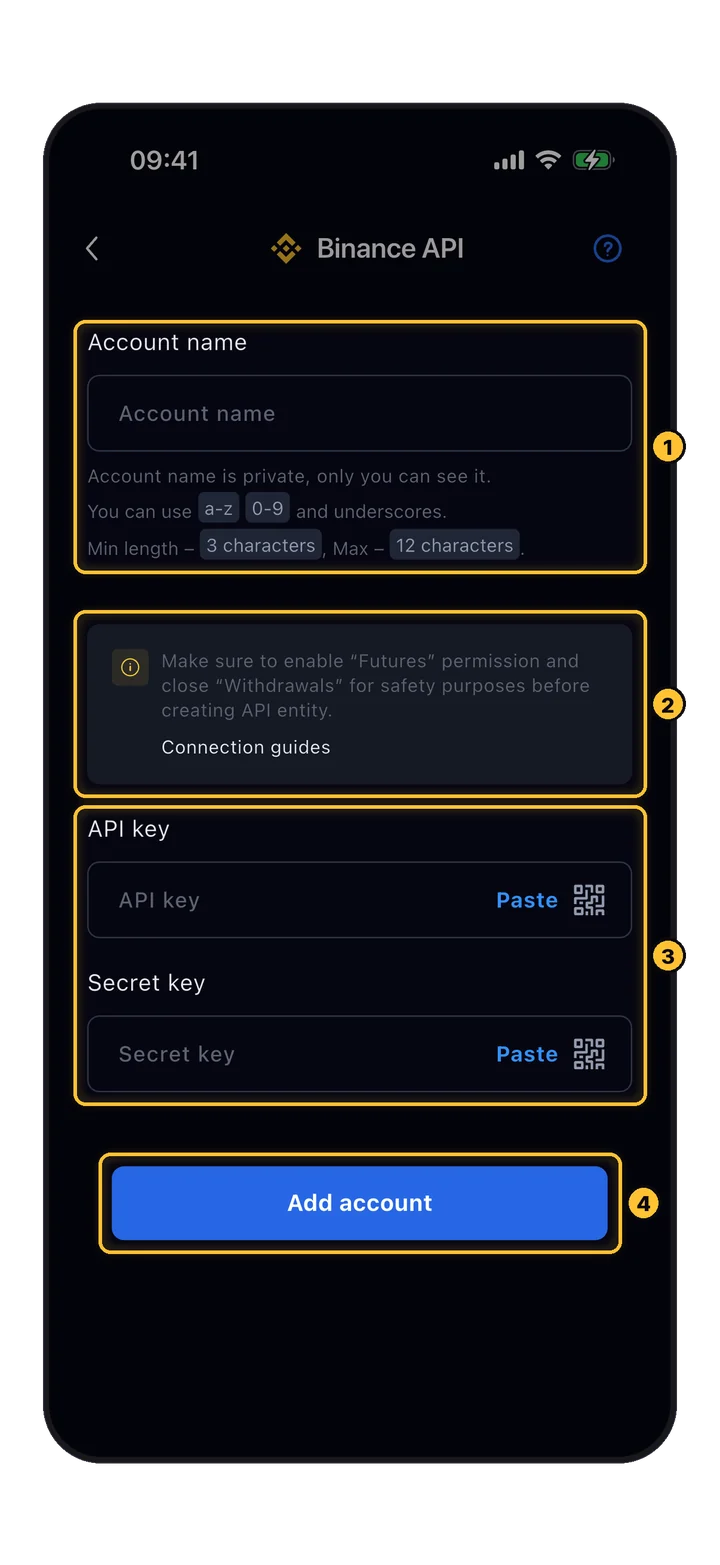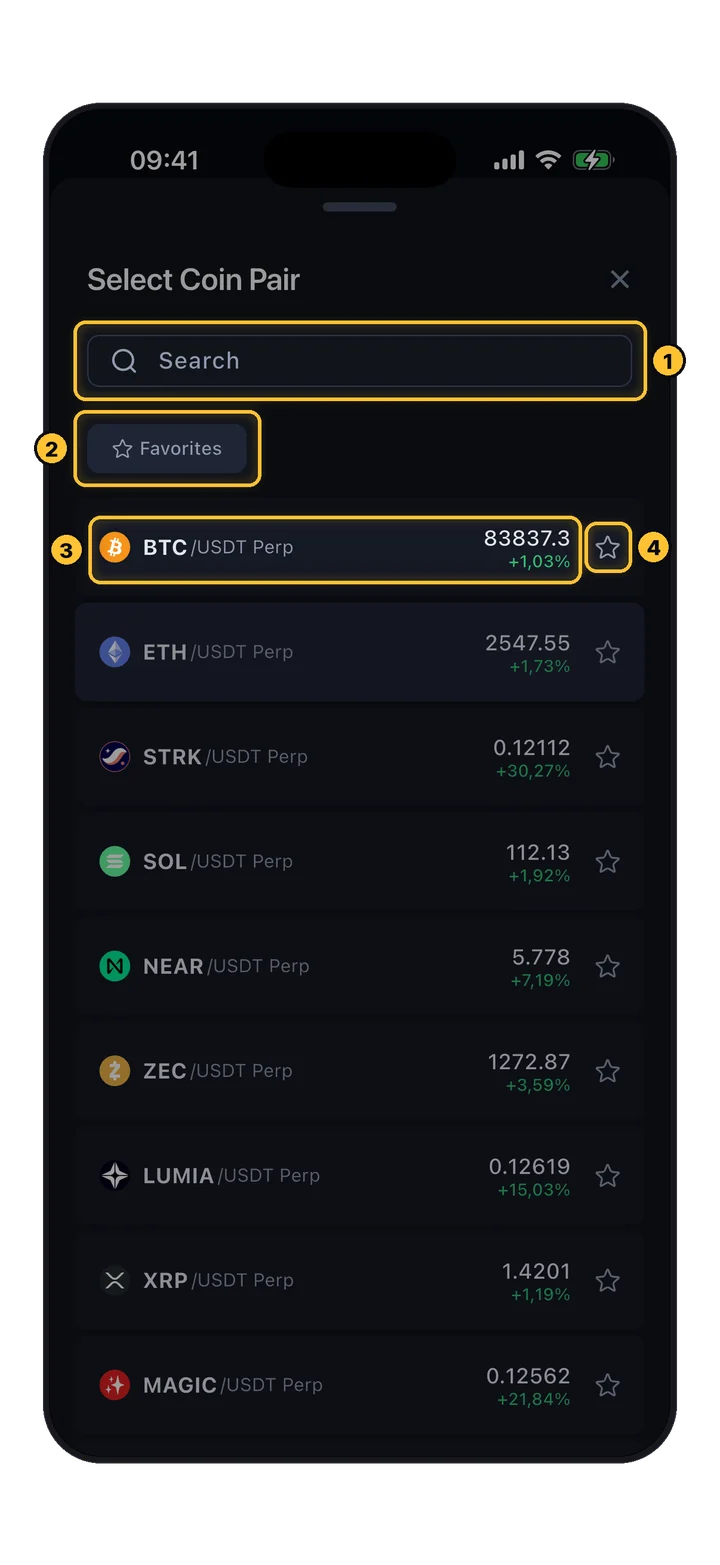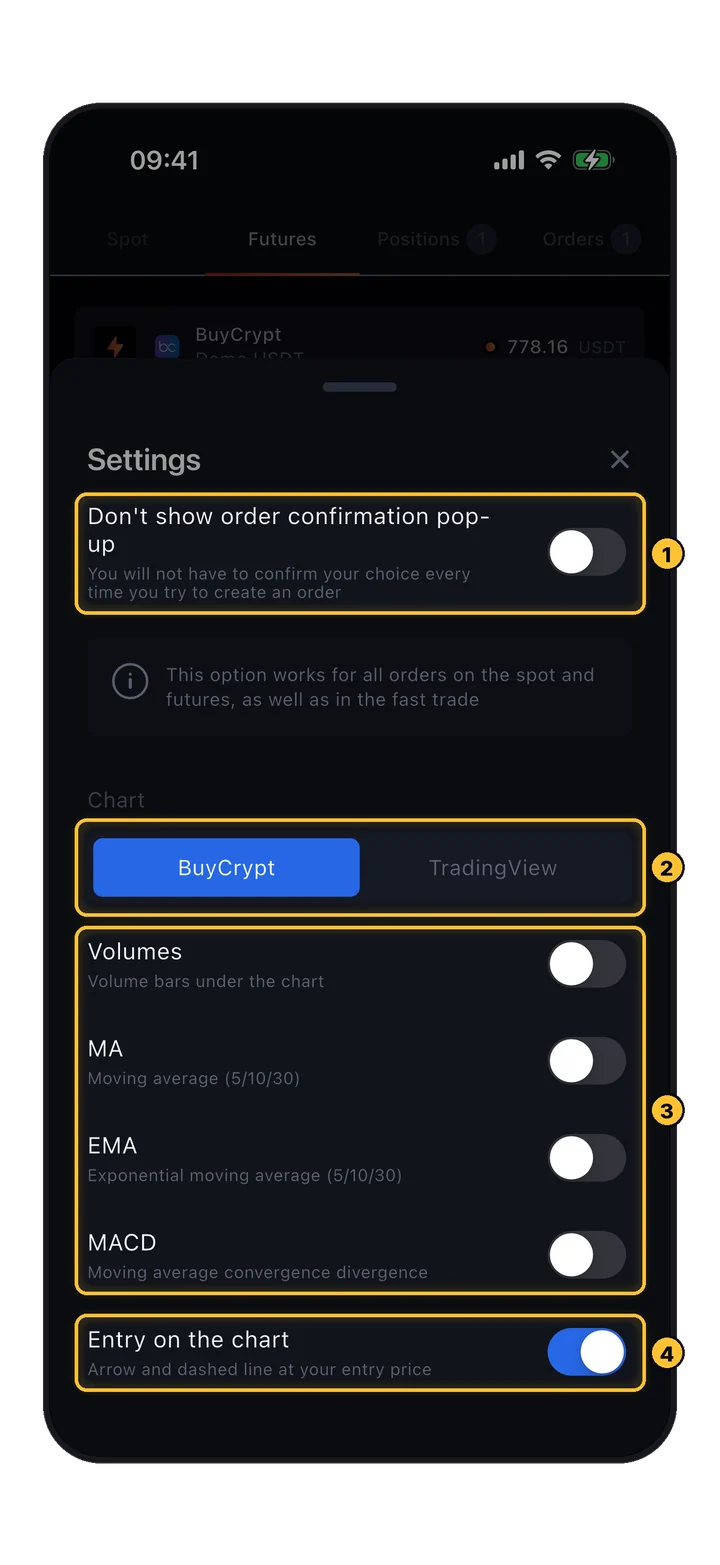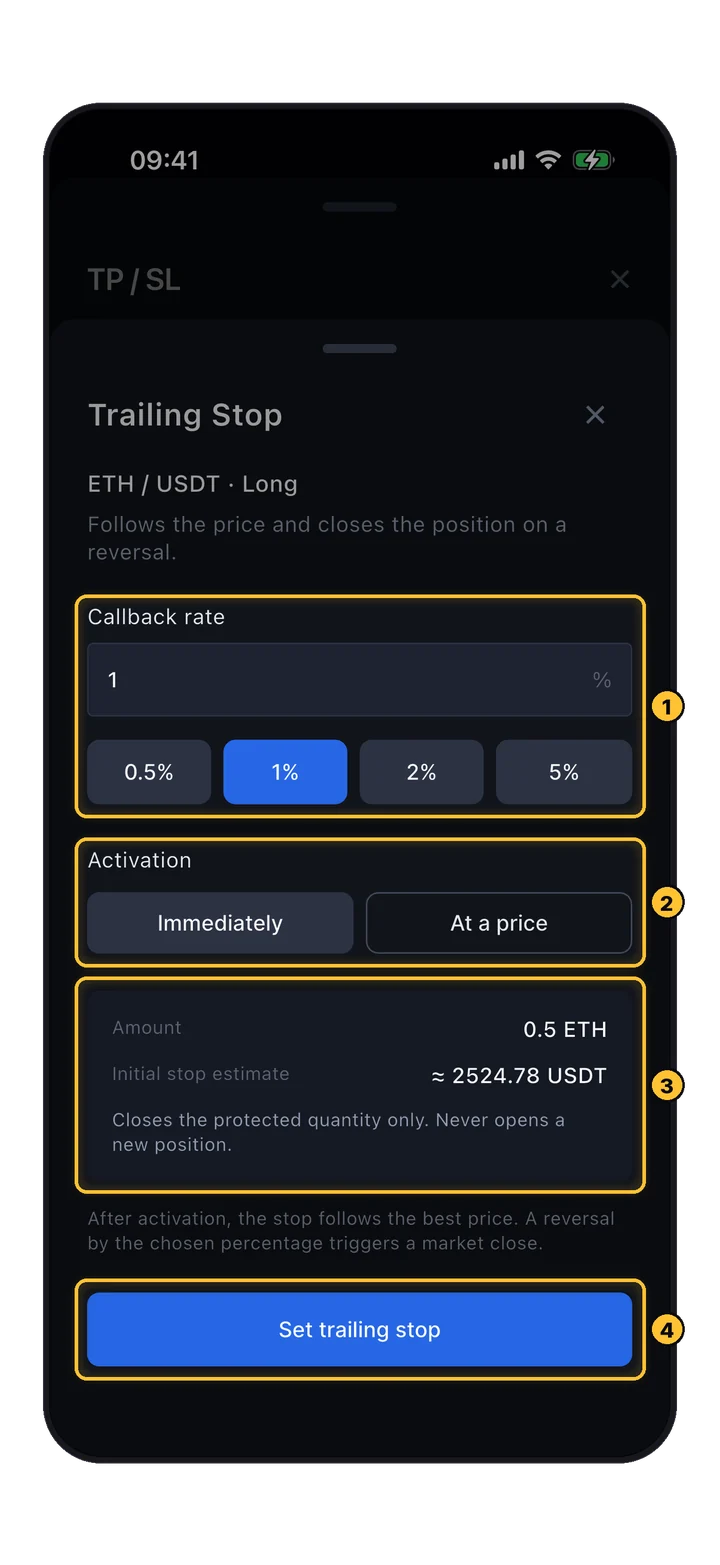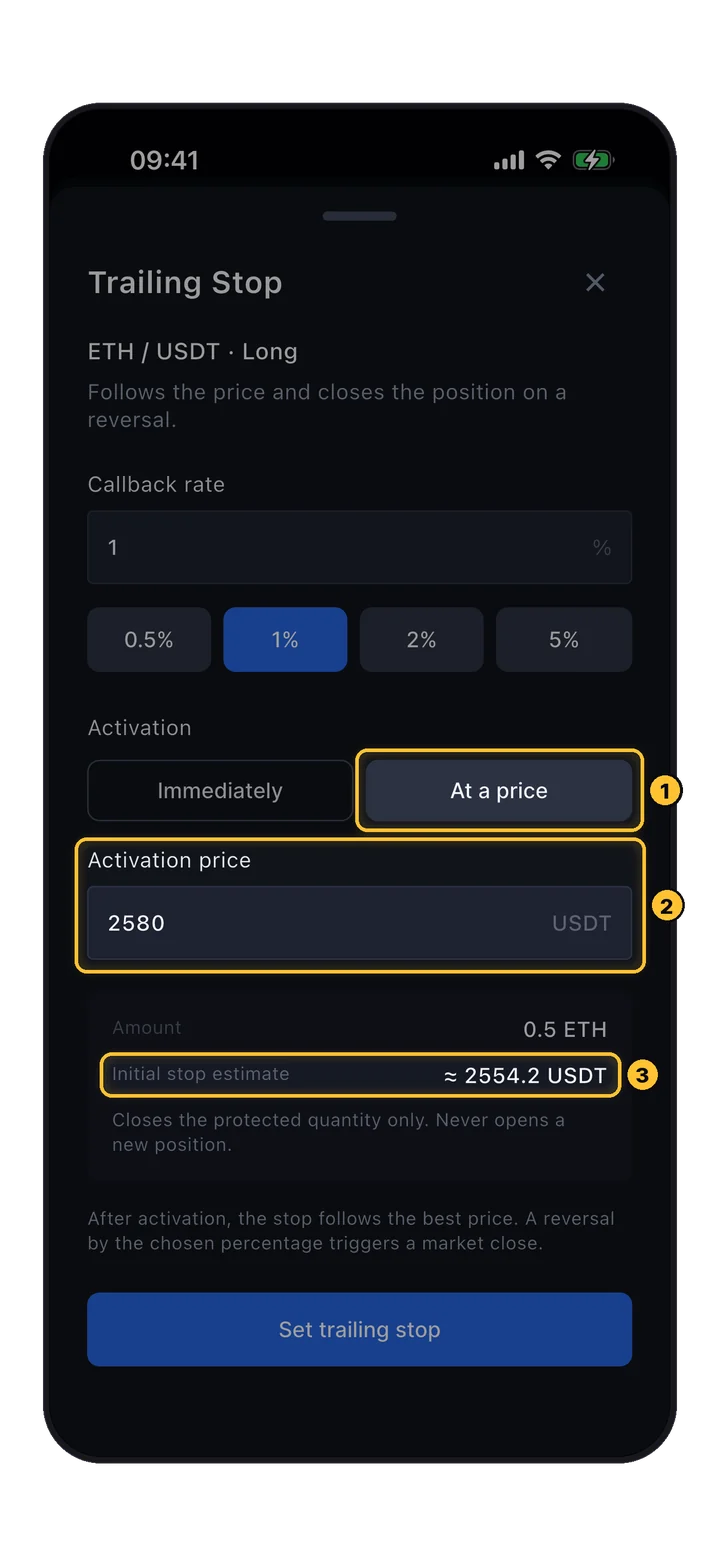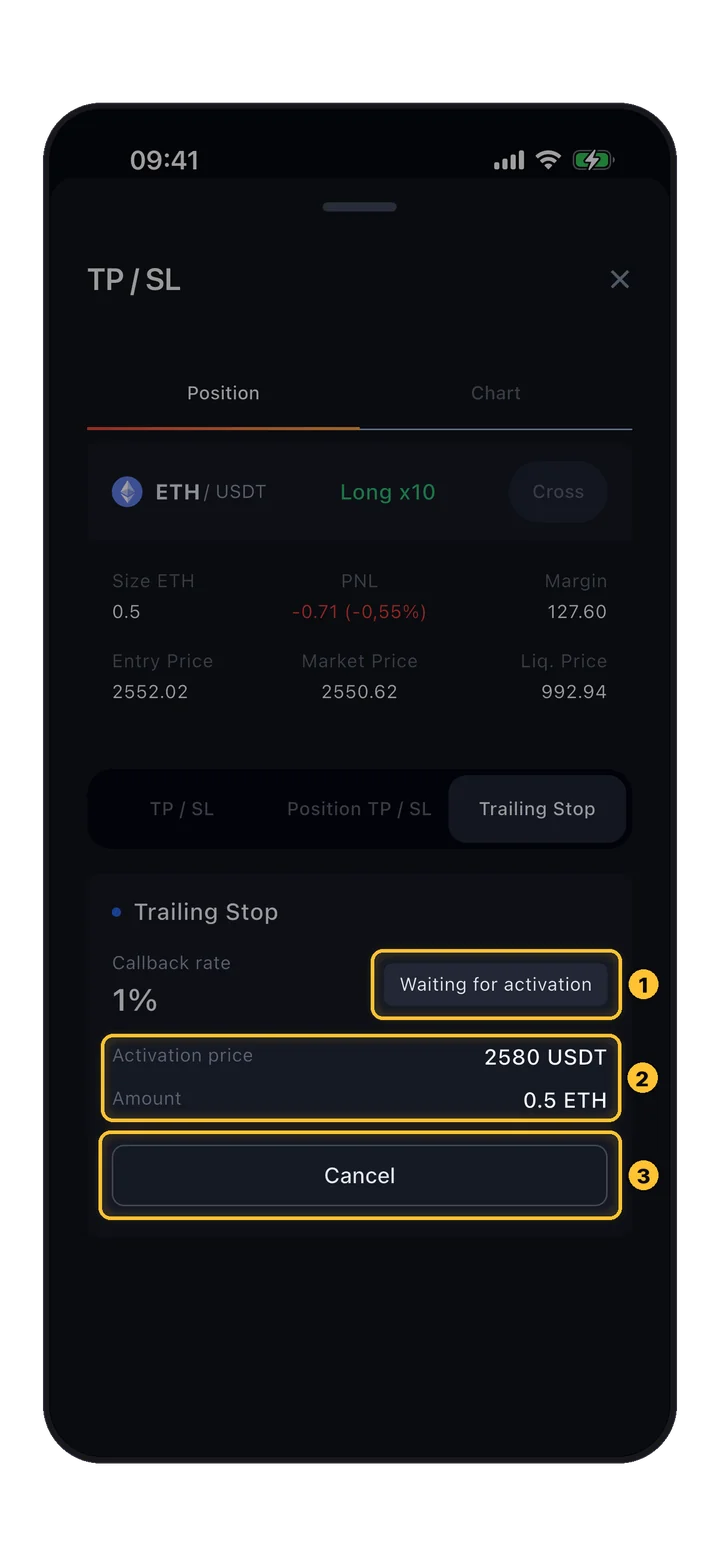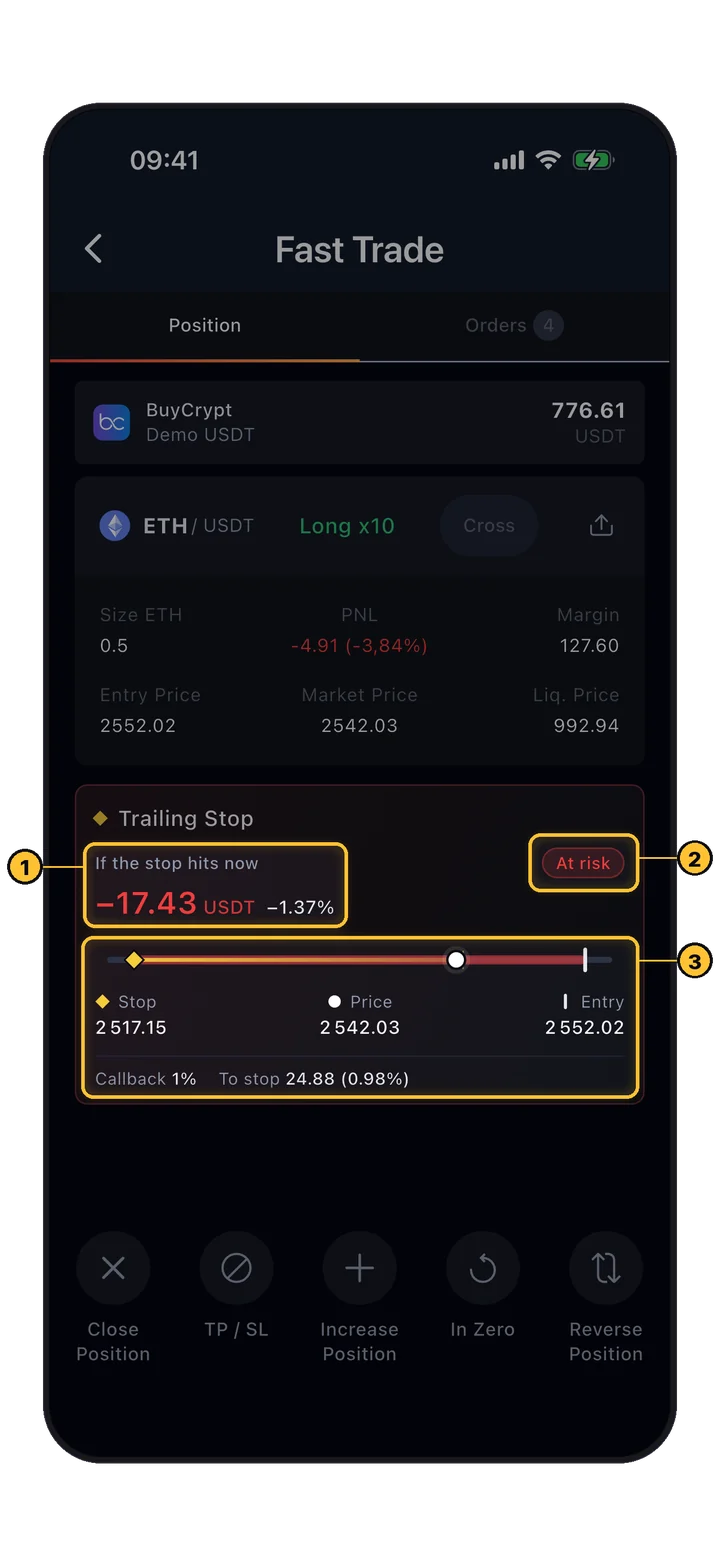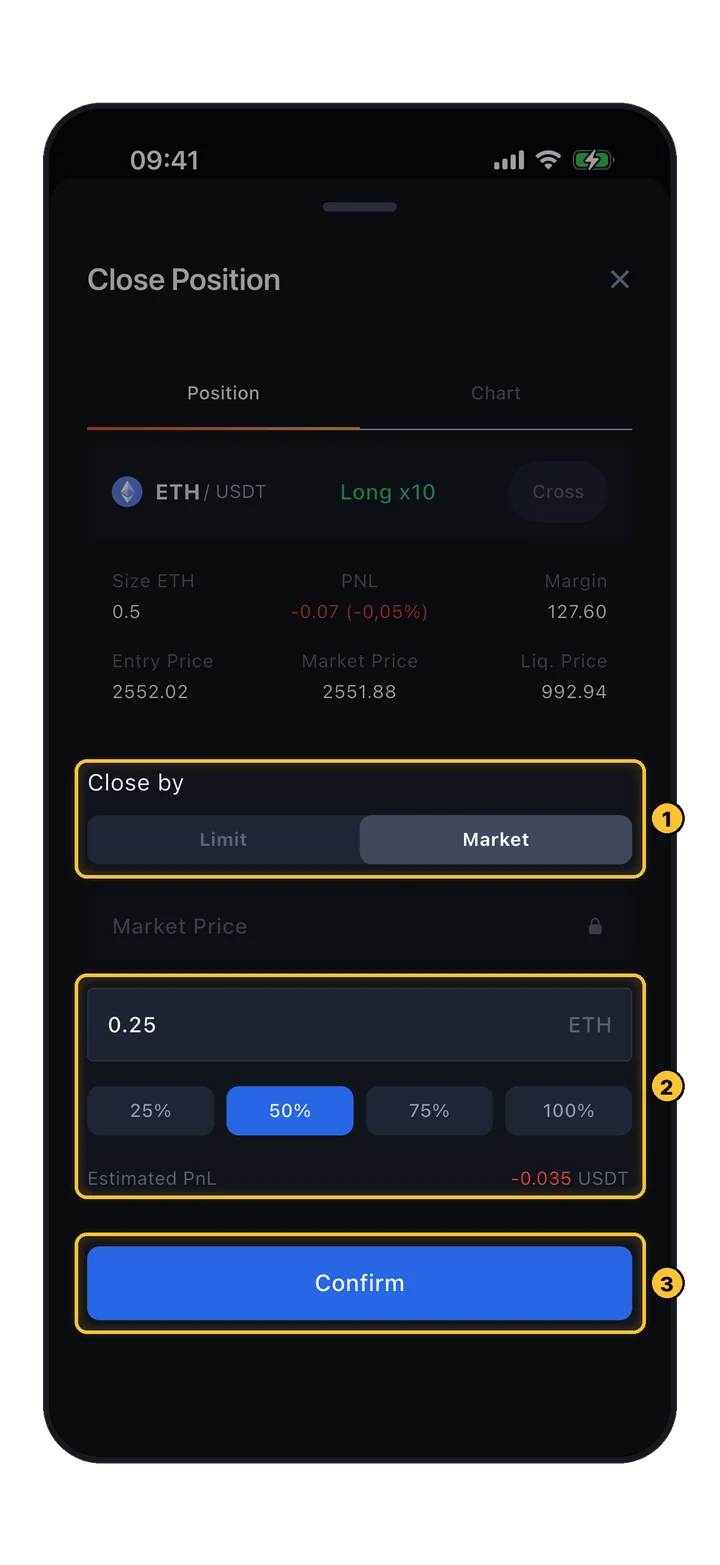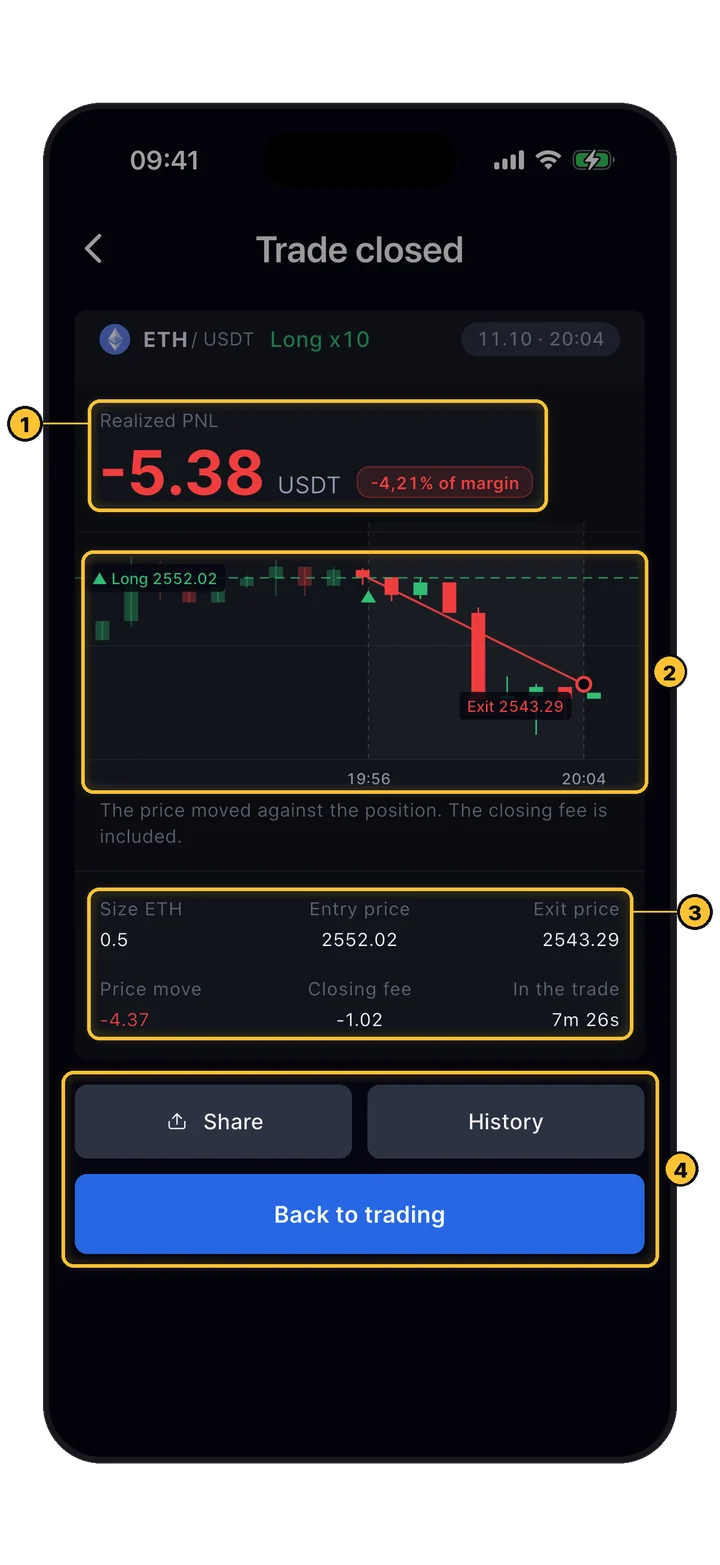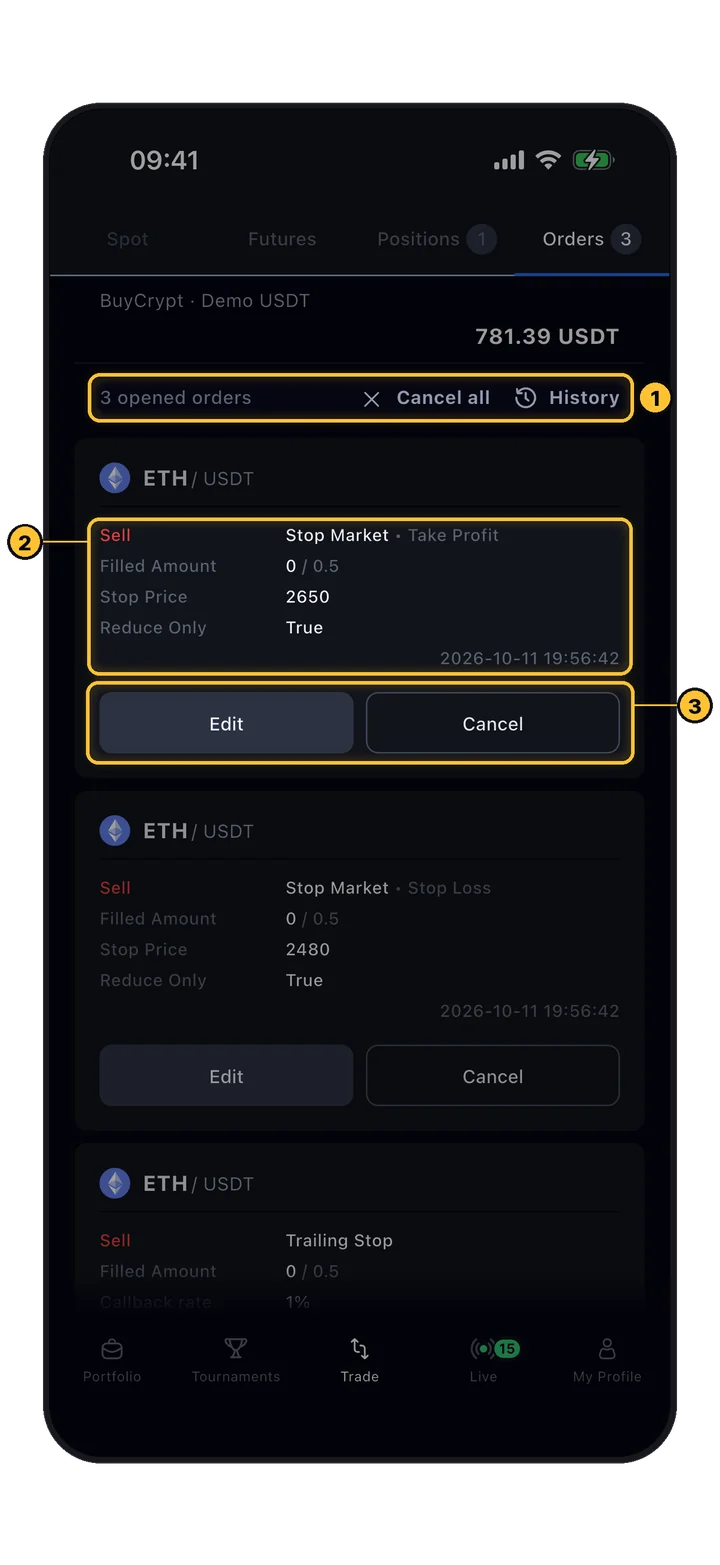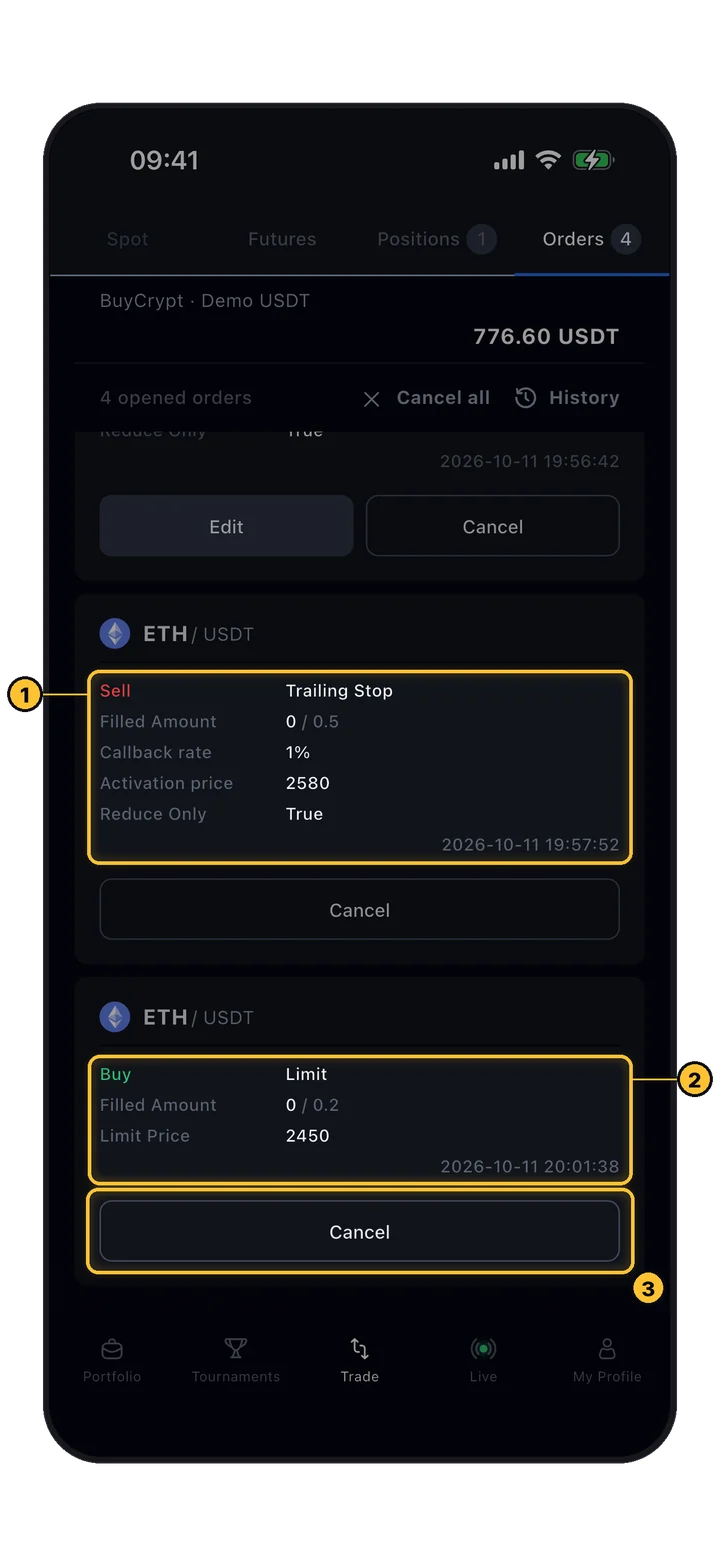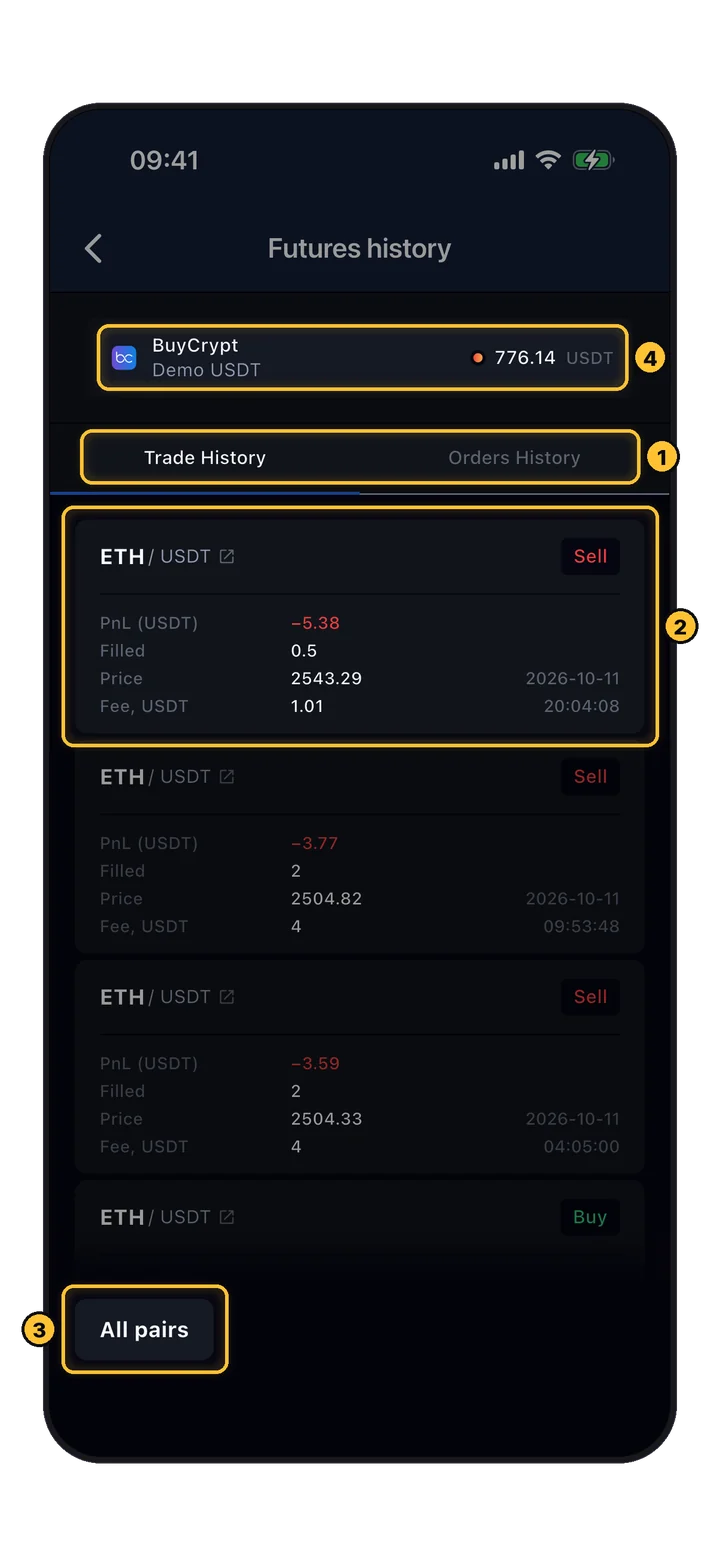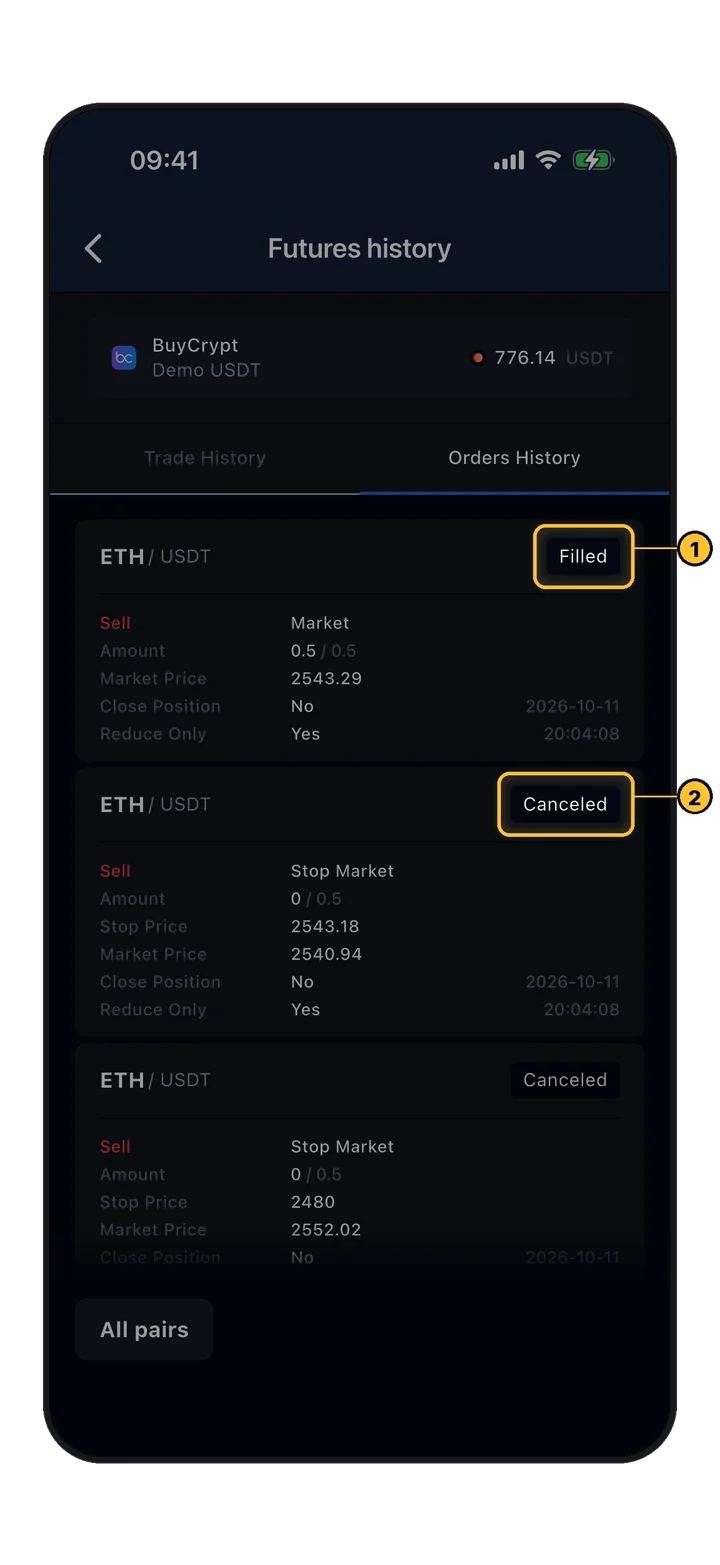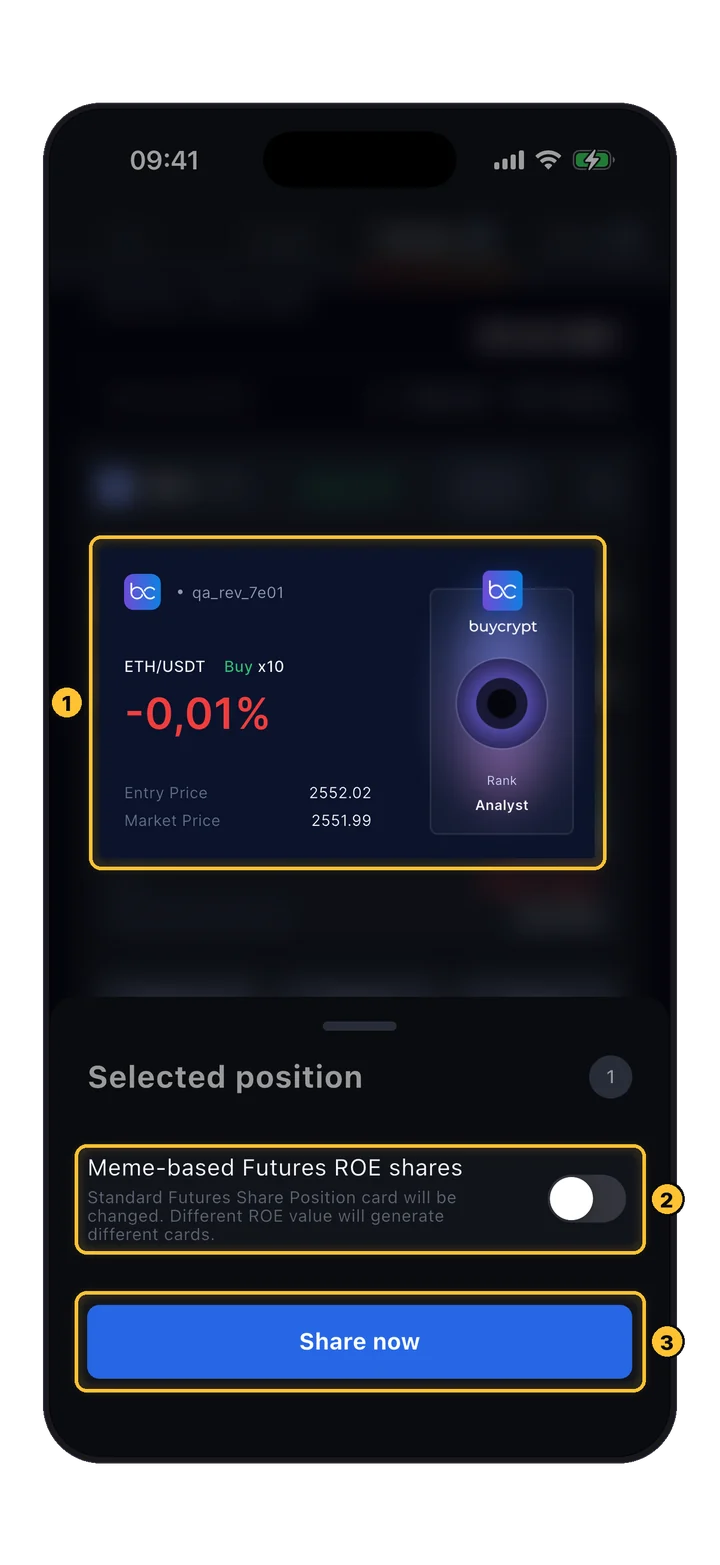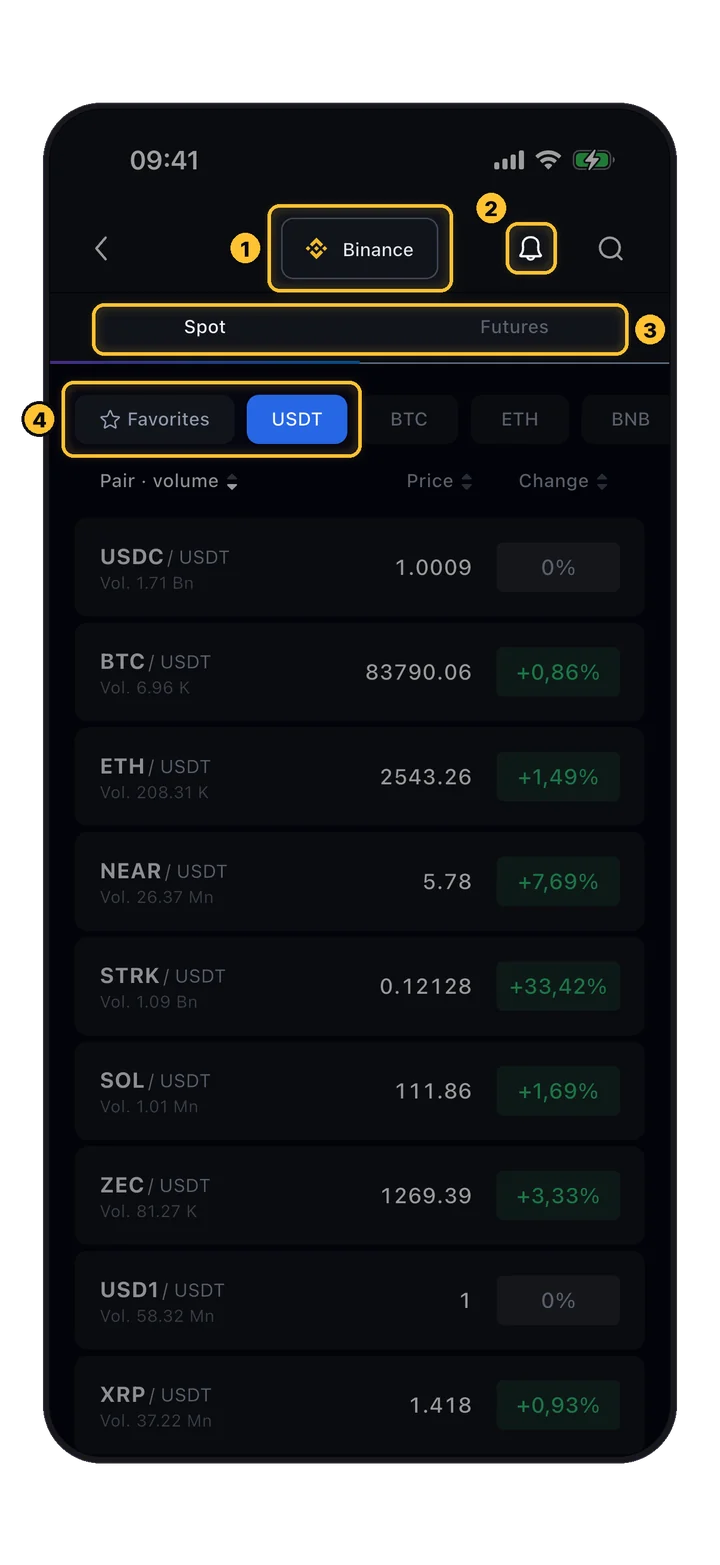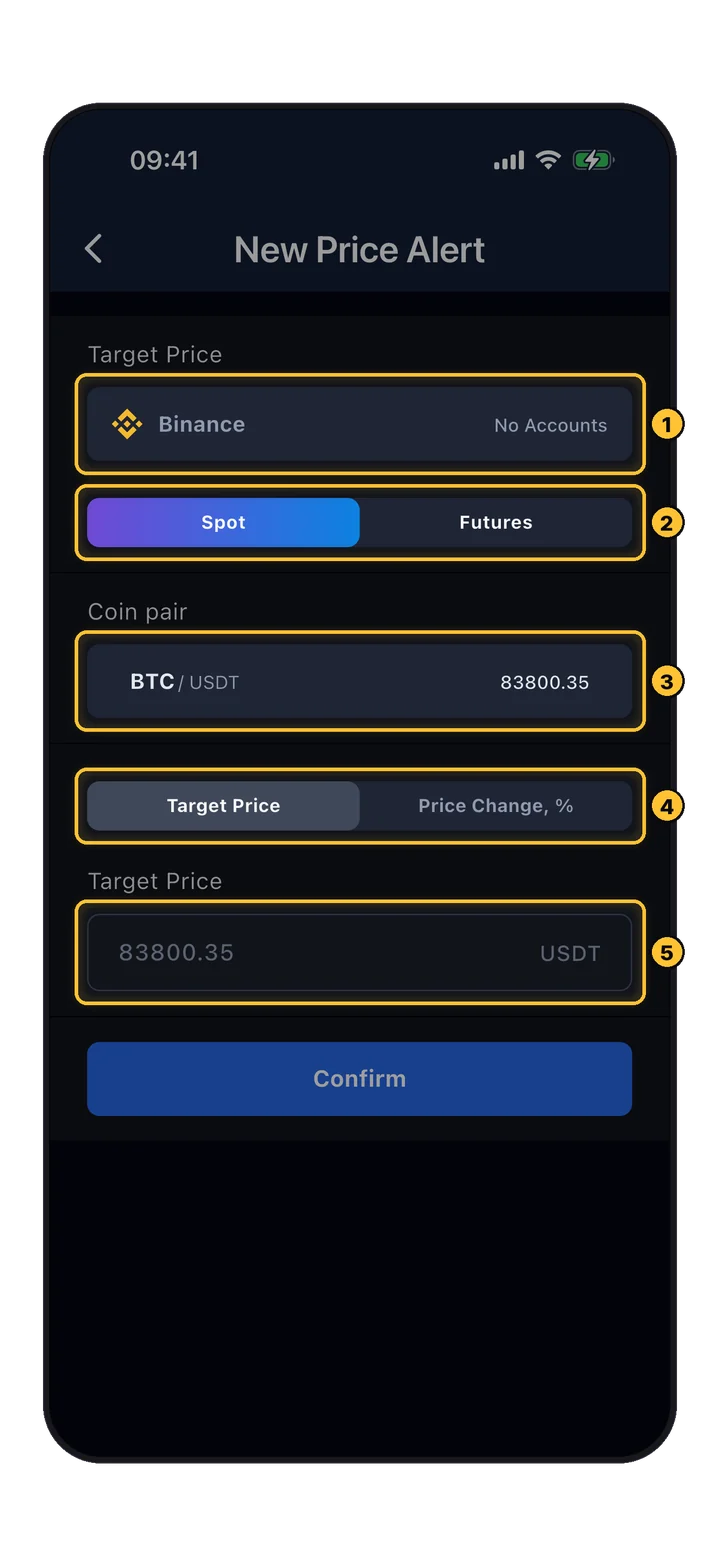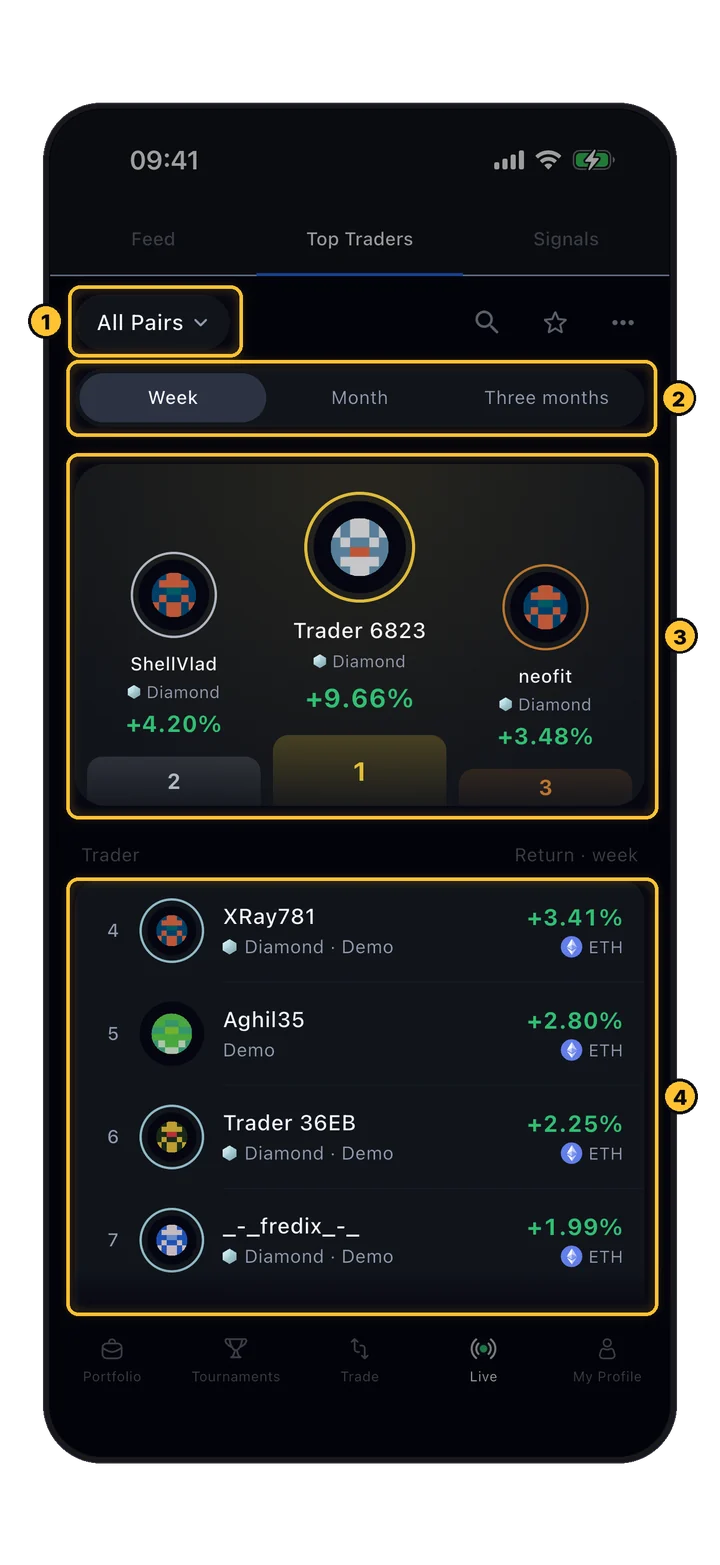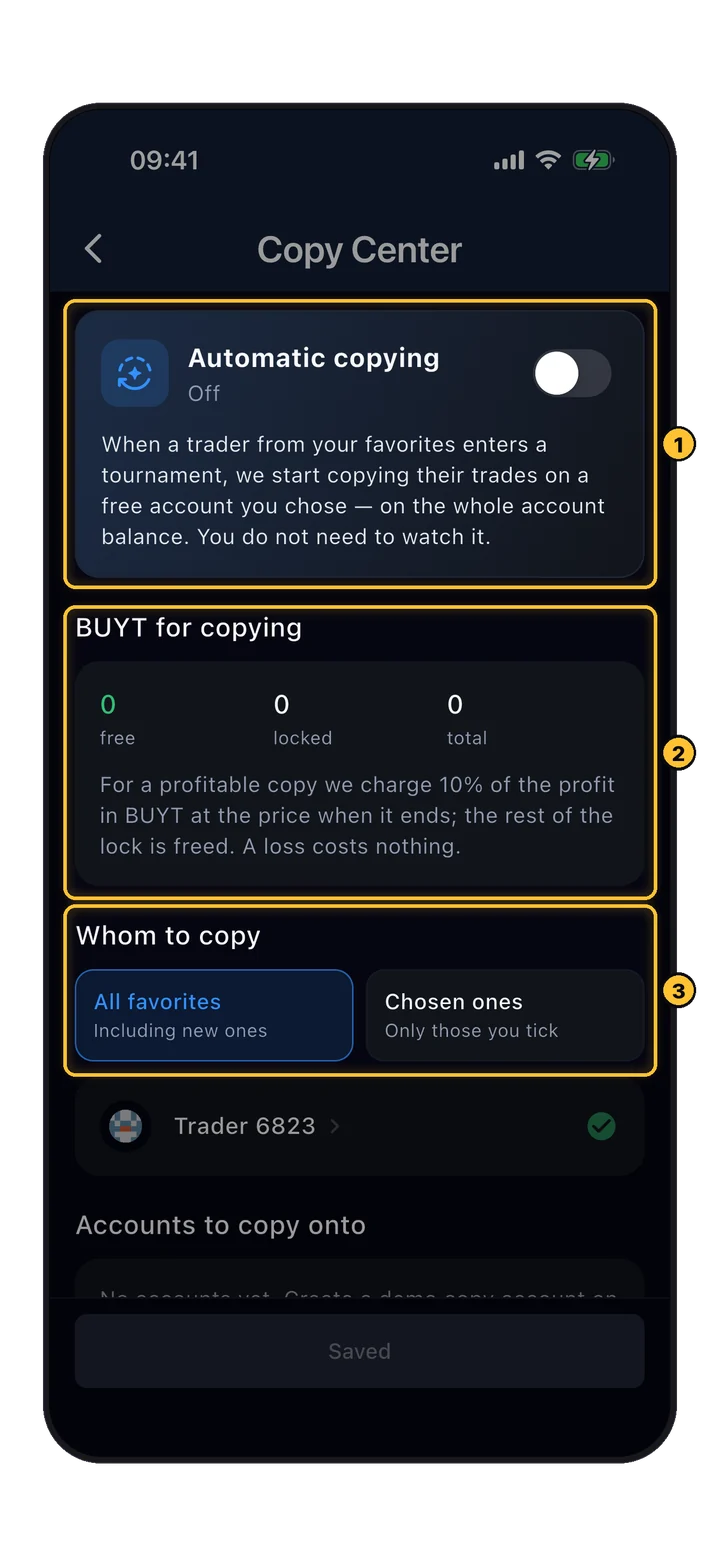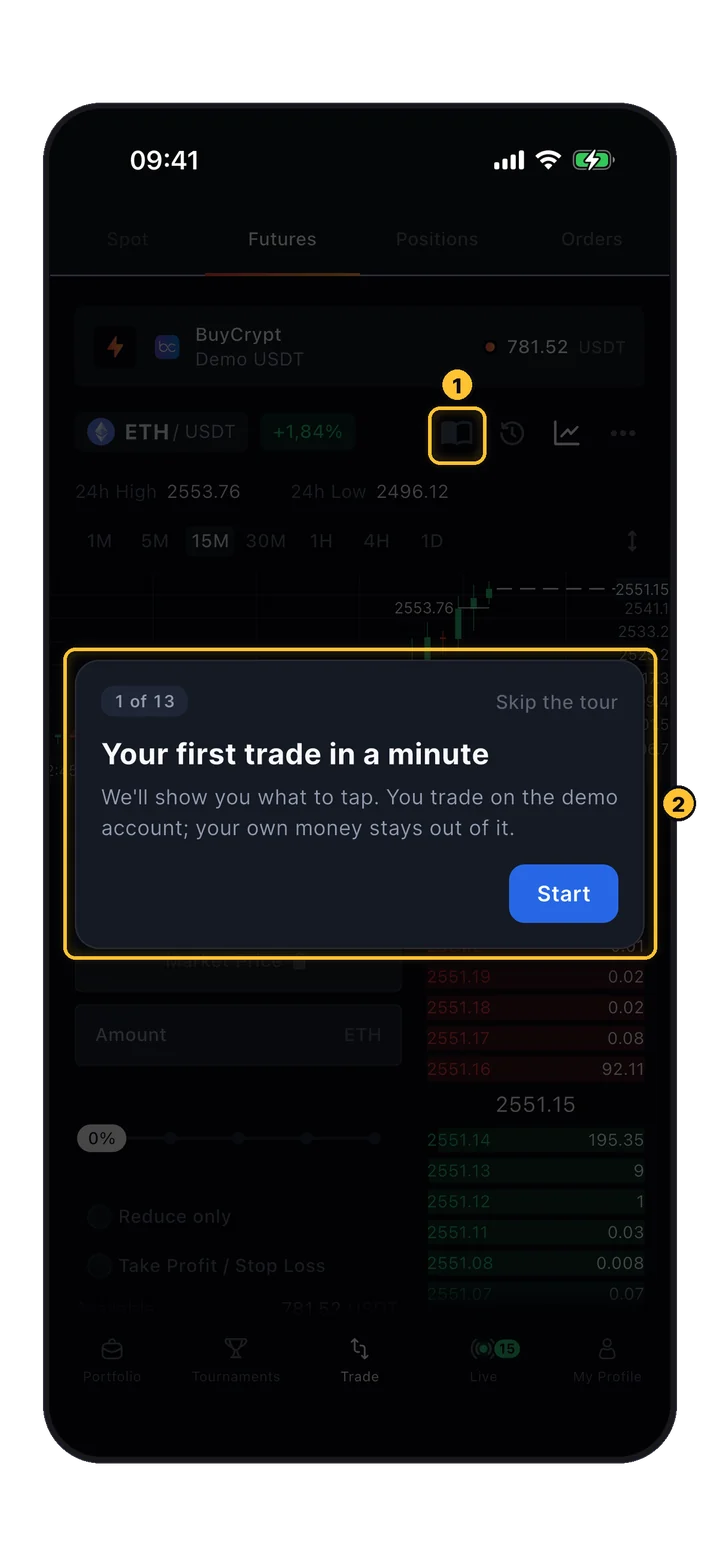
From account creation to closing your first position. Perpetual futures, leverage, order types, liquidation — every screen of the app walked through with 11 real phone screenshots.
Before trading perpetual futures on any platform, understand what you're dealing with.
Perpetual futures trading requires technical skills and a solid understanding of basic trading principles. The interface can look complex at first — this guide walks you through every screen.
Futures trading carries significant risk. You should only start trading once you're adequately prepared and understand how this product works. Never risk more than you can afford to lose.
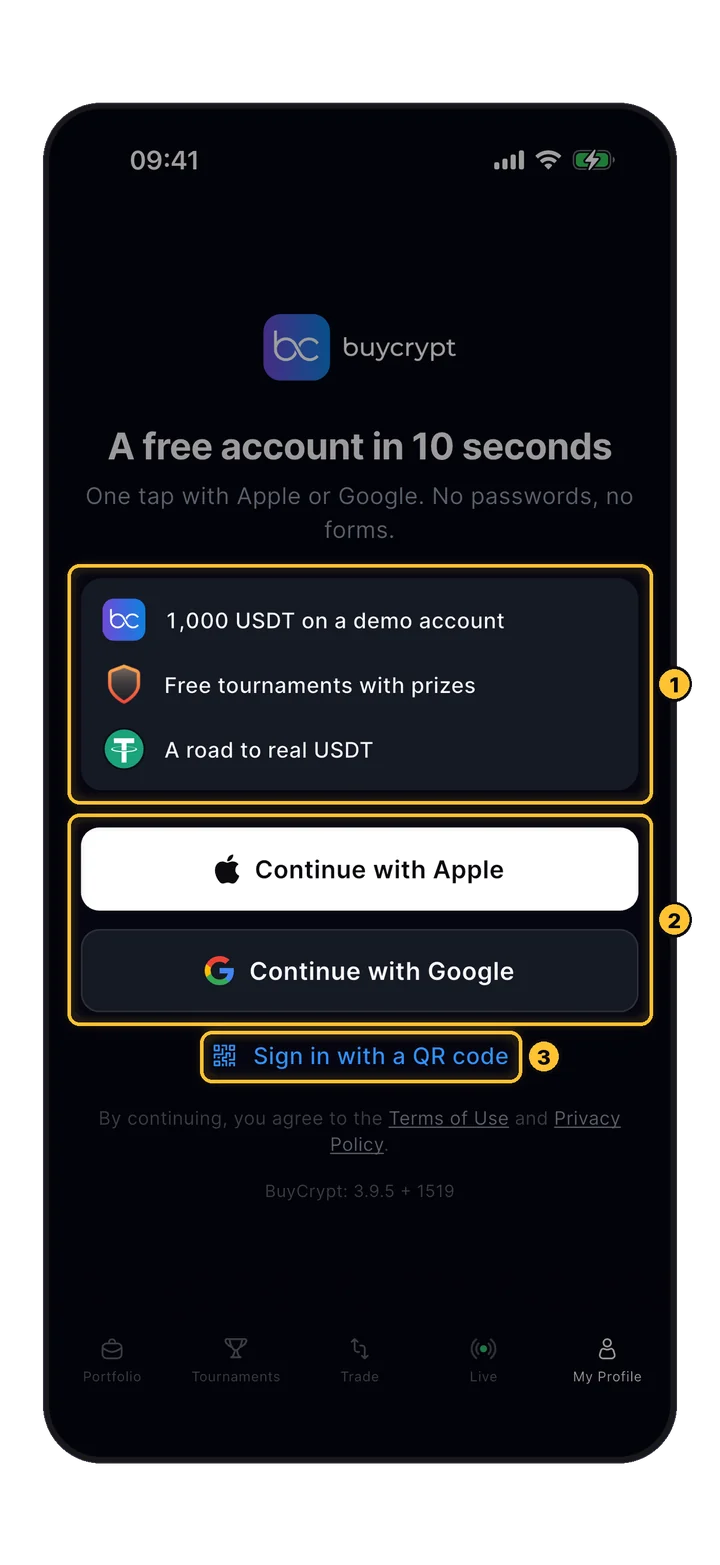
Open the app, head to My Profile, and sign in with an Apple ID or Google ID. No email/password forms, no KYC for qualifiers.
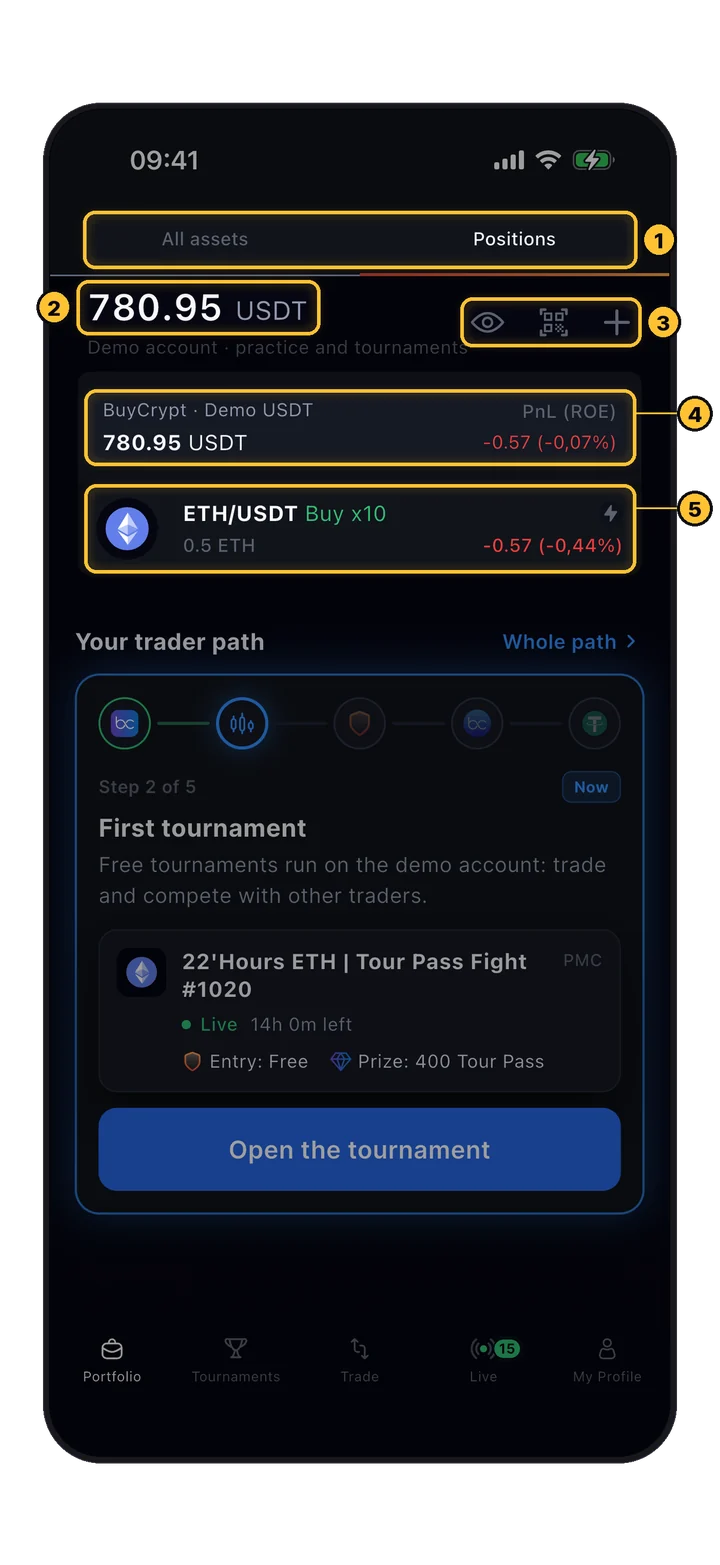
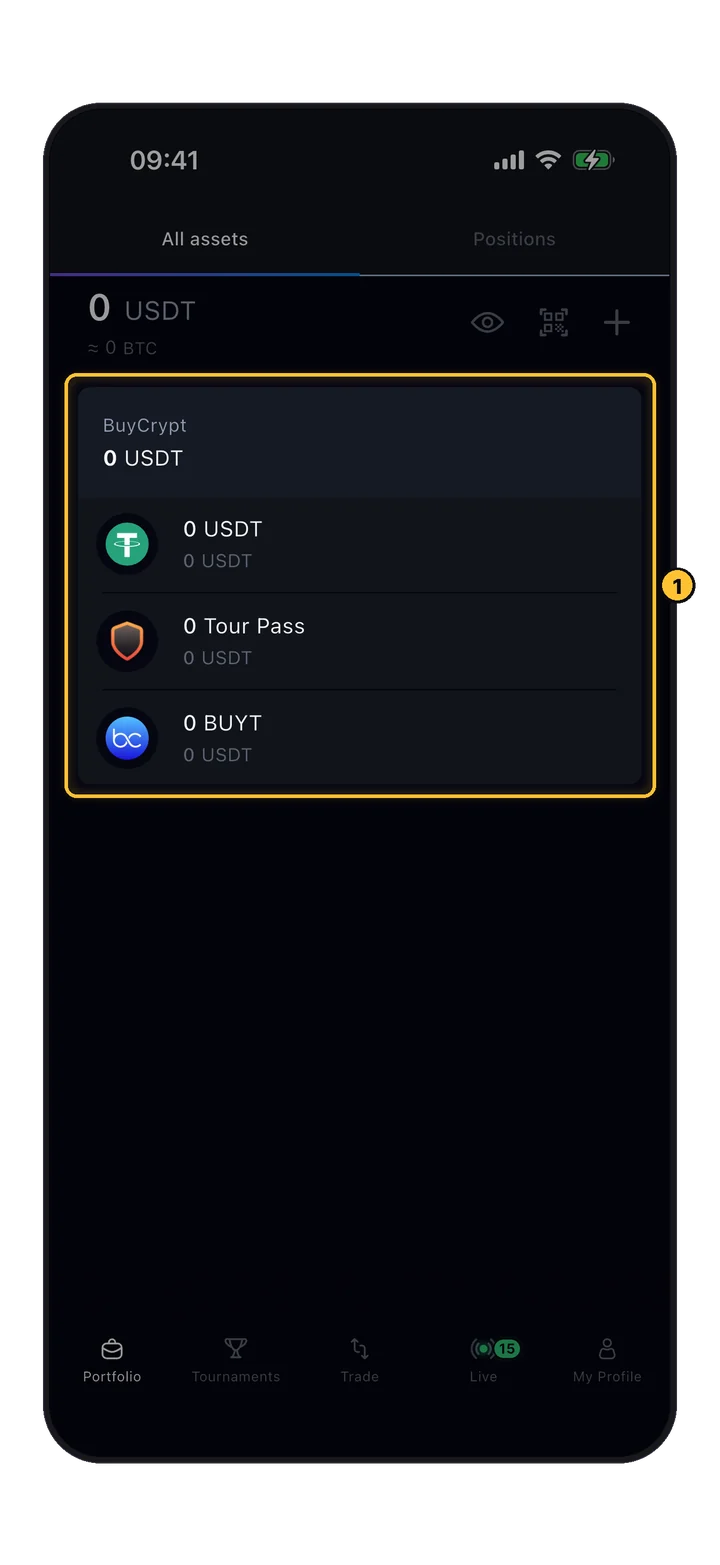
The portfolio screen splits your holdings into two dimensions: spot assets and open positions. Tournament balances and prize USDT appear here too.
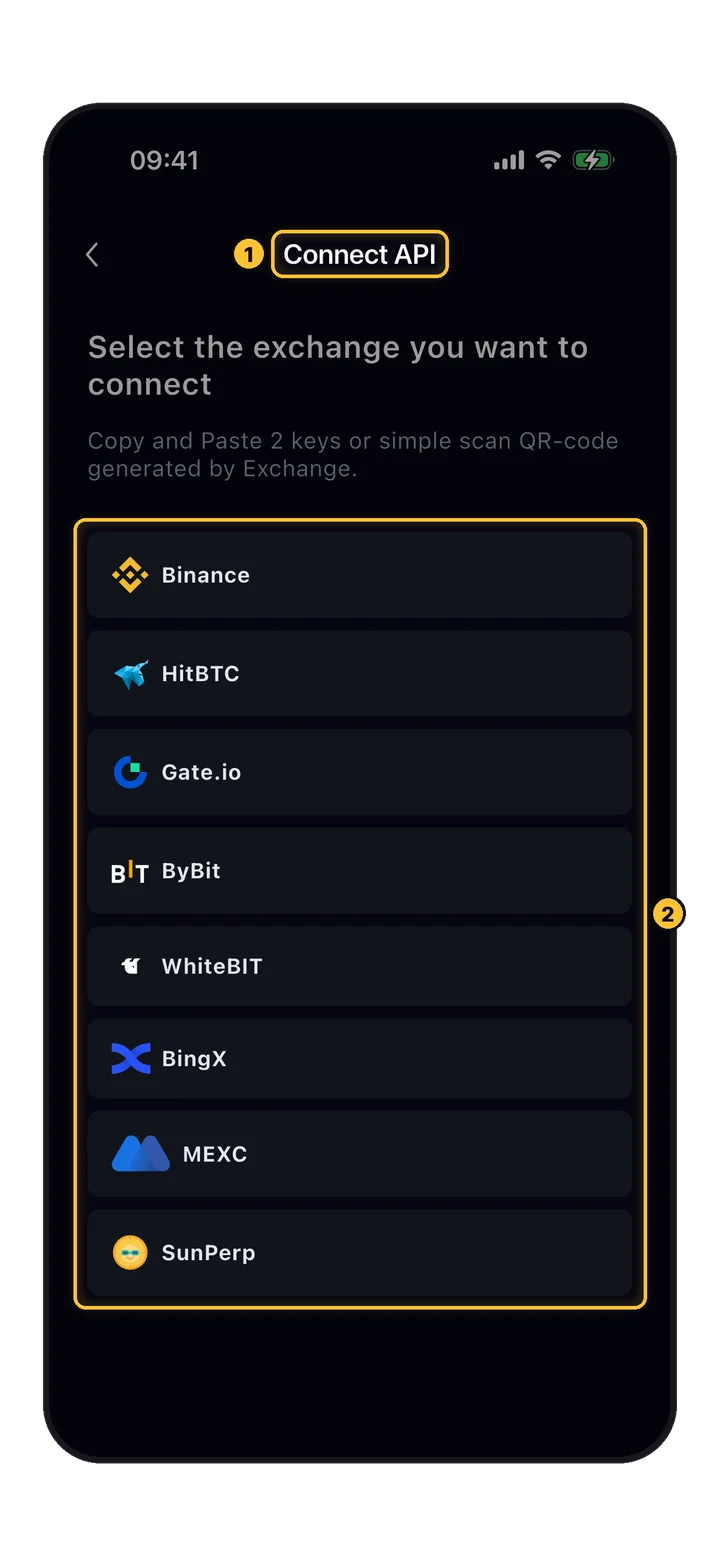
Shows spot assets across all connected API keys. Prize USDT from tournaments, demo accounts, and real connected exchange balances — all in one place.
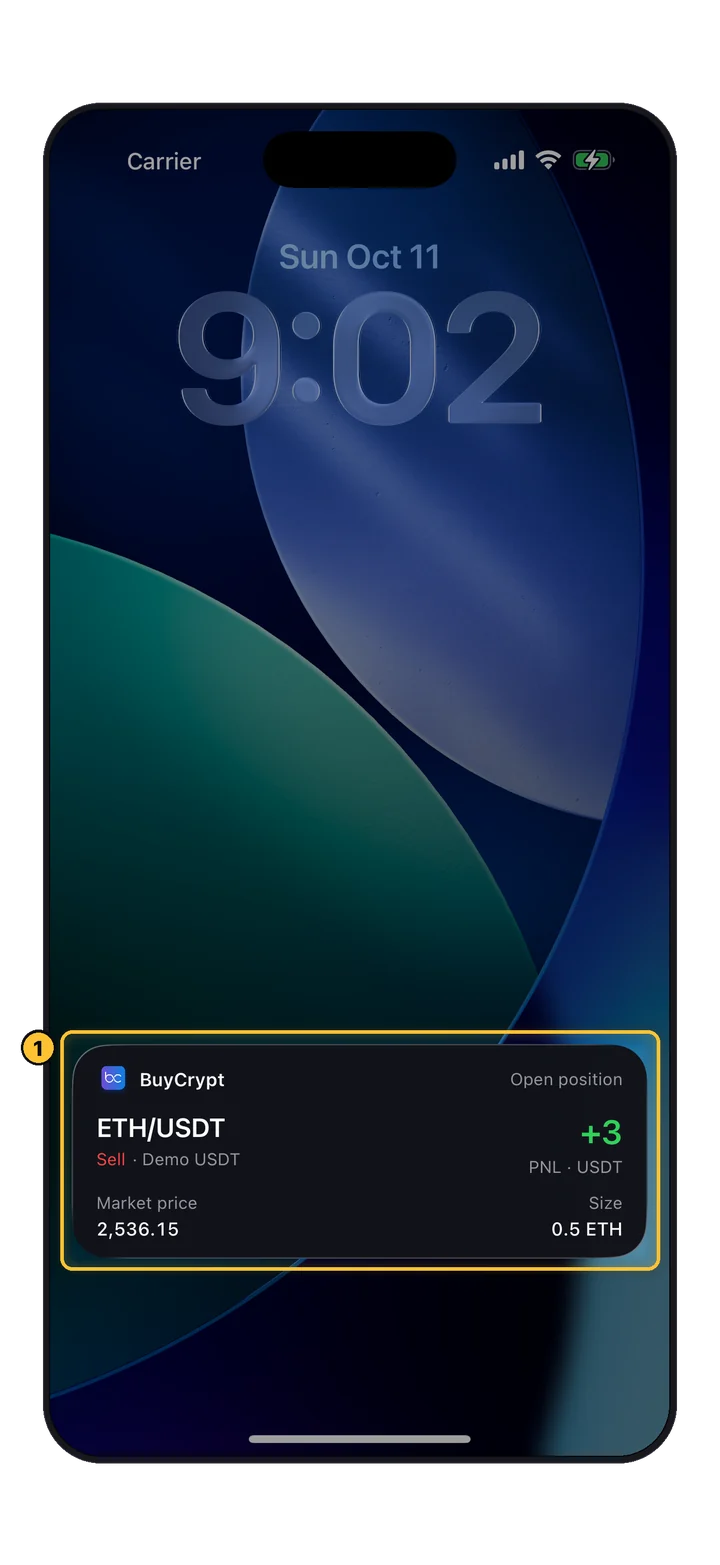
All your open positions with their current PnL (profit/loss). Updates in real time so you can monitor risk as the market moves.
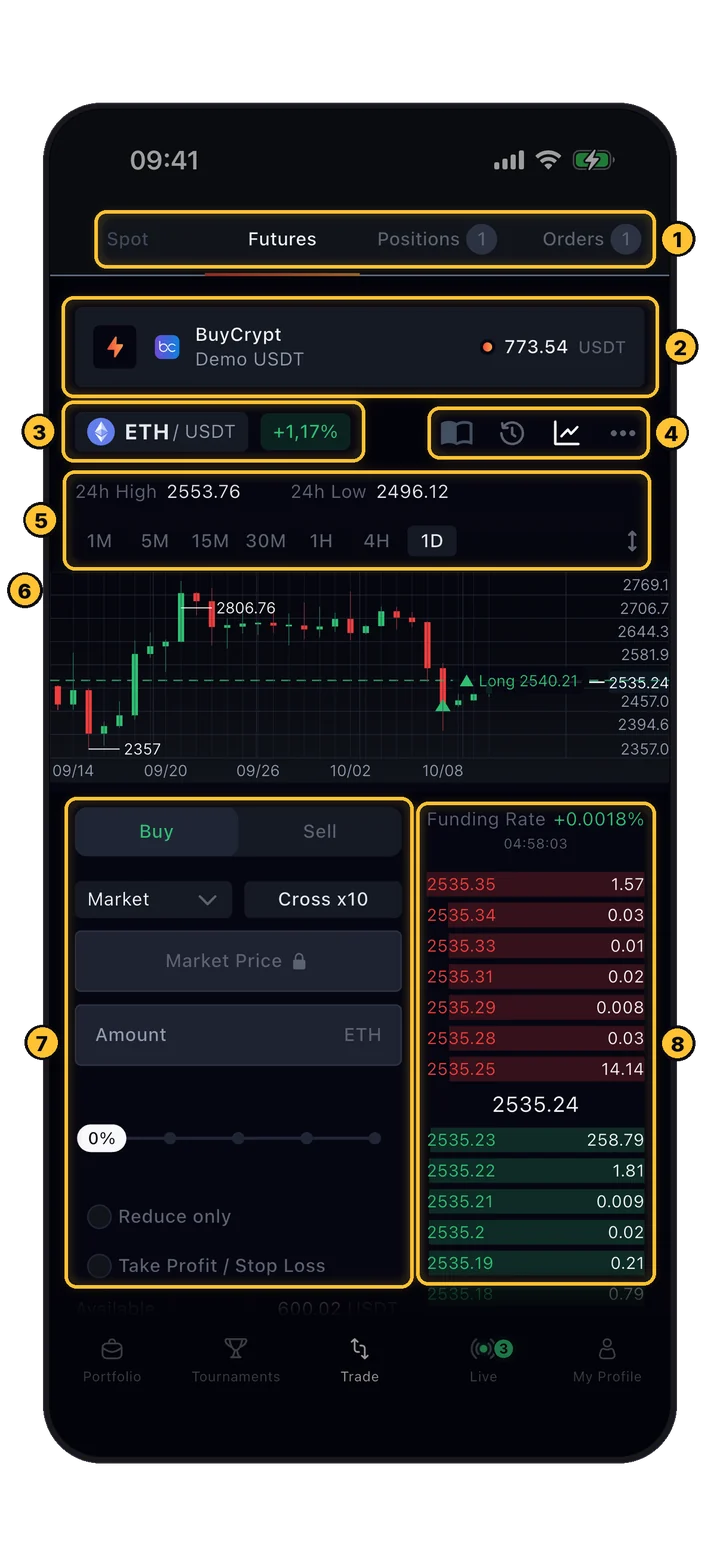
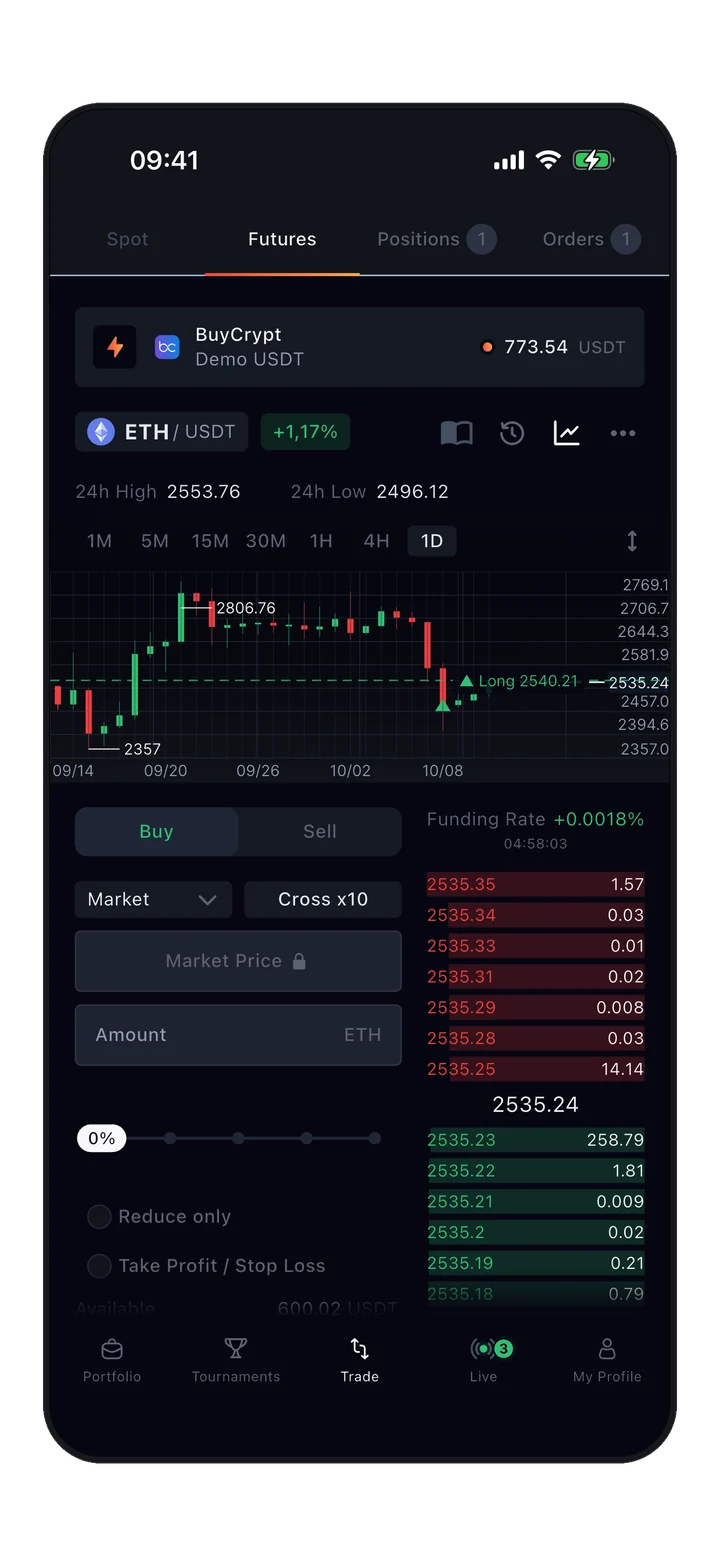
The trading terminal splits into four functional zones. Learn the layout once — it's the same on every pair, every exchange.
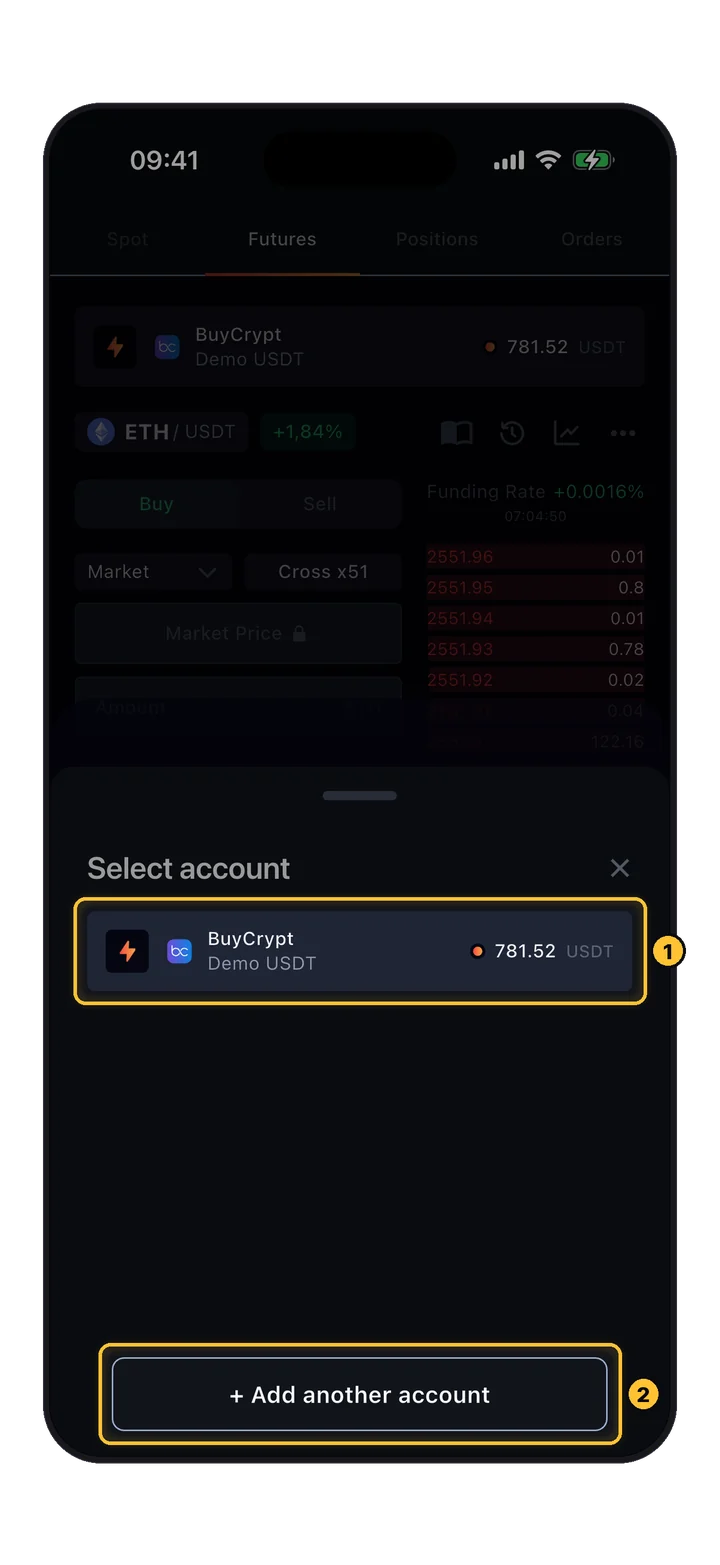
Top of screen. Switch between Spot or Futures, see Positions/Orders badges with counts, and select the trading key if you've connected multiple exchanges.
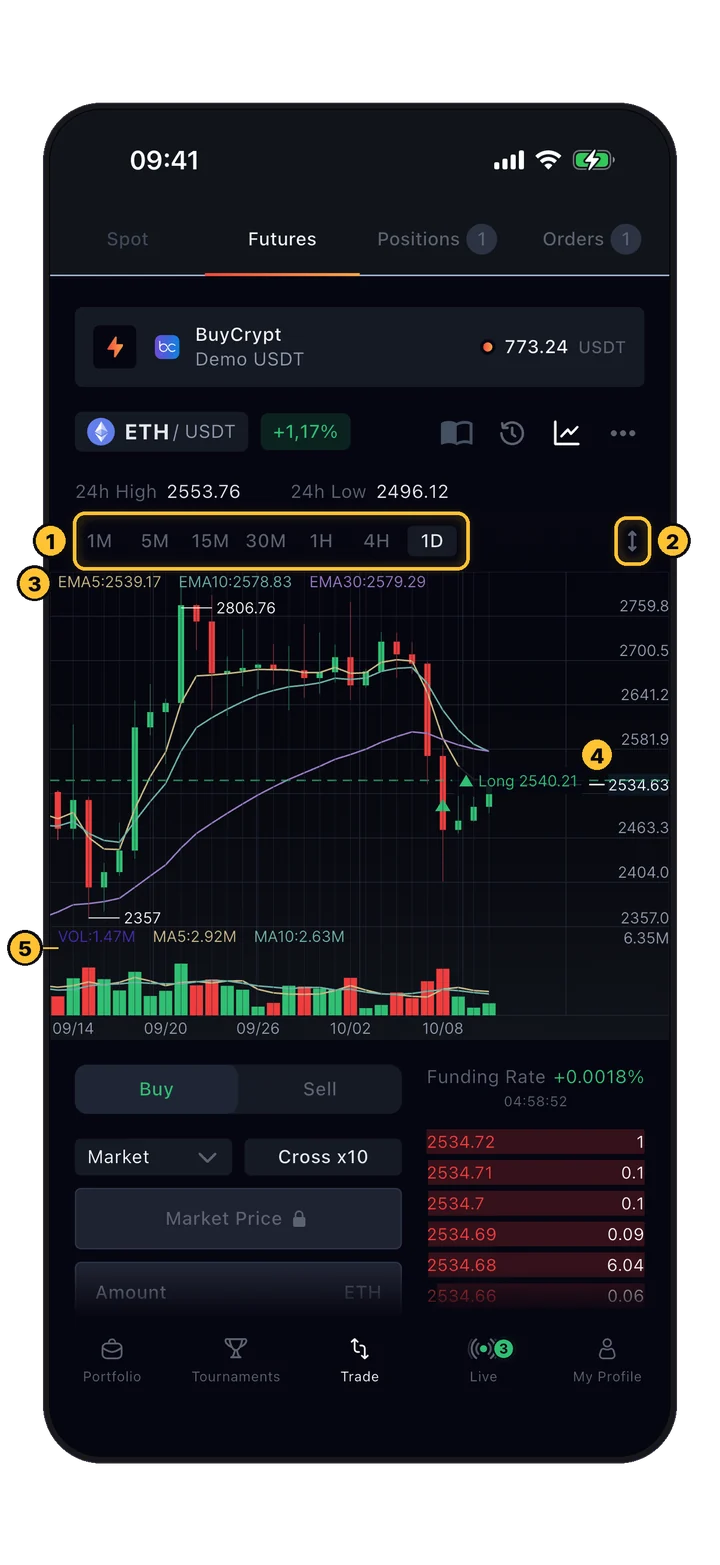
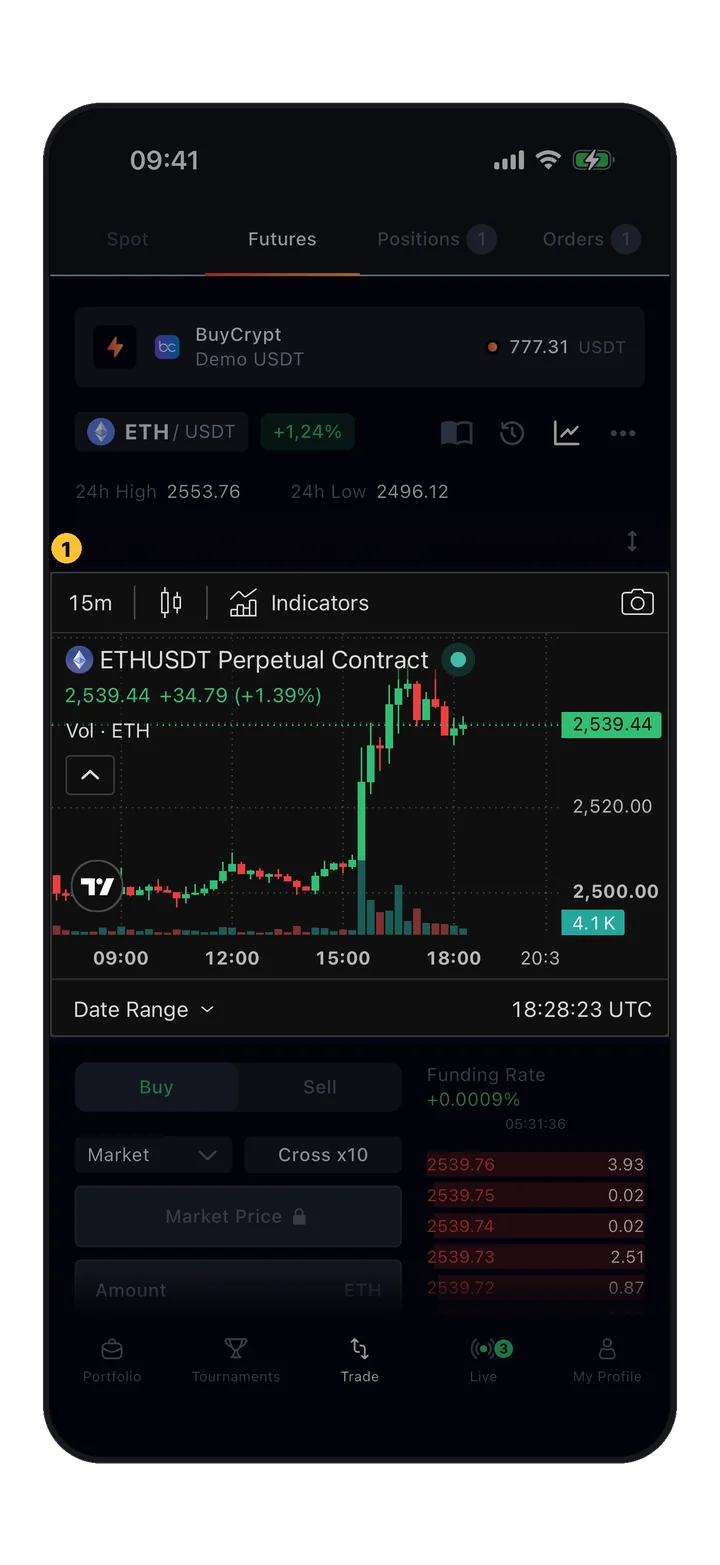
Live price and candles. Switch timeframe at the top (1-minute through 1-day). 24h high/low shown above. This is where you read the market before placing anything.
The price chart is just for reading the market — you don't place orders by tapping candles. All order entry happens in zone 3 below.
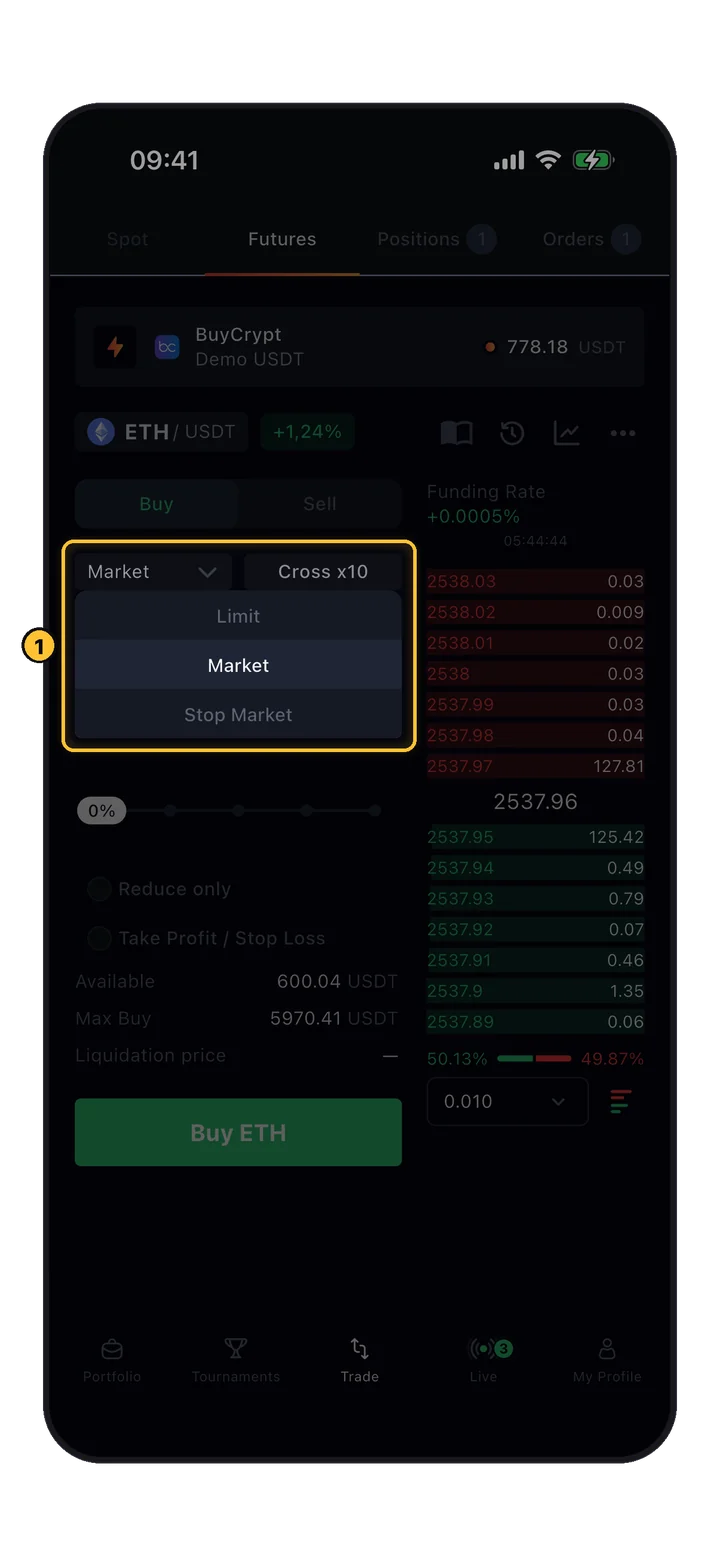
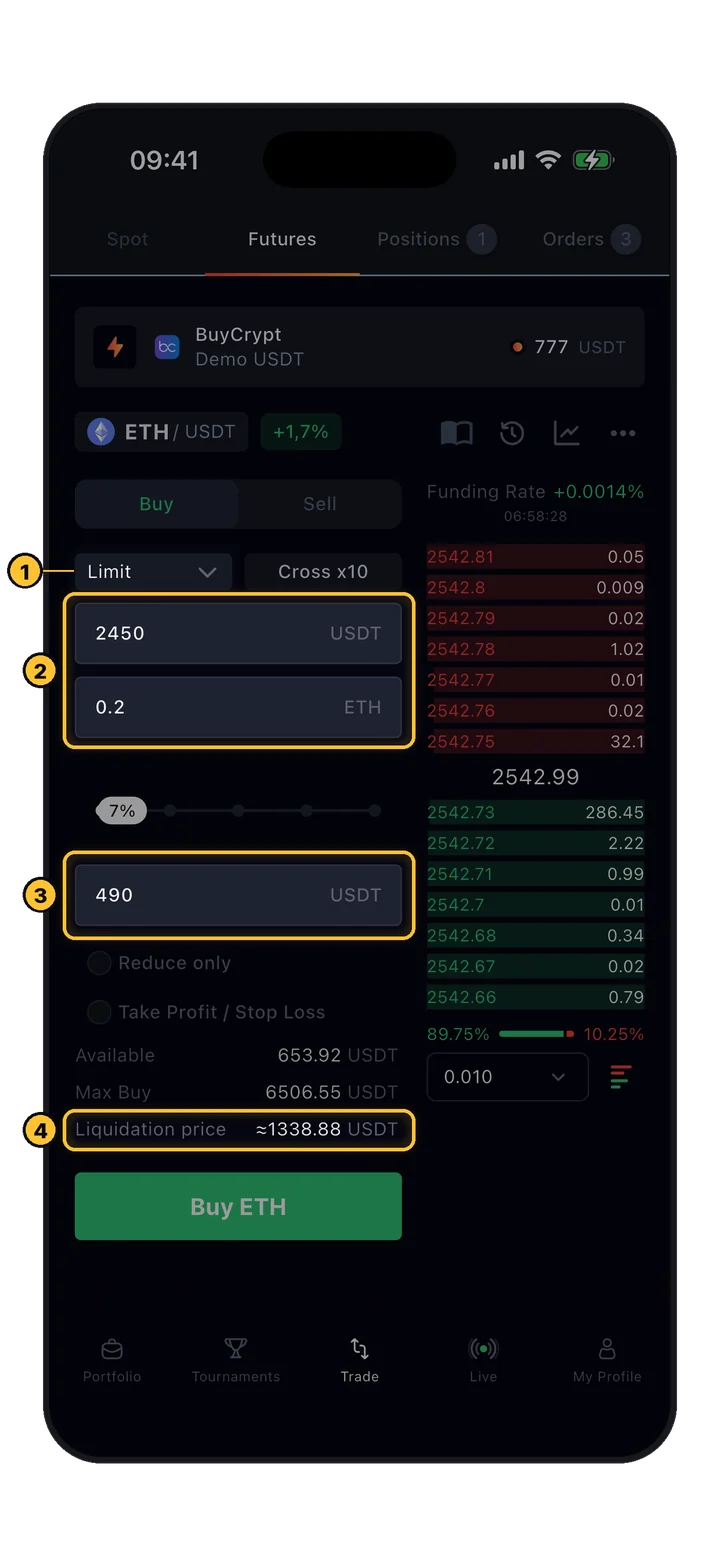
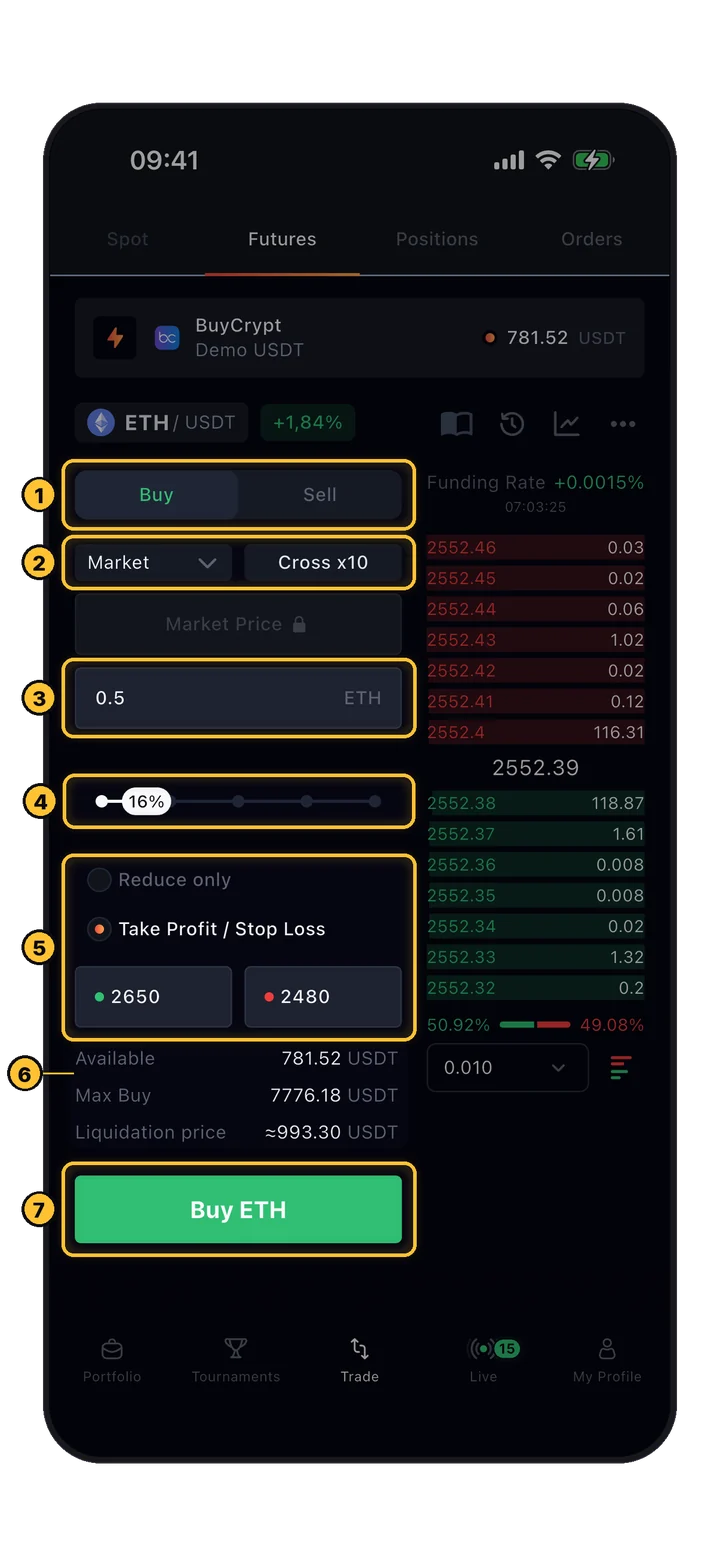
Where orders get placed. Pick Buy or Sell, set order type (Limit, Market, etc.), leverage (Cross 100x), price, and amount. Toggles for Reduce Only and TP/SL live here too.
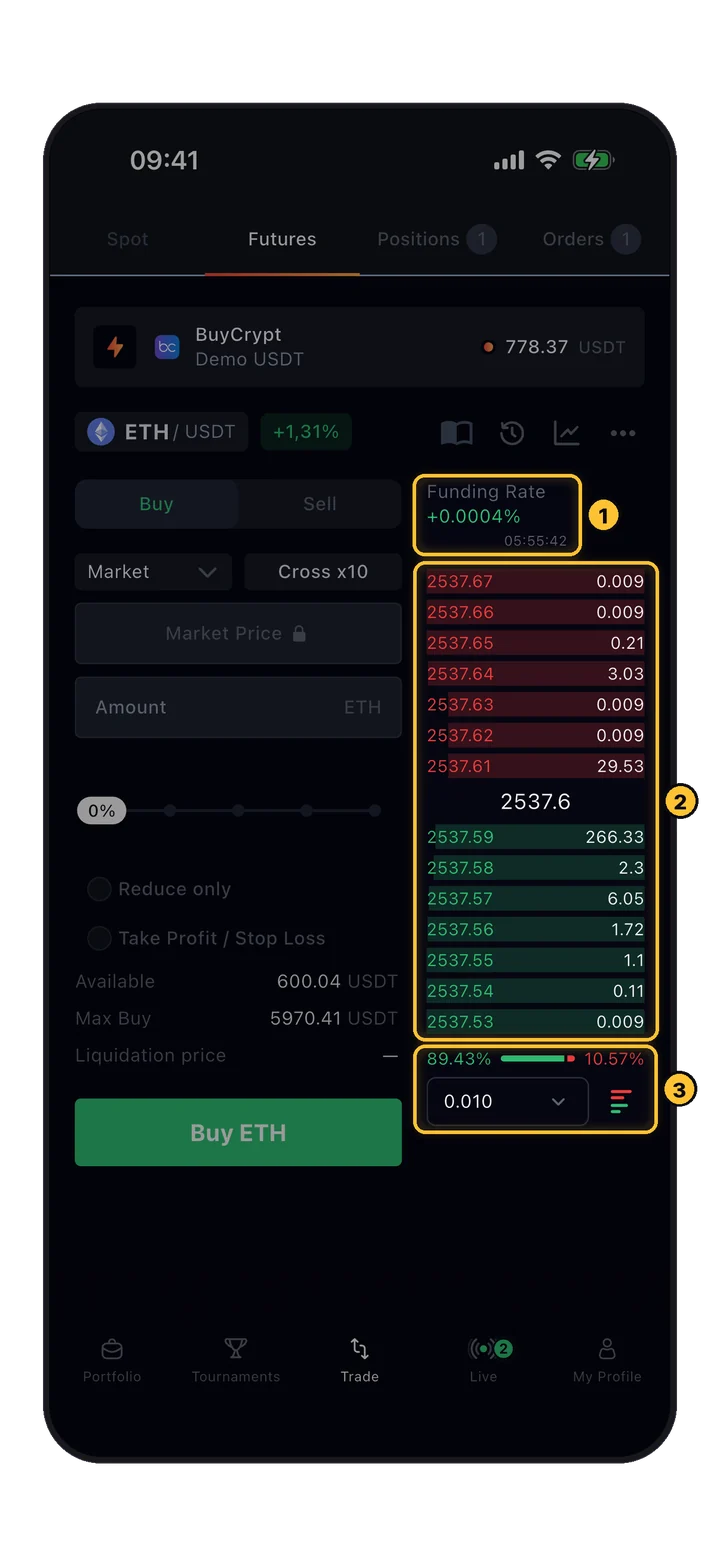
Live depth. Red rows = active sell orders (asks), green rows = active buy orders (bids). Shows price + size at each level. Funding rate sits at the top.
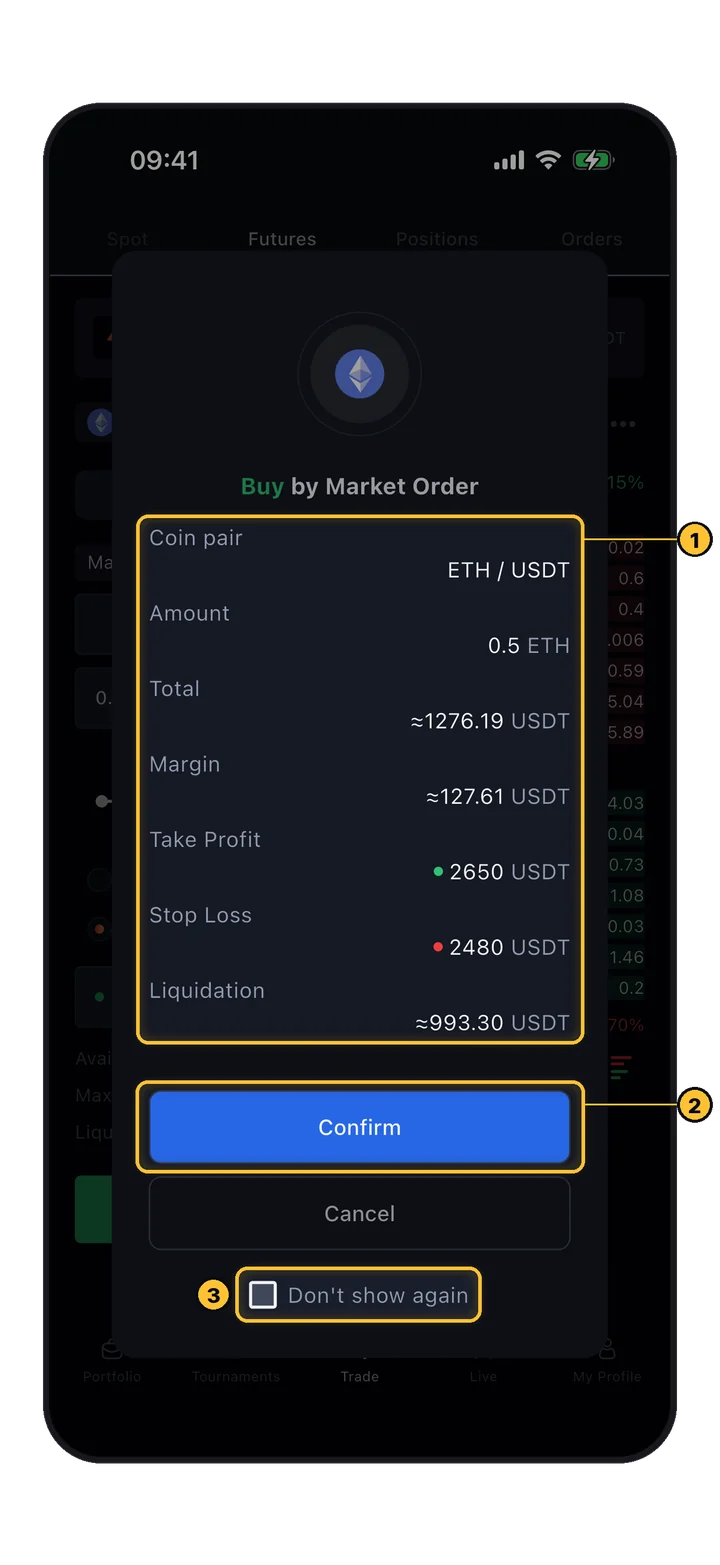
The Available / Max Buy / Liquidation price fields below the order form auto-update as you change leverage and amount. Always check the Liquidation price before confirming.
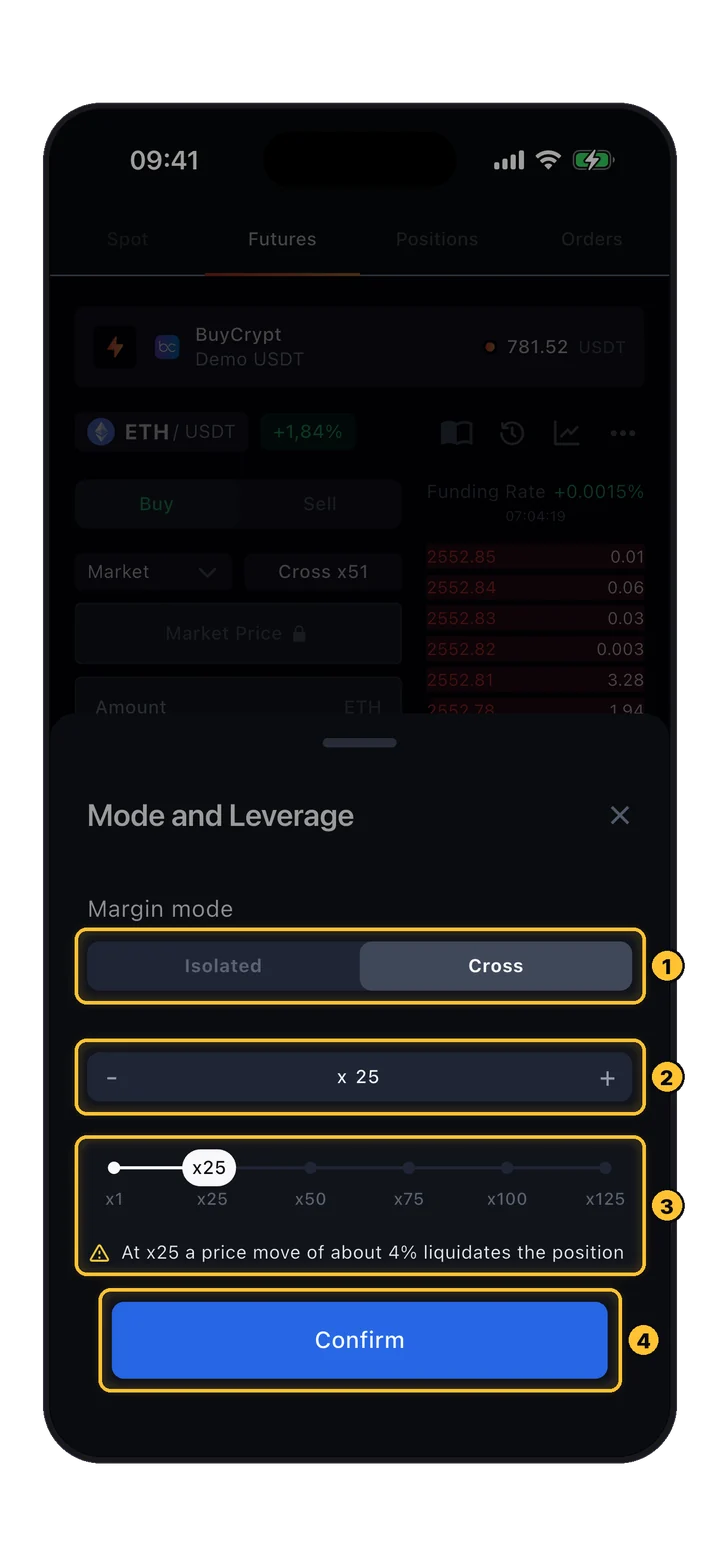
Leverage multiplies both profit and loss. BuyCrypt lets you adjust it manually — up to 100x. Higher leverage = smaller margin of error before liquidation.
The larger the position, the smaller the available leverage, and vice versa. This is an exchange-level constraint to cap systemic risk.
At 100x leverage, a 1% adverse move wipes your margin. At 10x, it takes 10%. Always assess your leverage and your stop-loss placement before entering.
Two price feeds, two jobs. Knowing which one matters when saves you from surprise liquidations.
If you see Last Price spike 2% below your liquidation line for a second — don't panic. Mark Price didn't move that much because it's smoothed across multiple exchanges. Your position survives.
Each order type answers a different question: "buy now", "buy only at my price", "buy when price breaks a level". Pick the one that matches your intent.
Executes when market reaches your set price. Buy below market / sell above market.
Executes immediately at the best current price. For when timing beats price.
Activates a limit order when stop price is hit. Breakout + price control.
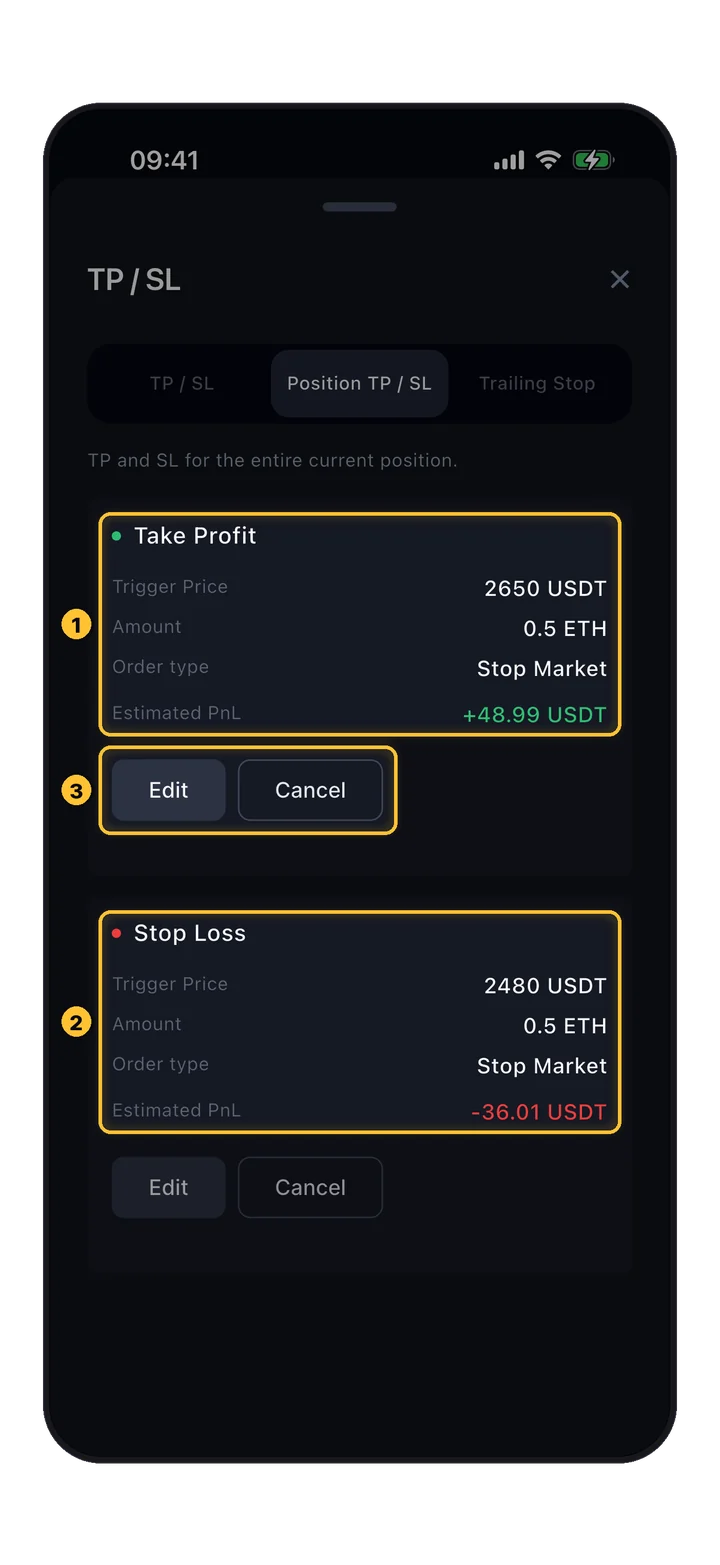
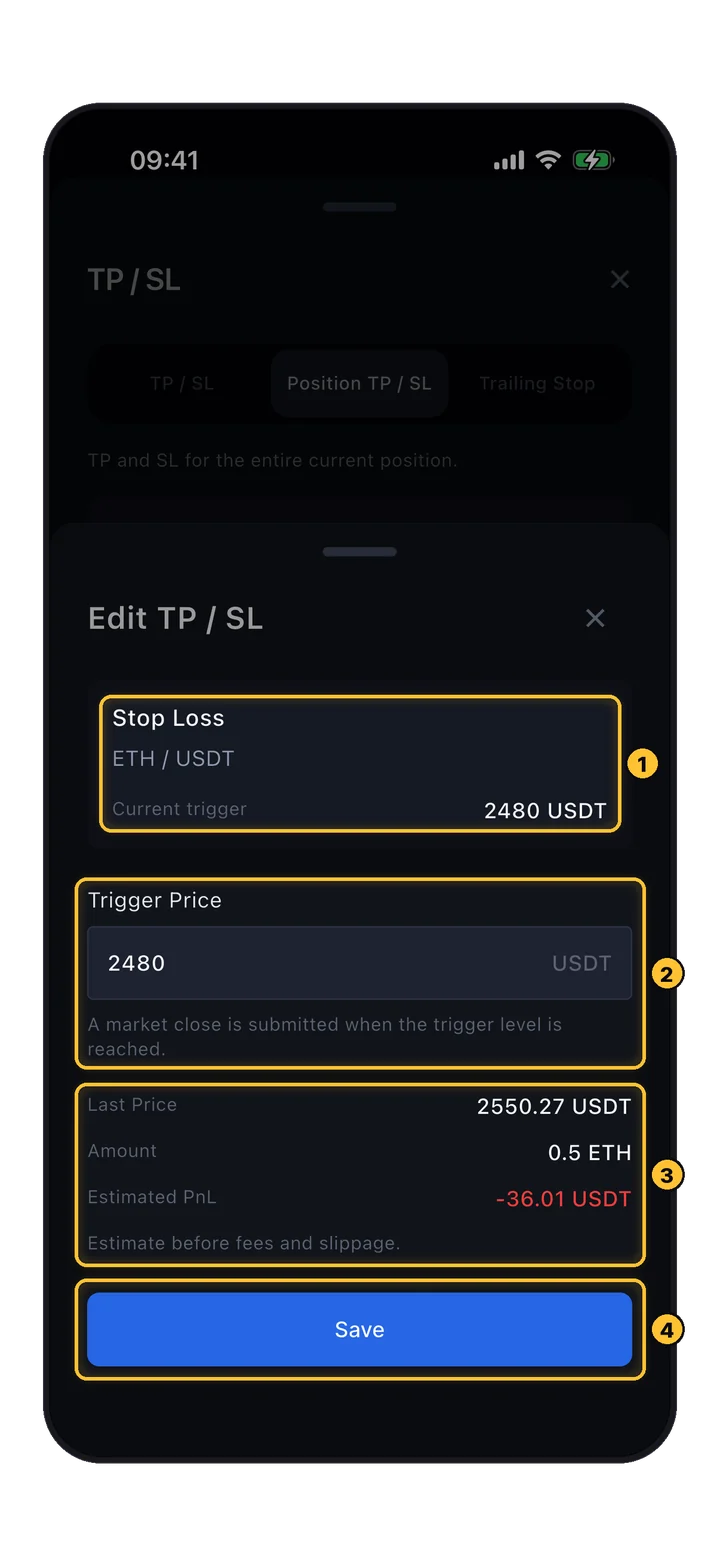
Fires as a market order at stop price. Fast exit, price slippage possible.
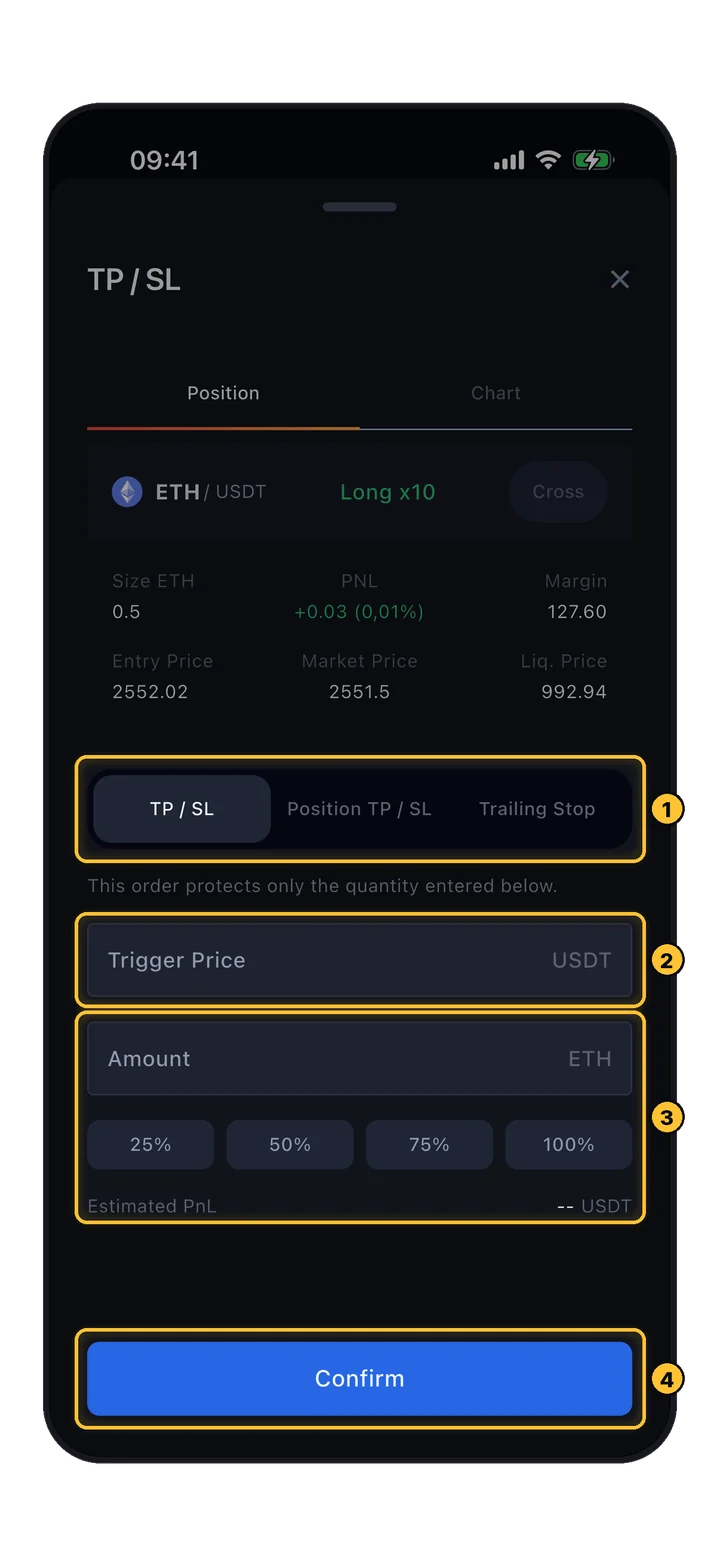
Locks in gains when target price is hit. Set it and forget it.
Calculator, funding rate, liquidation — mechanics that every futures trader should have internalized.
Built-in tool to preview PnL, target price, and liquidation price before you commit to a position. Play with scenarios without real capital on the line.
The mechanism that keeps perpetual futures pegged to spot. Longs pay shorts (or vice versa) periodically, based on how far perp price is from spot. Positive rate = longs pay.
Happens when your margin balance falls below the maintenance margin. To avoid it: monitor positions, set stops, and close in time. Don't let leverage eat you alive.
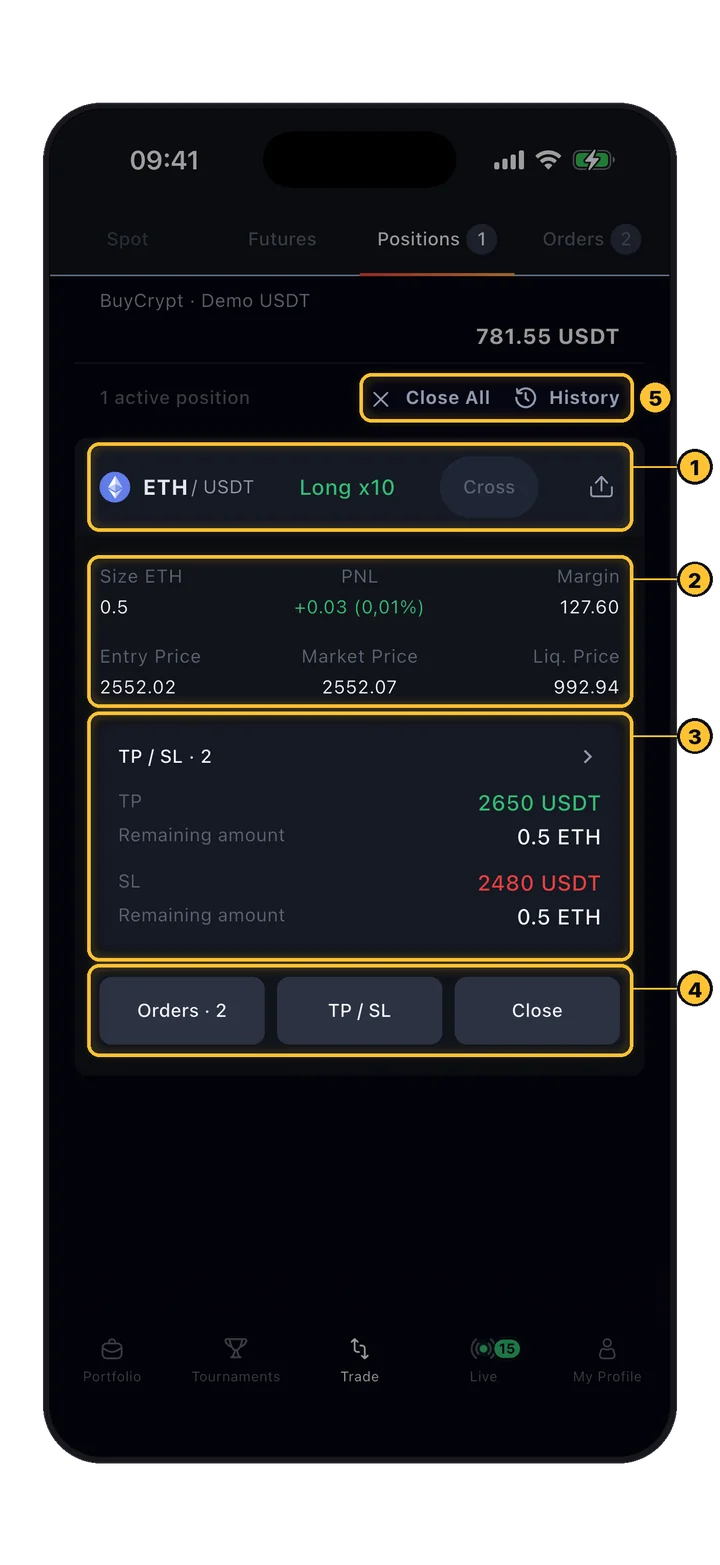
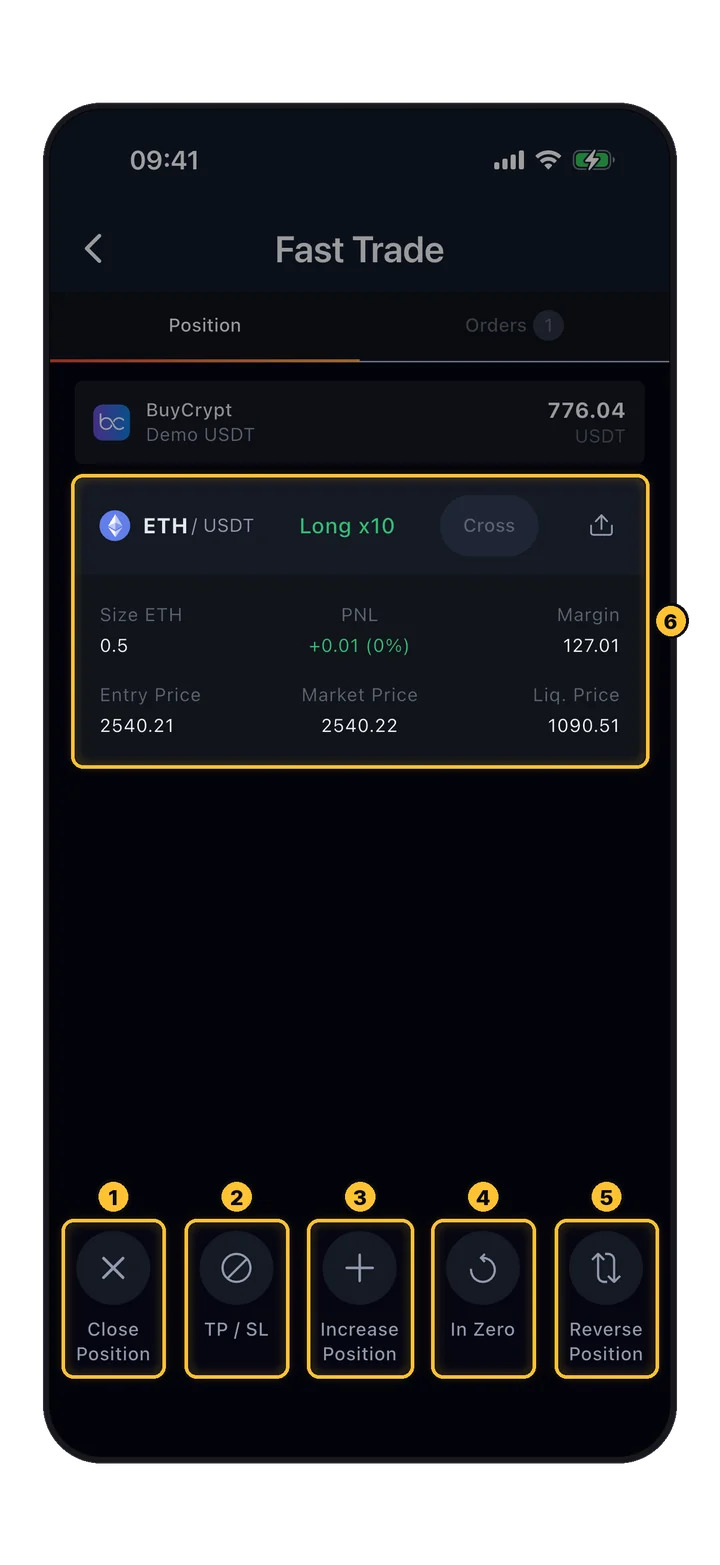
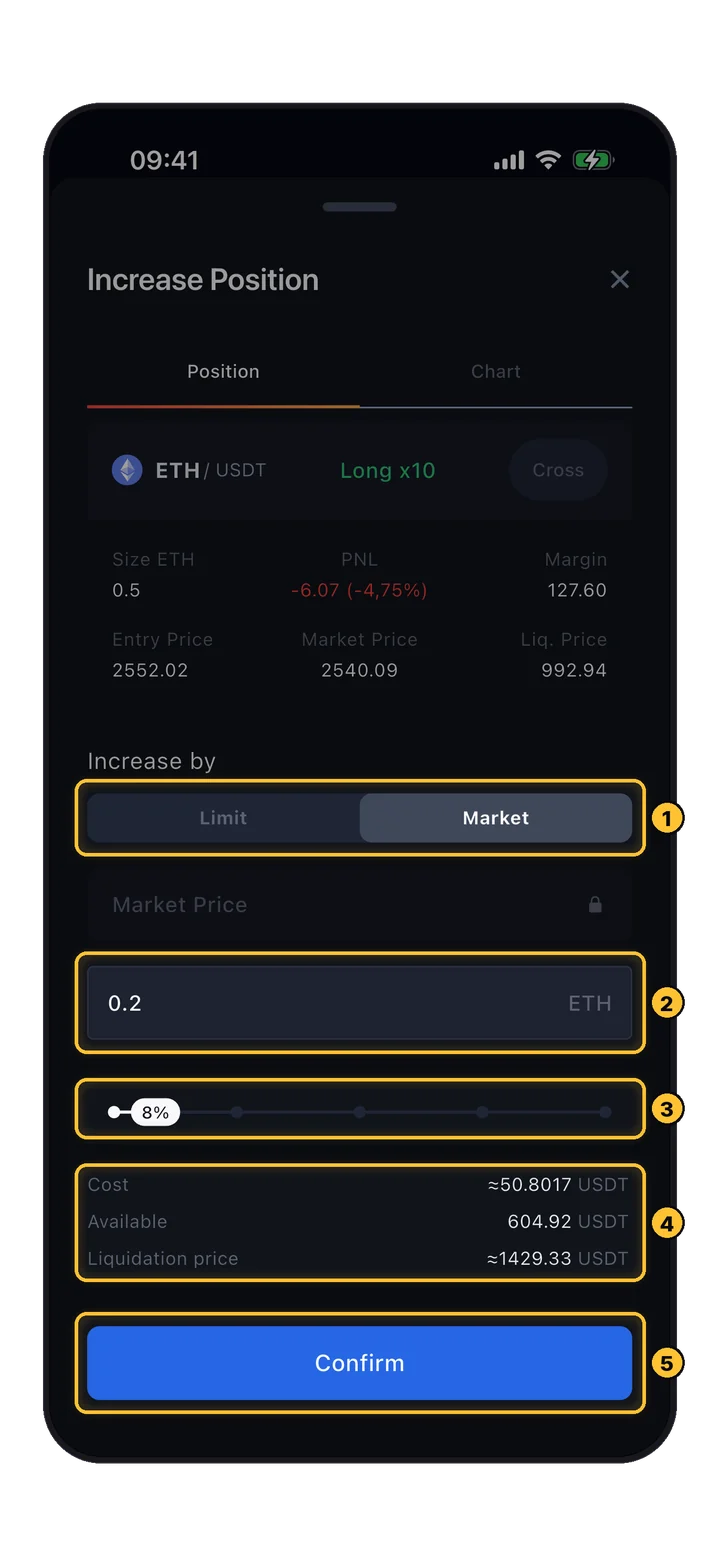
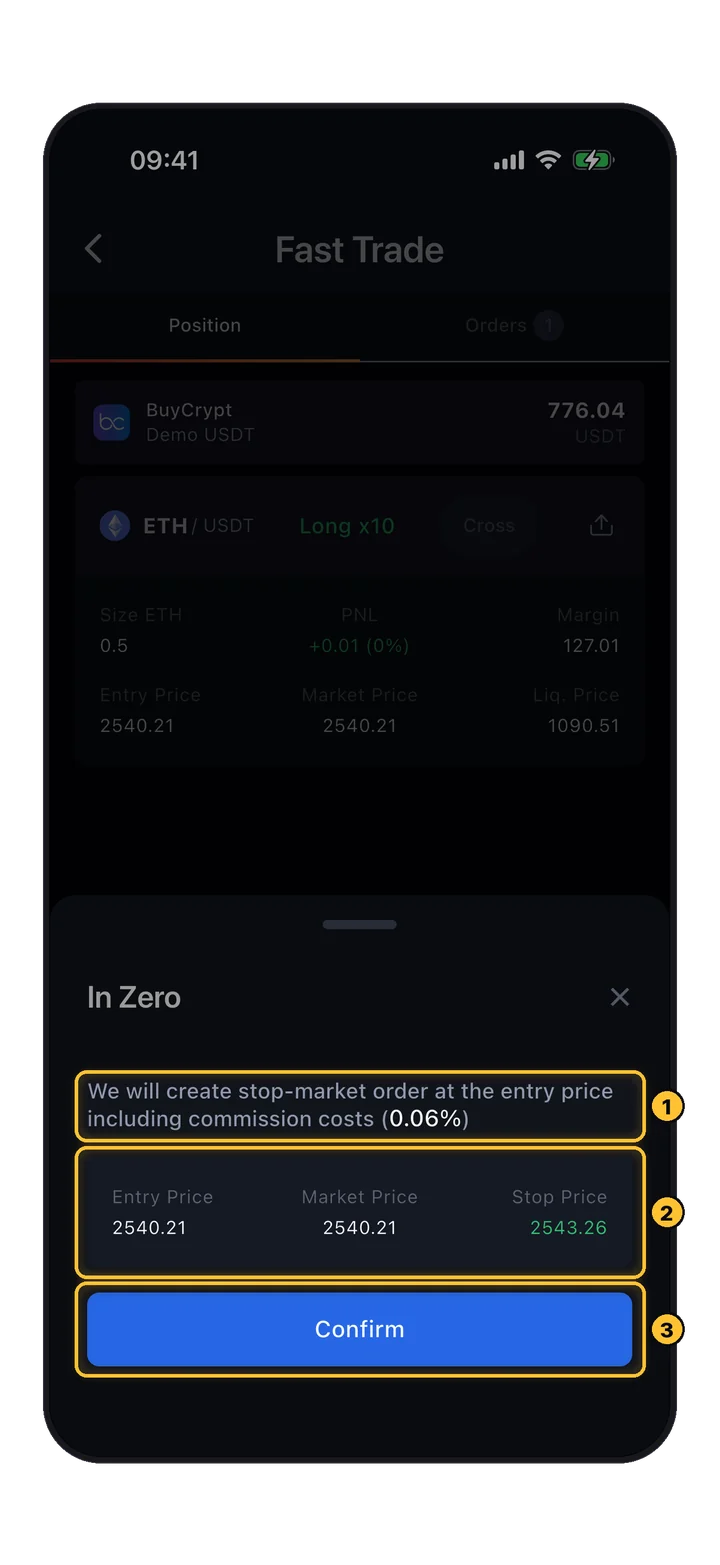
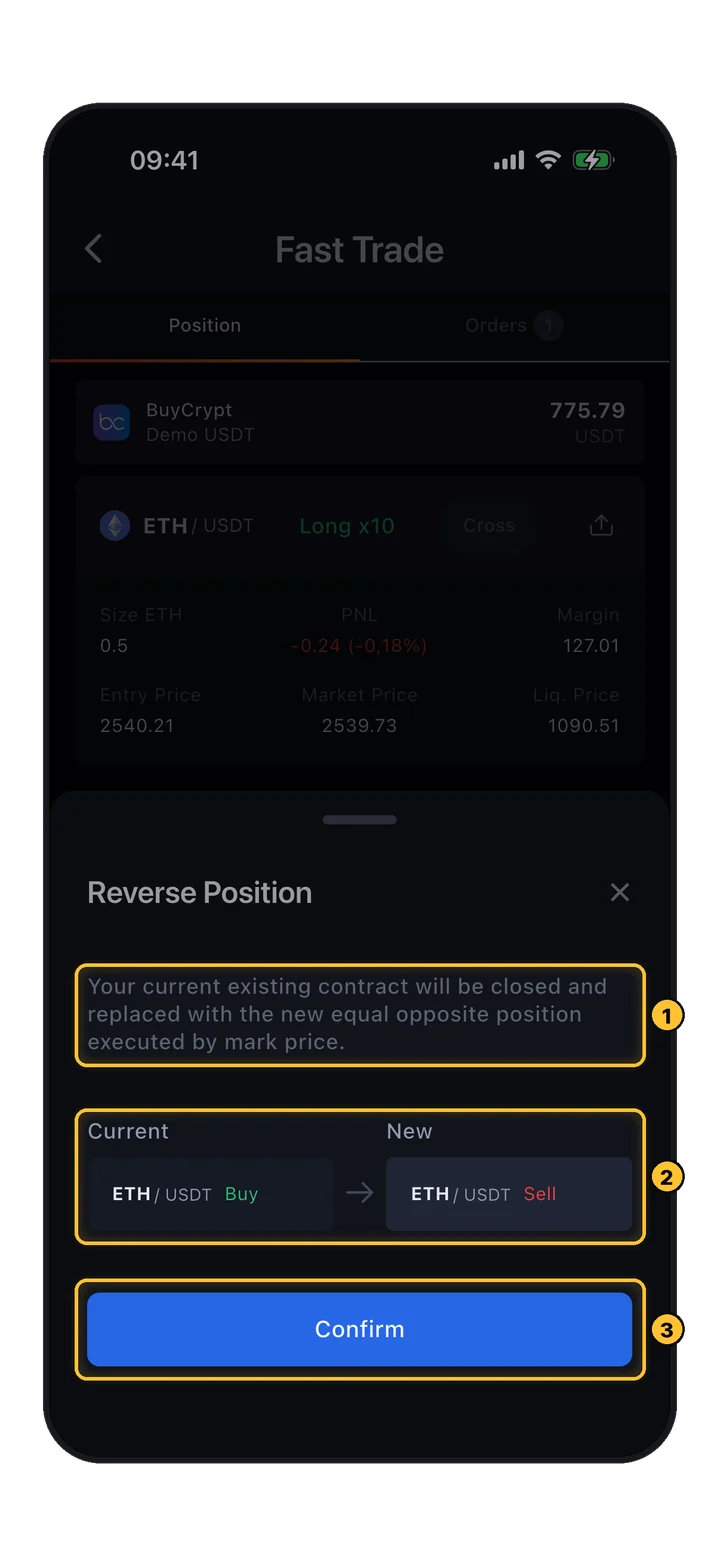
Once you're in a position, the Positions tab is your command center. Every field that matters — at a glance.
What each number means at a glance.
Account created. Interface understood. Leverage calibrated. Open the app and place your first paper trade in a free tournament — zero real risk, maximum learning.
PMC vs PNL scoring, leaderboards, and how to climb.
Your entry ticket to paid tournaments. 4 ways to get one.
The utility token powering the entire ecosystem.