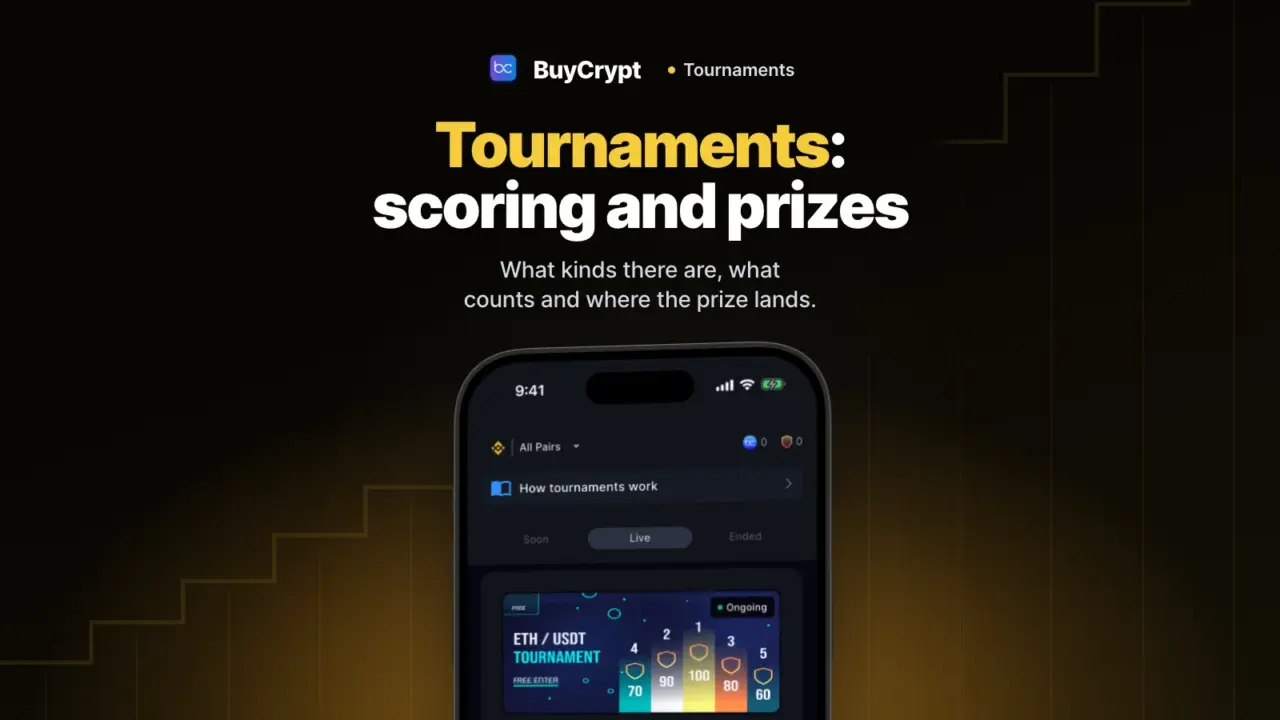
In a tournament you trade on a demo account at real prices and compete with other people. Daily tournaments are free to enter. The prizes are real.
First, about money. Demo USDT is virtual. USDT prizes are credited to your BuyCrypt balance and paid out in the BUYT token at the market rate. You can withdraw from 1 USDT. Chapter 5 shows how.
What runs now and what starts soon, on one screen
You see the terms before you tap
What it is. The Tournaments tab has three lists: Soon, Live and Ended. Your own is pinned on top in “My tournament”.
Why. Each card shows the entry price, the prize and the start time.
How to start
- Open the Tournaments tab at the bottom.
- Pick a pair at the top: “All pairs”, BTC, ETH or XRP.
- Switch between Soon, Live and Ended.
- Read the Entry and Rewards lines on the card. Then tap “Leaderboard” or “Join”.
Where: the app and the web terminal.
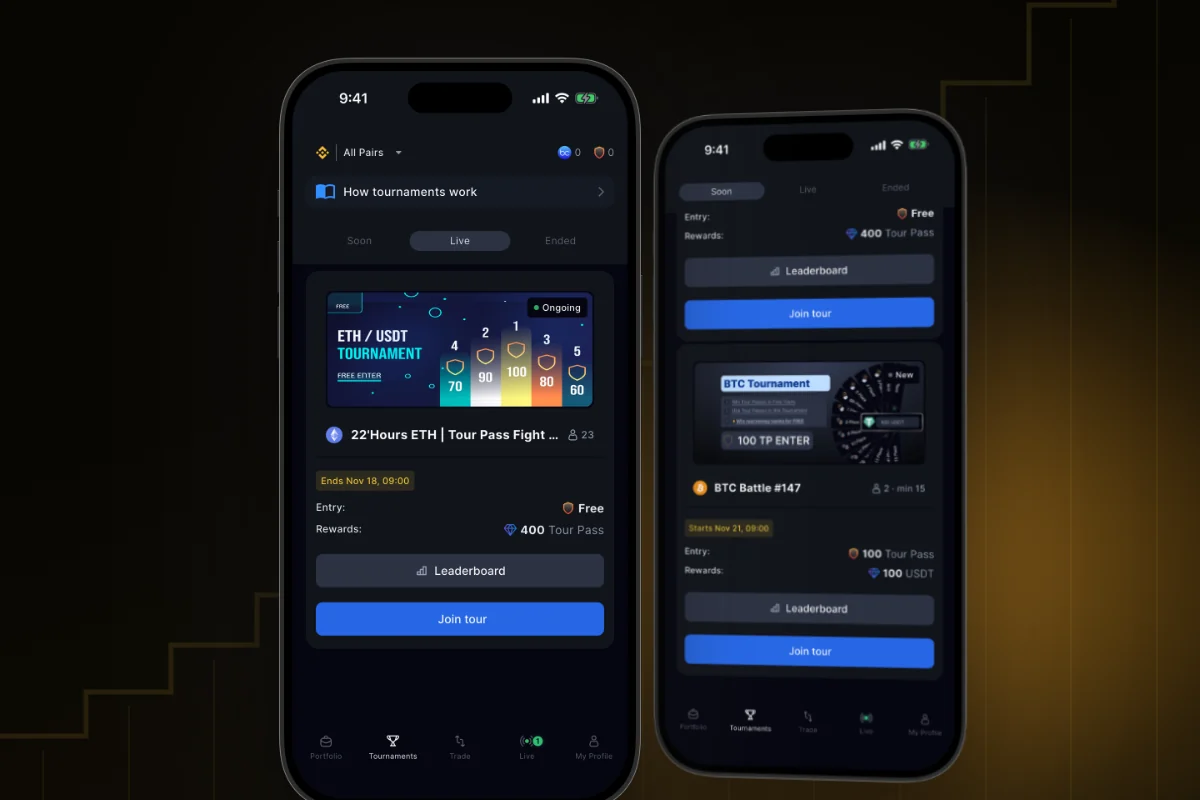
A free tournament every day, USDT prizes at weekends
The numbers below are from the site on 17 November. The live schedule is on the free tournaments page.
Win tickets to USDT tournaments every day
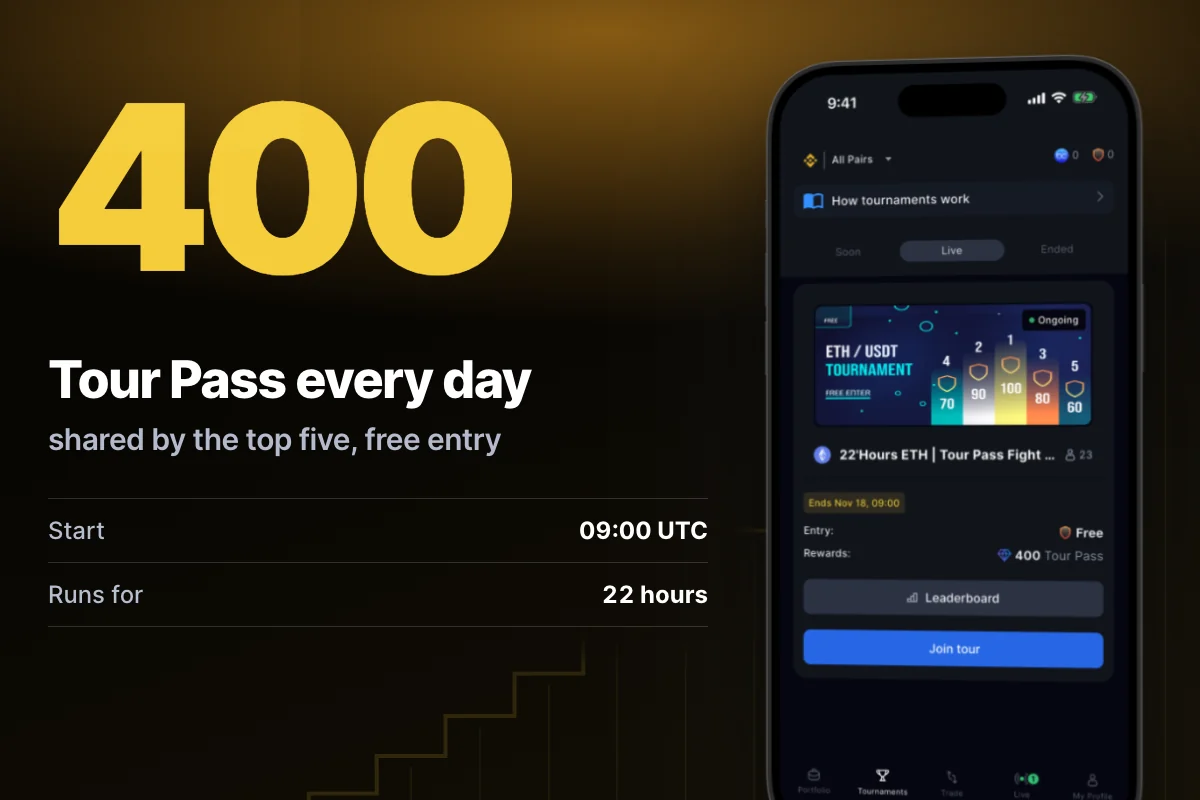
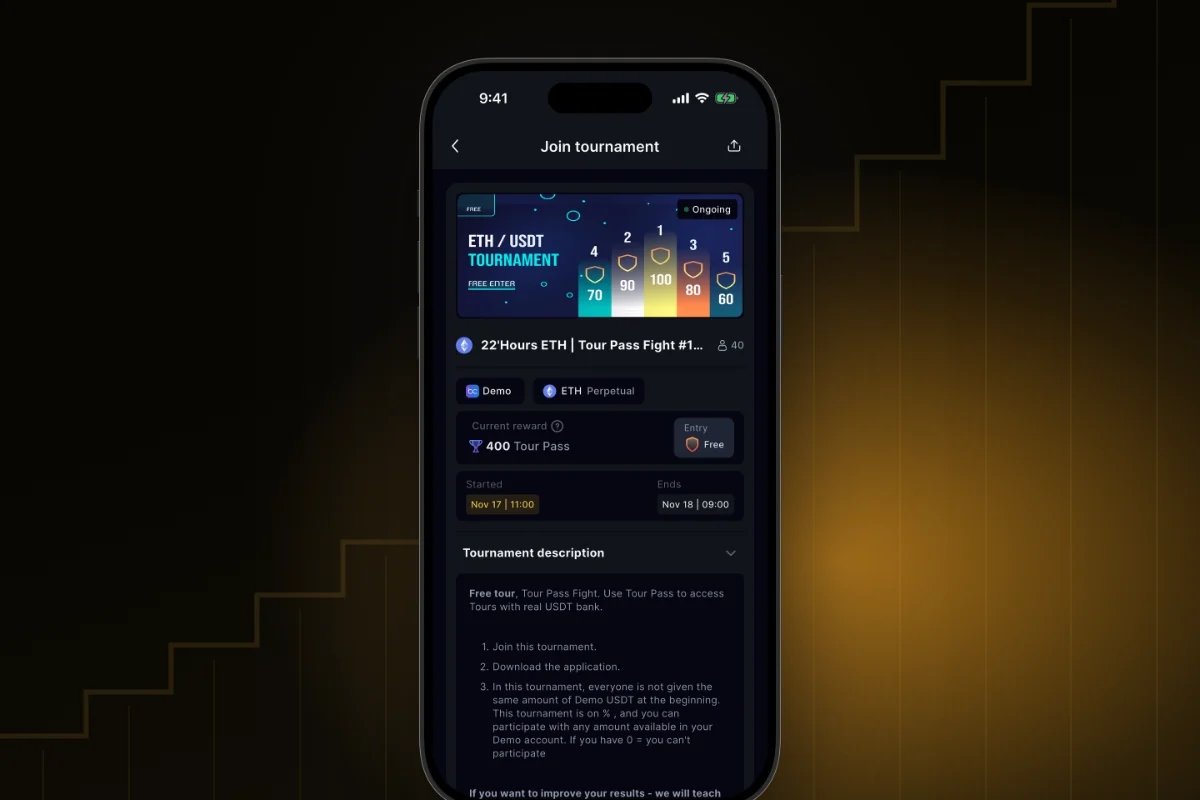
What it is. “22’Hours ETH | Tour Pass Fight” is a free daily tournament. You trade ETH futures on a demo account. It starts at 09:00 UTC and runs 22 hours. The scoring is PMC.
Why. The top five places share 400 Tour Pass: 100, 90, 80, 70 and 60. Tour Pass is an in-app ticket. It pays the entry to tournaments with USDT prizes, such as BTC Battle. You cannot withdraw it.
How to start
- Tournaments → Live → “22’Hours ETH | Tour Pass Fight”.
- Tap “Join” and choose the demo account.
- Trade ETH. Close your trades before the end. The score is the sum of your closed trades in percent (PMC).
- Tour Pass is credited by itself after the results.
Where: the app and the web terminal. Join at any time while it runs. On 17 November tournament #1053 was running.
Only places with a result above zero get a prize. With equal results, the earlier joiner is higher. Tour Pass is not money and cannot be withdrawn. You can play in one tournament at a time.
USDT prizes with no deposit
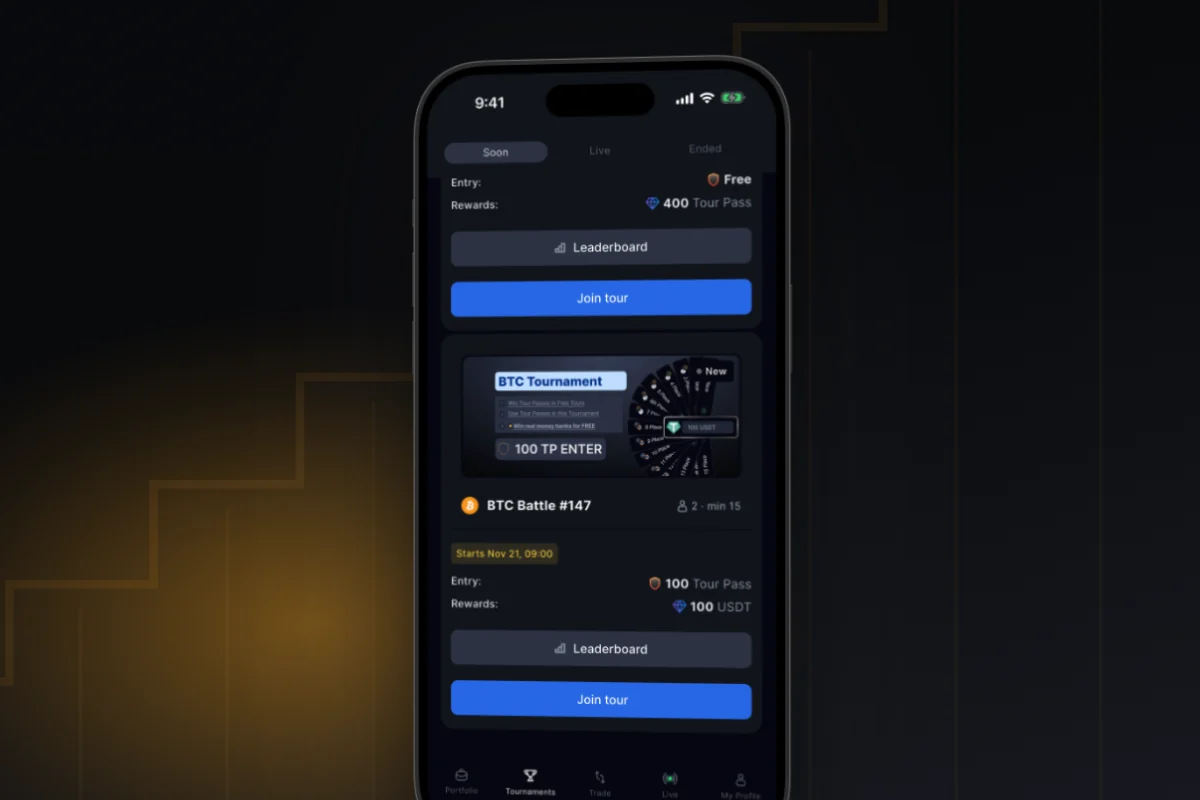
What it is. BTC Battle runs on BTC futures on a demo account, from Saturday 07:00 UTC to Monday 09:00 UTC. That is 50 hours. Entry is 100 Tour Pass. The pool is 100 USDT for 15 places. The scoring is PNL.
Why. No deposit. You risk no money. You win Tour Pass in free tournaments. All start with the same demo balance.
How to start
- Collect 100 Tour Pass.
- Tournaments → Soon → “BTC Battle” → “Join”.
- Tap “Review entry”, then “Pay 100 Tour Pass and join”.
- Trade BTC. The biggest profit wins. The USDT prize goes to your BuyCrypt balance.
Where: the app and the web terminal. By the data of 17 November the next one is BTC Battle #147. It starts on Saturday, 21 November, at 07:00 UTC. The schedule: weekend tournament.
Only places with a result above zero get a prize. So the pool is not always paid in full. In BTC Battle #146, 12 places got 94 USDT. Check it on the payouts page. A prize is credited in USDT and paid out in the BUYT token at the market rate. You can withdraw from 1 USDT. If you leave before the start, the paid entry is not returned.
Joining: you see the price and the account first
No surprise charges
What it is. The “Join tournament” screen shows the account, the exact entry price, and what happens to your open positions. You are charged only after you confirm.
Why. You know how much you pay and from which account. If joining fails, the entry fee is not charged.
How to start
- Tap “Join” on the card or in the leaderboard.
- Tap “Choose account”. If only one fits, the app picks it.
- Tap “Join for free” or “Review entry”.
- If the tournament restarts the demo account, tick “I understand: the positions and orders will be closed”.
- Confirm: “Join for free” or “Pay N Tour Pass and join”.
Where: the app and the web terminal. A demo tournament takes only a demo account.
Everyone starts equal, and your balance comes back
What it is. In PNL tournaments every demo account gets the same balance for the tournament. Open positions are closed. Orders are cancelled.
Why. Nobody starts ahead. Your old demo balance returns after the finish.
How to start
- When you join, read the warning about closed positions and tick the box.
- Wait for the start message. From then on your trades count.
- Check the card “Your tournament demo account”. It says “Demo account active”, then “Demo balance restored”.
Where: the app and the web terminal, on the tournament page. PMC tournaments have no restart: you trade your own Demo USDT.
How the result is counted: PNL and PMC
A small account can beat a big one
What it is. PNL is your profit in USDT from an equal start. PMC is the sum of price moves in your favour, in percent, across closed trades.
Why. In PNL, position size and leverage matter. In PMC, good entries and exits matter. A 50 USDT trade and a 5,000 USDT trade give the same percent.
How to start
- Look at the leaderboard header. “Score” means PNL. “PMC Score” means PMC.
- PNL example: you start with 1,000 USDT and end with 1,184.20. Your result is +184.20 USDT.
- PMC example: you buy BTC at 30,000 and sell at 33,000. That is +10%.
- See both side by side: Tournaments → “How tournaments work” → “Three tournament types”.
Where: the app (the section “Three tournament types” came with this version, 14 November), the web terminal, and the guide on the site. The type is also on the tournament card.
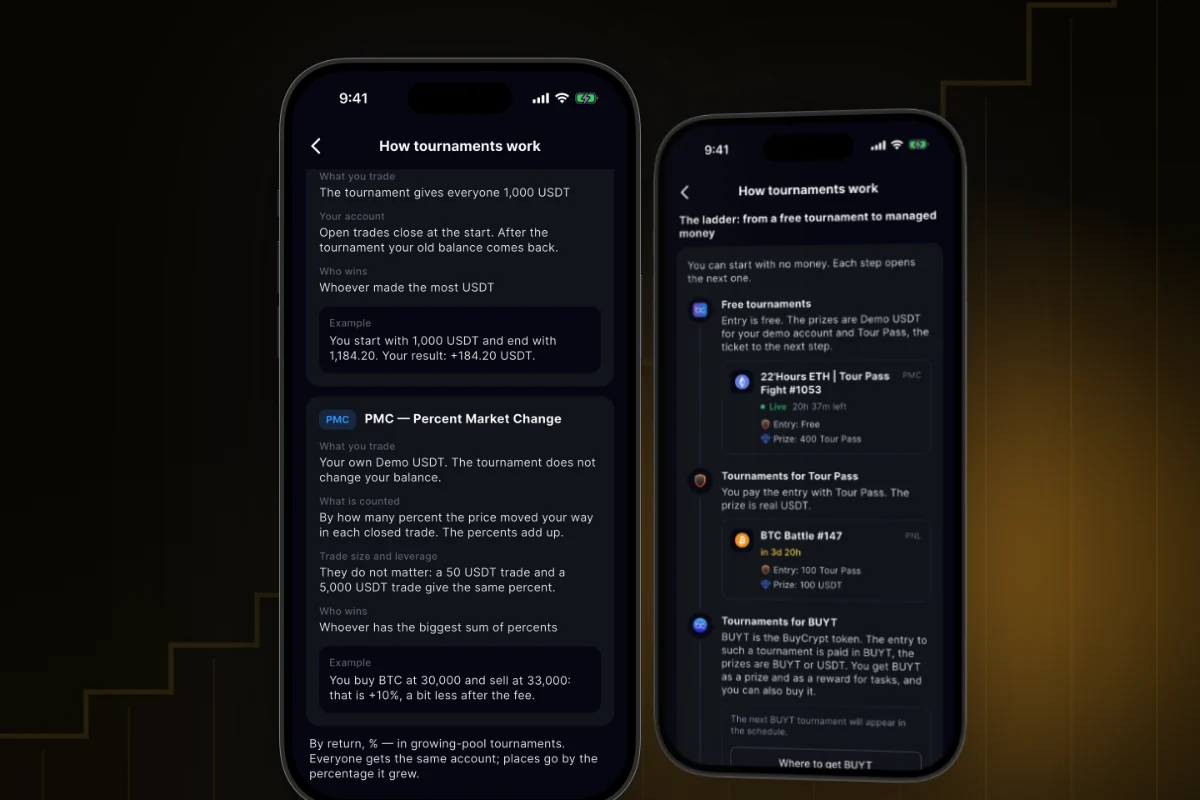
Only closed trades on the tournament coin count. They must open after the start and close before the end. A liquidation is a closed losing trade. The demo fee, 0.04% to open and 0.04% to close, is taken off in PNL and PMC. A result on demo does not promise the same on a real market.
The prize comes by itself
Nothing to claim after a tournament
What it is. The Results screen shows the winner, your place and the prize allocation. Each prize has a credit status.
Why. You send no request. Demo USDT goes to the demo account. USDT goes to your BuyCrypt balance.
How to start
- Tournaments → Ended → the card → “Show details”.
- Find the “Your place” card.
- In “Prize allocation” check the status: “Awaiting credit”, “Credited to reward balance” or “Credited to demo account”.
- Under your prize tap “BuyCrypt balance” or “My demo balance”.
Where: the app and the web terminal.
We name no time for crediting. BuyCrypt may check the results first.
A guide for first-time players
Five minutes, and you know which tournament to open
What it is. “How tournaments work” is an explainer screen with the nearest free start, the tournament types, common questions and a week’s schedule.
Why. Each section shows a real tournament from the schedule.
How to start
- Open Tournaments and tap the line “How tournaments work” above the list.
- In “Nearest free start” tap “Join”.
- At the bottom open “Common questions” or tap “Choose a tournament”.
Where: the app and the web terminal.
More changes
- One tournament at a time. If you already play, other cards show a lock. You can leave before the start: leaderboard → “Leave”.
- Notifications. A reminder before the start, a push with the results.
- Your rivals’ past tournaments. The leaderboard shows a strip of past results under each player.
- Favorite traders in tournaments. Tap the star in the leaderboard to know when this trader joins a tournament.
- Share. A friend opens your link, signs in and lands in the same tournament.
- Demo USDT Tour. A free daily tournament for Demo USDT. It starts only if enough players join.
- The site. The tournaments section has a page for each tournament. There is also a calendar of other exchanges’ competitions.
Good to know
- If too few players join, the tournament is cancelled and the entry is returned.
- If you leave by yourself, a paid entry is not returned. You cannot leave after the start.
- With equal results, the earlier joiner is higher.
- Winners have received $43,168 in prizes: USDT, Tour Pass and BUYT together. This is a snapshot of the payouts page on 17 November.
- Apple and Google are not sponsors of the tournaments and take no part in them.
- A result on demo does not promise the same on a real market. This is not investment advice. 18+.
Links: what’s new in BuyCrypt · tournaments guide · tournaments · App Store · Google Play · web terminal
Discussion
Comments from BuyCrypt Live. Sign in with Google or Apple — we create your BuyCrypt account on the way, the same one as in the app.