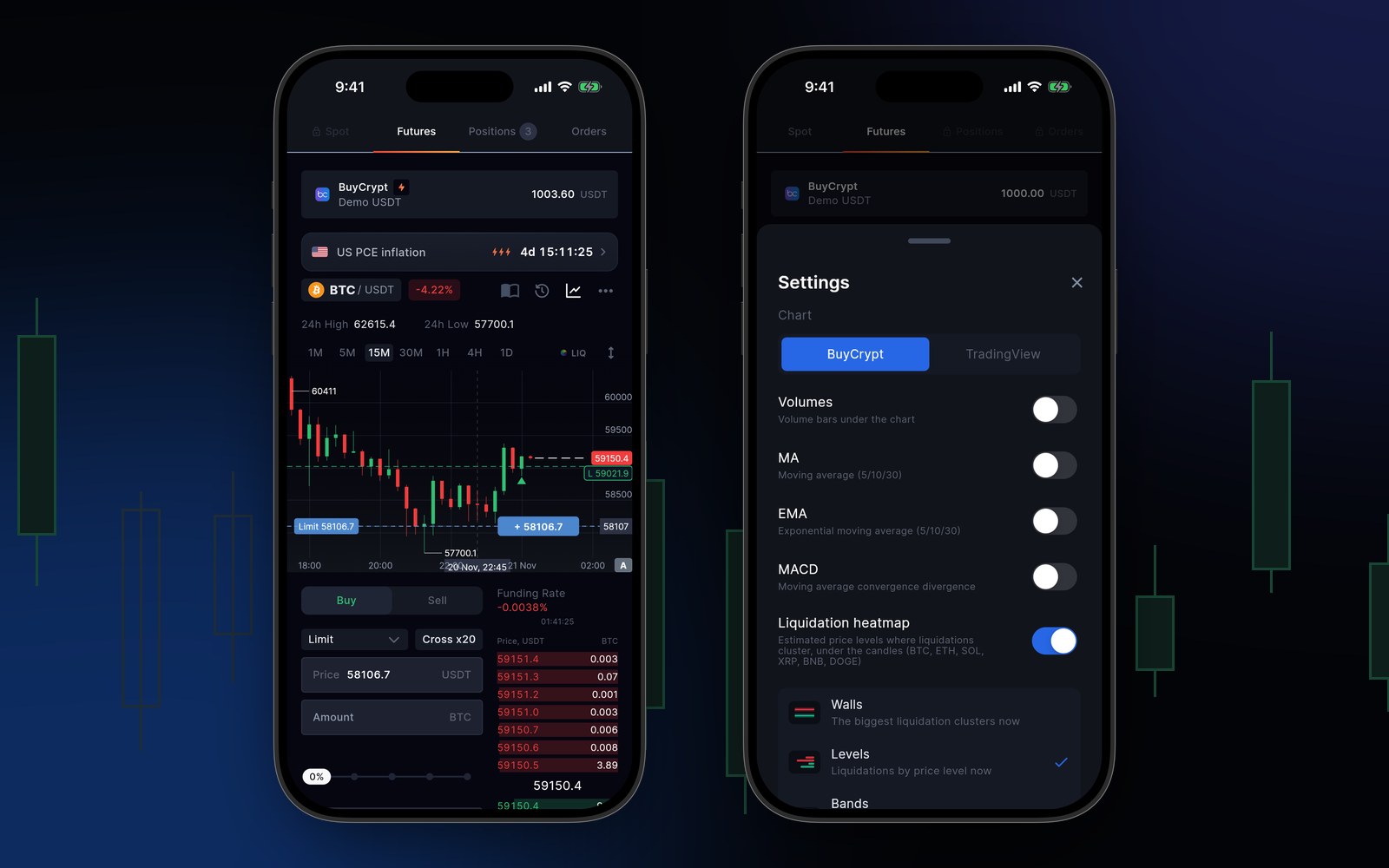
Version 3.9.9 is all about the chart. Now you see where liquidations sit. You see how long until big market news. And a limit order takes one tap. Here is each change, with screens from the app.
Liquidation map
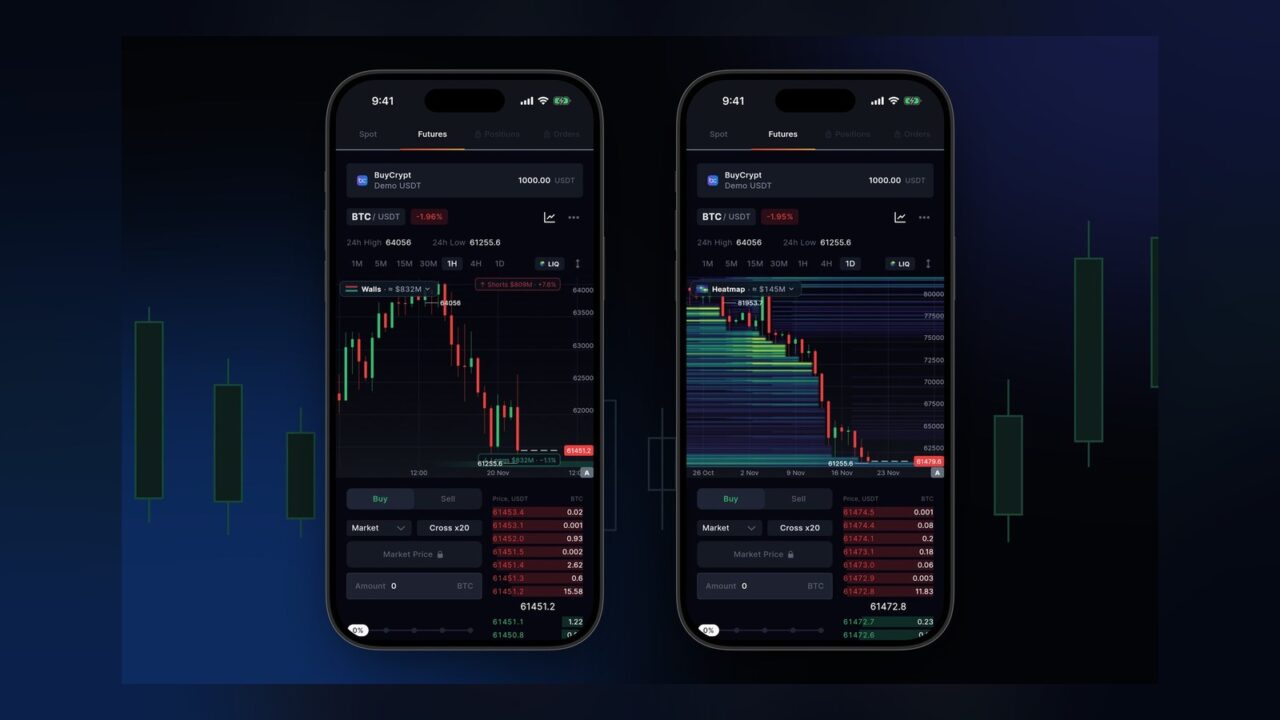
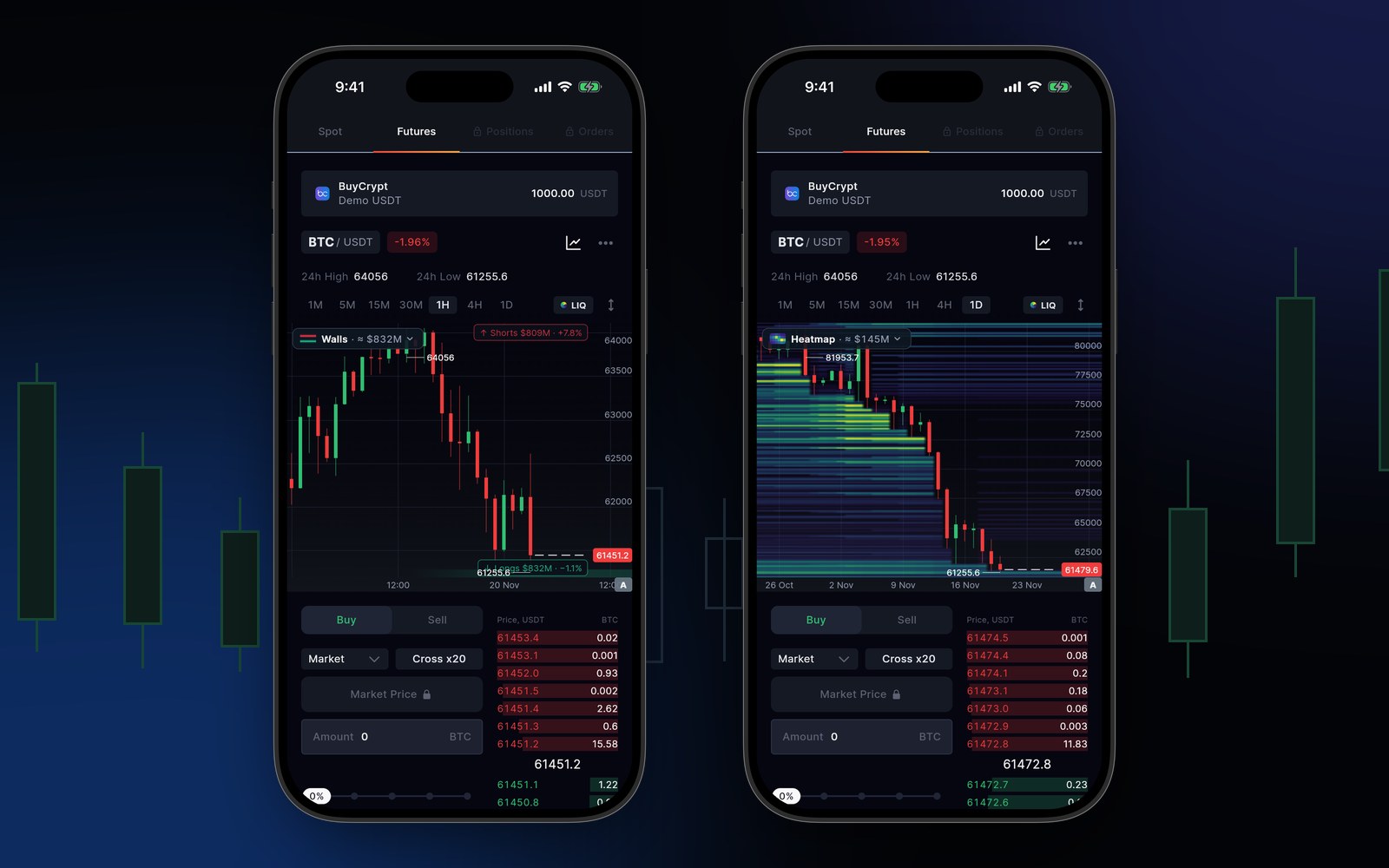
Tap LIQ above the chart. The map shows the prices where long and short liquidations sit. It is built from open interest on Binance, Bybit and OKX. It updates every minute. Coins: BTC, ETH, SOL, XRP, BNB and DOGE.
Left: the Walls view. Right: the Heatmap.
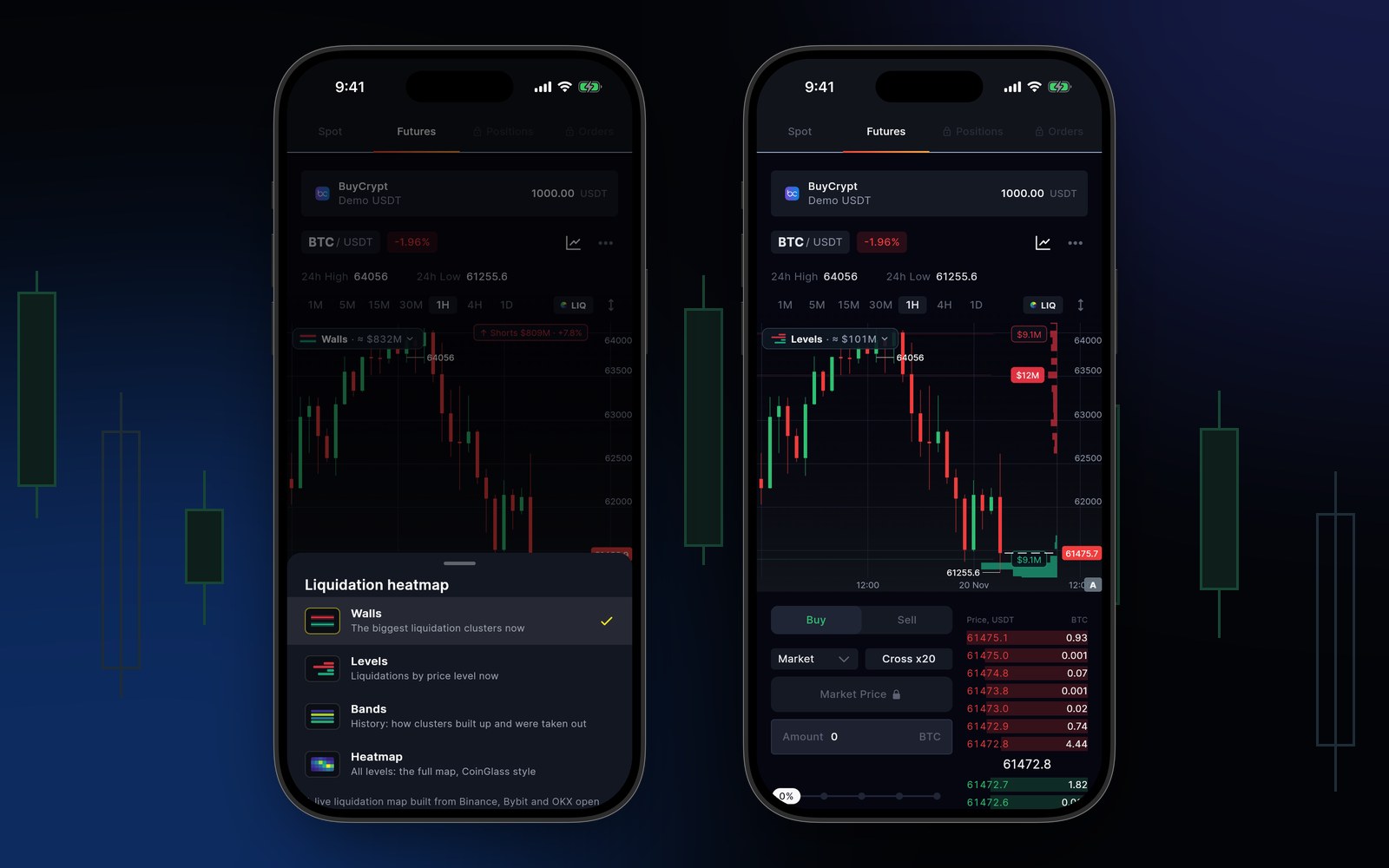
The map has four views:
Walls: the biggest clusters right now.
Levels: longs and shorts at each price.
Bands: how each cluster grew and cleared.
Heatmap: all levels at once.
Pick a view. Here: Levels.
The map is an estimate from open interest. It is not a forecast and not a trade signal.
Upcoming events
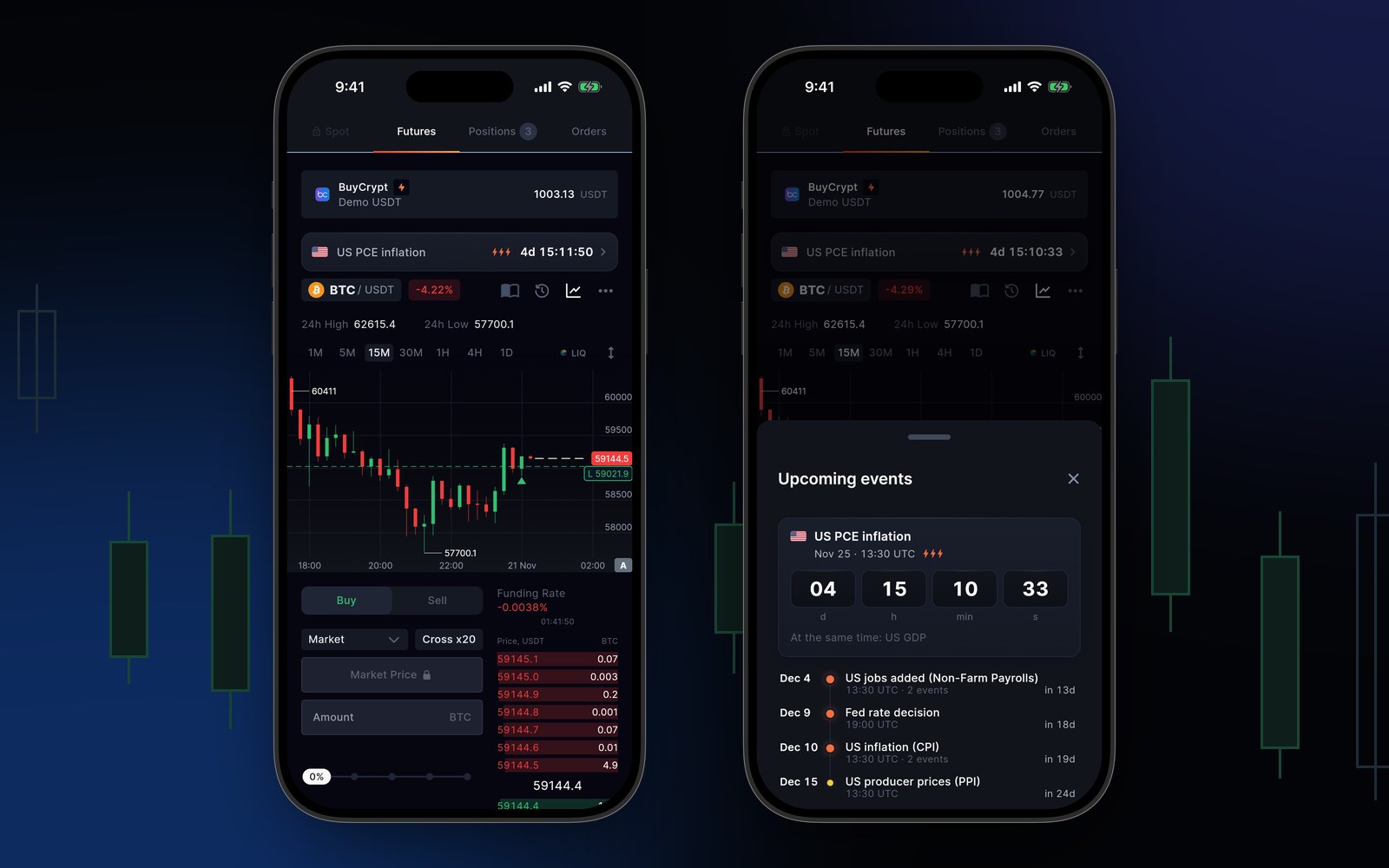
A new line above the pair shows the next big market news and a countdown to it. Tap it to see the list: inflation, jobs, Fed rate decisions, producer prices. Lightning icons show how strong the event is. Times are in UTC. You see the line after you sign in.
The line above the pair, and the Upcoming events list.
New chart controls and a limit from the chart
Zoom with two fingers right where you touch. Drag the price scale on the axis. The crosshair stays after you lift your finger.
Pick Limit and tap the chart. The price goes into the order, and a line shows your future order. A tap on an order book price fills the form too.
A tap on the chart sets the limit price. Right: chart settings with volumes, MA, EMA, MACD and the liquidation map.
Many positions in one action
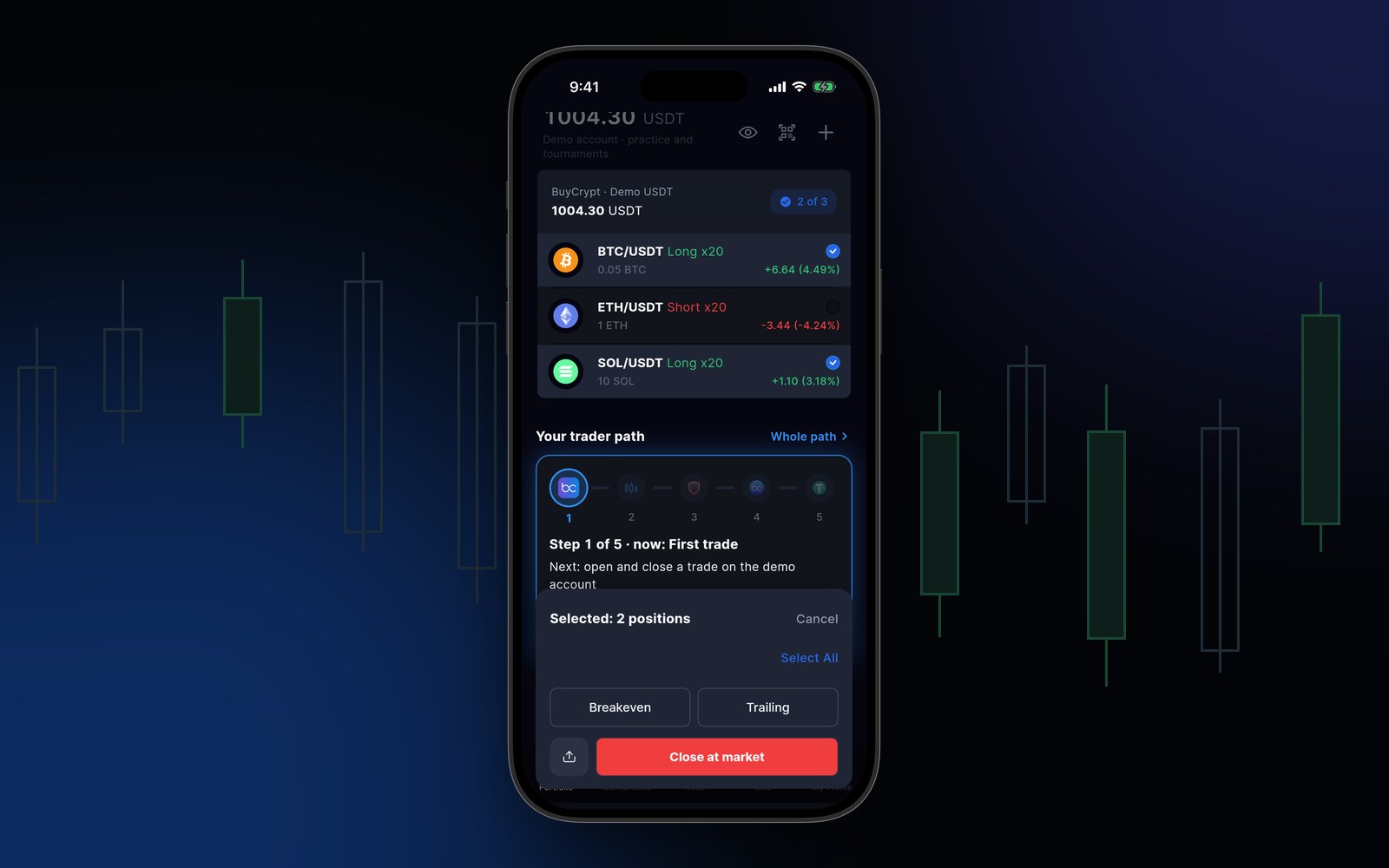
In Portfolio, press and hold a position. Then tick the others. Close at market closes all of them at once, even on different accounts. Breakeven and Trailing also apply to all selected positions at once.
Two positions selected: breakeven, trailing or close in one action.
How to update
Update the app: the App Store and Google Play links are on buycrypt.com/app. It all works in the web terminal already.
Demo USDT is virtual. Crypto trading carries risk. 18+.
Discussion
Comments from BuyCrypt Live. Sign in with Google or Apple — we create your BuyCrypt account on the way, the same one as in the app.
{coin} discussionForecast · {name}Back to the {coin} discussionLivefor a risefor a fallWatch from {t}Watch the videojust now{n} min ago{n} h ago{n} d agoQuiet so far. Where do you think {coin} is heading?Nobody has discussed this forecast yet. Will it come true?Your view on {coin}…Agree with the forecast?Your reply…SendReplyCancelReportSpam or advertisingInsultsMisleadingThank you. We review reports within 24 hours.OtherHide this authorYou will no longer see comments by {name}.UndoNo insults, spam, links or wallet addresses: such comments are removed automatically. See a violation? Tap “Report”.DeleteDelete it?Comment deletedIn reviewOnly you can see it for now — a moderator will check it.Sign in to join the discussionSign inSigned in as {name}Sign outTraderShow earlierSign in to BuyCryptThe same account as in the app. No account? We'll create one when you sign in.Via the BuyCrypt appOpen the app on your phone, tap the QR icon and point the camera at the code.Waiting for confirmation in the app…Confirmed, signing in…The code has expiredNew codeCouldn't get a codeorSign in with GoogleSign in with AppleBy signing in, you accept theterms of serviceNot published: {why}.links and contacts aren't allowed herewallet addresses aren't allowed hereno swearing, pleaselooks like advertising or spamToo often. Wait a minute.The discussion is closed.Your session has expired — sign in again.Couldn't send. Try again.Too long: 2,000 characters maximum.This comment no longer exists.Couldn't load comments. Retrying…The sign-in window was blocked. Allow pop-ups and try again.Couldn't sign in. Try another way.DiscussionNo comments yet. What do you think?Your take on this news…Your name and photo from Google or Apple will be shown next to your comments on the site.