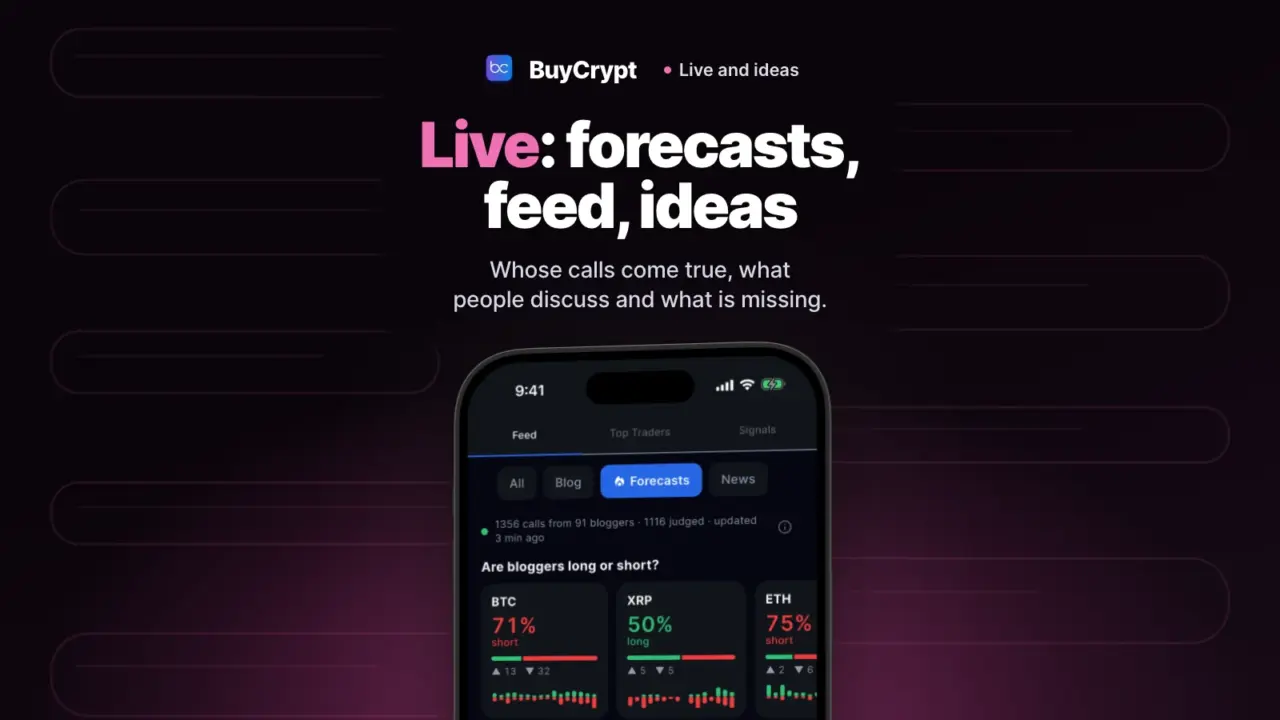
You see what bloggers said about a coin and how it ended. You also get a feed, an idea board and a calendar of market events.
A forecast here is someone’s opinion, checked against the price. Use it to learn. It does not tell you what to buy.
See whose forecasts come true
The quote, the target and the result in one card
What it is. Forecasts is a tracker of crypto bloggers’ calls. Each card has the exact quote from the video, the direction, the target and the result. The result is judged on Binance prices.
Why. You open the call and see what was said and what happened.
How to start
- Open Live, then Feed, then the Forecasts chip.
- Look at the top strip: “Are bloggers long or short?”
- In Latest calls pick a filter: In progress, Played out or Against.
- Tap a call. You see the exact quote, the chart, the result and a link to that moment in the video.
- To find one thing, tap the search icon and type a blogger, a coin or words from a call.
Where: the app and the web terminal. No sign-in needed. On the site: the bloggers rating.
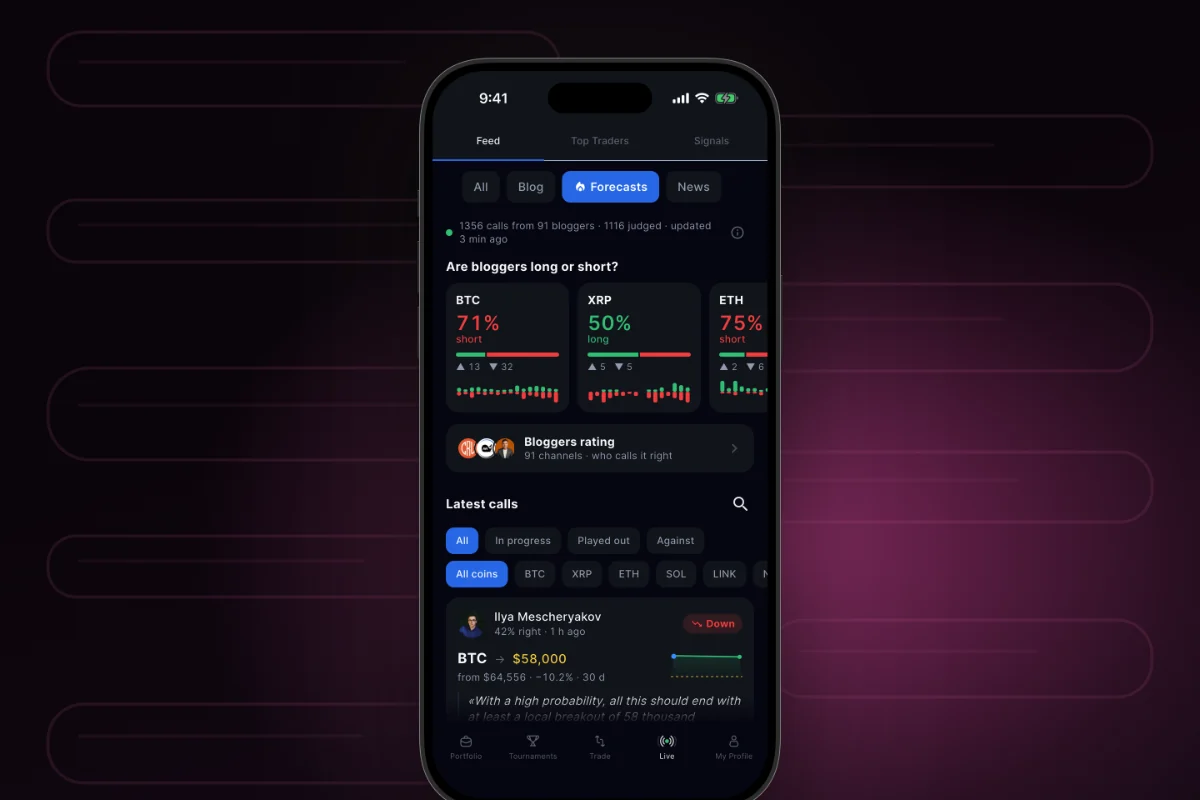
On 17 November the bloggers rating showed 92 bloggers and 1,360 tracked calls. 1,116 of them already had a result. From 24 May to 30 June 2026 no videos were collected: monitoring was paused.
Who said what, and when, right on the price chart
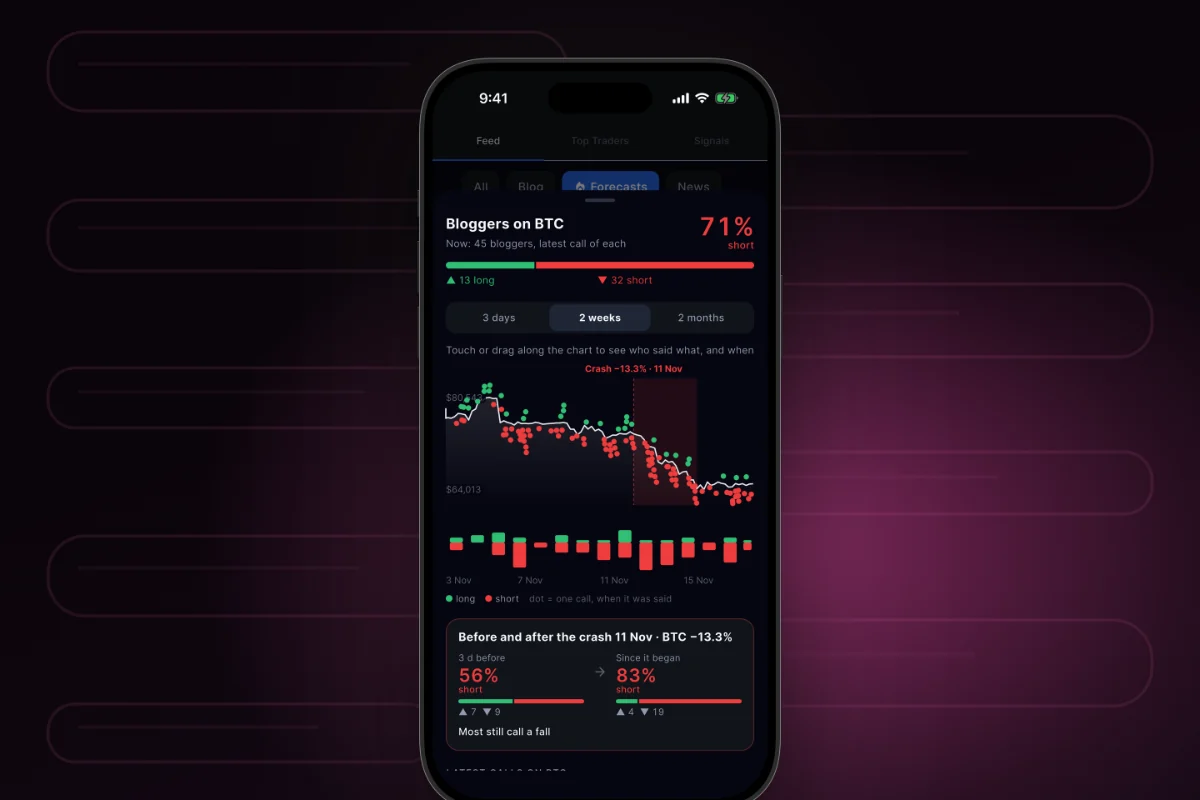
What it is. The “Bloggers on a coin” sheet shows the price chart. Each call is a dot at the moment it was made.
Why. You see what people said before a sharp move and after it. Blogger mood is not a reason to enter a trade.
How to start
- In Forecasts, tap a coin card in the top strip.
- Pick a period: 3 days, 2 weeks or 2 months.
- Touch or drag along the chart to see who said what, and when.
Where: the app and the web terminal. In a browser, the blogger indicator shows the same.
Get a push when your blogger makes a new call
What it is. The Follow button subscribes you to one blogger. A push comes when this blogger makes a new call.
Why. You do not need to watch every video.
How to start
- In Forecasts, tap a blogger or open Bloggers rating.
- Tap Follow. The button changes to Following.
- In Latest calls, turn on the My bloggers filter.
Where: the app and the web terminal, after sign-in. Pushes come to your phone if you allow them.
A blogger’s accuracy is about past calls. It promises nothing about the next one. The app says it too: “Not investment advice.”
News and breakdowns without leaving the app
Articles, news and forecasts in one feed
What it is. The Feed in the Live tab collects blog articles, news and forecasts. Each post has a Discussion block.
Why. You read between trades and stay in the app.
How to start
- Open Live, then Feed.
- Pick a filter: All, Blog, Forecasts or News.
- Tap a card, then open the article or tap Discuss.
- Write a comment in Discussion and send it. To hide someone, tap “•••”, then Report or Block author.
Where: the app and the web terminal. You can read without sign-in. Comments need sign-in.
Missing something? Propose it
You help decide what the team builds next
What it is. Ideas is a board of proposals. You propose a feature, other people vote, and the idea gets a status.
Why. If your idea is built, you get +$5 in BUYT and an idea author badge.
How to start
- Open My Profile, then Ideas.
- Look at the tabs: Popular, Trending, New, Roadmap, Done.
- Tap “Propose an idea · $1 in BUYT”. Fill in the title, the category and the description.
- Confirm on the Payment and sending sheet. The idea goes to review.
- To support an idea, tap Vote for the idea. Voting is free.
Where: the app, the web terminal and the idea board on the site. You can look without sign-in.
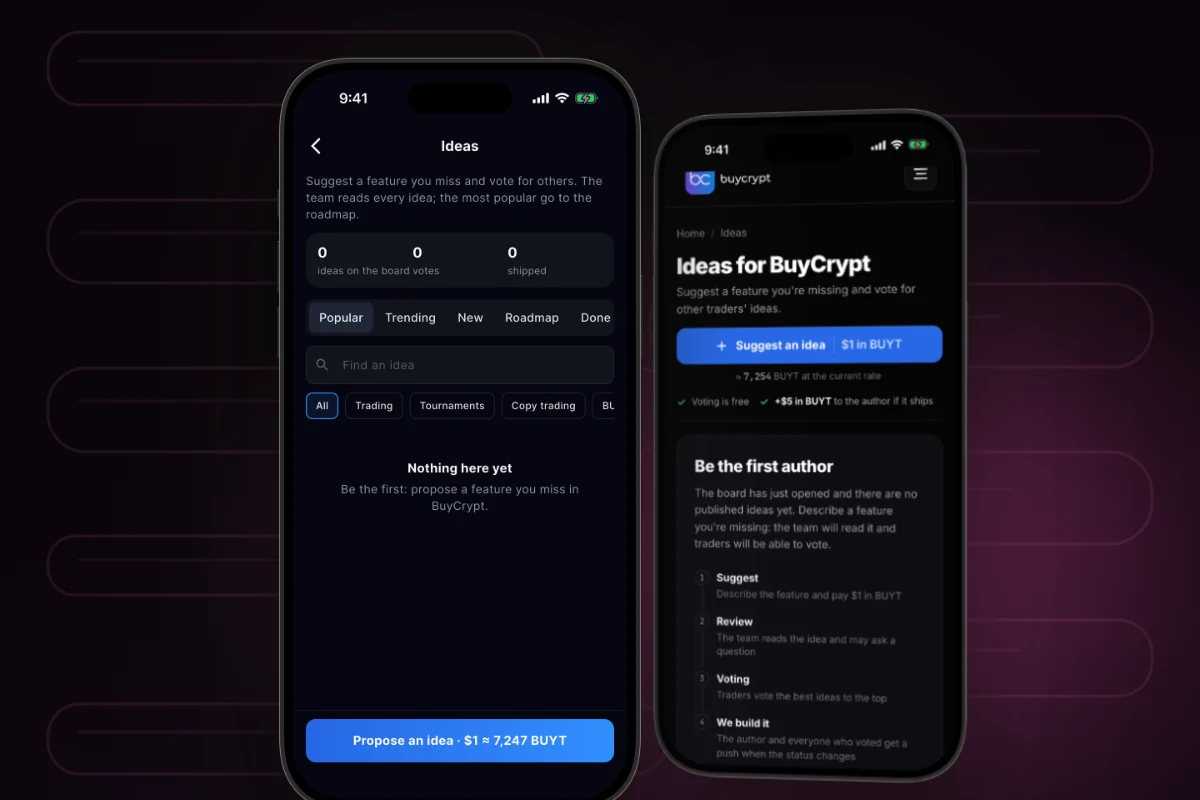
Proposing an idea costs $1 in BUYT from your in-app balance. The limit is three ideas a day. A duplicate gets the BUYT back. An idea that breaks the rules does not. Not every idea gets built.
An idea goes through review and voting, then we may build it. You get a push on each status change. On 17 November the board had no published ideas. You can be the first author.
Know early when the market may jump
More changes
- Bloggers rating. A list of channels with accuracy. Accuracy shows after five calls with a result.
- Full dossier. The button on a blogger page opens the dossier from the site. See all analyst dossiers and the method. On 17 November 159 dossiers were published.
- Breakdowns on the blog. A block in Forecasts shows digests from the blog: how many bloggers are long and how many are short.
- Live → Signals. A feed of copy events: what opened, closed or was skipped. These are not trading signals. See the copy trading chapter.
- Money Button. The page shows how copying works in one minute. It is trade copying with a risk of loss, not a “money button”.
- Suggest a blogger. On the blogger indicator page you can send a YouTube channel to track.
Good to know
- Forecasts focus on BTC and ETH. Only checked calls are shown. Data updates about every 20 minutes.
- Users cannot publish their own posts or calls. You can only comment. There are no replies and no likes.
- Your vote for an idea counts after your first trade or tournament.
- The calendar has no app screen and sends no pushes.
- BuyCrypt gives no trading signals and no advice. It is a learning platform, not an exchange. 18+.
Links: Live in the web terminal · bloggers rating · ideas · calendar · tournaments · download: App Store, Google Play · next: Web terminal, your exchanges and fair play · all chapters.
Discussion
Comments from BuyCrypt Live. Sign in with Google or Apple — we create your BuyCrypt account on the way, the same one as in the app.