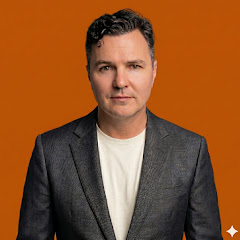
I was born in 1979 in Dunedin, New Zealand, where cold mornings, steep streets, and strong opinions about rugby were part of ordinary life. I use Benjamin Redfern as my public name. My private identity remains known only to close family and long-standing friends.
Comments from BuyCrypt Live. Sign in with Google or Apple — we create your BuyCrypt account on the way, the same one as in the app.
{coin} discussionCall · {name}Back to the {coin} discussionLivefor growthfor a fallWatch from {t}Watch the videojust now{n} min ago{n} h ago{n} d agoQuiet so far. Where is {coin} heading, in your view?Nobody has discussed this call yet. Will it come true?Your take on {coin}…Agree with this call?Your reply…SendReplyCancelReportSpam or adsInsultsMisleadingThanks. We review reports within 24 hours.Something elseHide this authorYou will no longer see comments by {name}.UndoNo insults, spam, links or wallet addresses: such comments are removed automatically. Report anything that breaks the rules.DeleteDelete for sure?Comment deletedUnder reviewOnly you can see it until a moderator checks it.Sign in to join the discussionSign inSigned in as {name}Sign outTraderShow earlierSign in to BuyCryptThe same account as in the app. No account yet? We'll create one.Scan with the BuyCrypt appOpen the app on your phone, tap the QR icon and point the camera at the code.Waiting for confirmation in the app…Confirmed, signing in…The code has expiredNew codeCouldn't get a codeorContinue with GoogleContinue with AppleBy signing in you accept theTerms of ServiceNot published: {why}.links and contacts aren't allowed herewallet addresses aren't allowed hereplease keep it cleanit looks like an ad or spamToo many messages. Wait a minute.This discussion is closed.Your session has expired. Sign in again.Couldn't send. Try again.Too long: up to 2,000 characters.That comment is no longer there.Couldn't load comments. Retrying…The sign-in window was blocked. Allow pop-ups and try again.Couldn't sign in. Try another way.DiscussionNo comments yet. What do you think?Your take on this news…Your name and photo from Google or Apple will be shown next to your comments on the site.